This digest compiles the latest from Engadget.
Today’s Engadget Roundup
Meta, TikTok and Snap are participating in an online safety ratings system
10 Feb 2026, 4:29 pm by Andre Revilla
Numerous major social platforms including Meta, YouTube, TikTok and Snap say they will submit to a new external grading process that scores social platforms on how well they protect adolescent mental health. The program comes from the Mental Health Coalition’s Safe Online Standards (SOS) initiative, which comprises about two dozen standards covering areas like platform policy, functionality, governance and transparency, content oversight and more. The SOS initiative is led by Dr. Dan Reidenberg, Managing Director of the National Council for Suicide Prevention.
In announcing these companies' participation, the Mental Health Coalition writes "SOS establishes clear, user-informed data for how social media, gaming, and digital platforms design products, protect users ages 13–19, and address exposure to suicide and self-harm content. Participating companies will voluntarily submit documentation on their policies, tools, and product features, which will be evaluated by an independent panel of global experts."
After evaluation, the platforms will be given one of three ratings. The highest achievable safety rating is "use carefully," which comes with a blue badge that compliant platforms can display. Despite being the highest rating, the requirements seem fairly run-of-the-mill. The description includes things like "reporting tools are accessible and easy to use," and "privacy, default and safety functions are clear and easy to set for parents." As for what actions the standards ask of the companies being rated, the "use carefully" rating says "platforms and filters help reduce exposure to harmful or inappropriate content."
The other ratings include "partial protection" which is described in part as "some safety tools exist on the platforms, but can be hard to find or use," and "does not meet standards" which would be given if "filters and content moderation do not reliably block harmful or unsafe content."
The Mental Health Coalition, founded in 2020, has mentioned Facebook and Meta as partners since the early days of the organization. In 2021 the organization said it would bring together "leading mental health experts partner with Facebook and Instagram to destigmatize mental health and connect people to resources" during the COVID-19 pandemic.
In 2022 the nonprofit published a case study with "support from Meta" that found "mental health content on social media can reduce stigma while increasing individuals’ likelihood to seek resources, therefore positively impacting mental health."
In 2024, the MHC "in partnership with Meta" launched a campaign called the Time Well Spent Challenge. In it, the group urged parents to have “meaningful conversations” with teens about “healthy” social media use, focusing less on whether teens should be on these apps at all and more on keeping them on-platform in a “time well spent” way, from reduced screen time to “using social media for good” and reviewing their feeds together.
That same year it partnered with Meta again to establish "Thrive," a program that allows tech companies to share data regarding materials that violate self-harm or suicide content guidelines. The Mental Health Coalition lists Meta as a "creative partner" on its website.
Last year it was alleged that Meta buried internal data showing the ill effects of its products on users' mental health. The internal research, dubbed "Project Mercury," began in 2020. Since then the company has introduced some bare-minimum attempts at addressing mental health concerns, such as Instagram teen accounts. Meta is now on trial in California facing allegations over child harm from addictive products, the first in a series of upcoming lawsuits against the social media giant.
Other companies participating in the rating program include Roblox, which has recently faced stiff accusations over the wellbeing of children on the platform, and Discord which has beefed up its age-verification processes in response to its own serious child endangerment concerns.
This article originally appeared on Engadget at https://www.engadget.com/social-media/meta-tiktok-and-snap-are-participating-in-an-online-safety-ratings-system-162921333.html?src=rss
Google's new tool helps you remove non-consensual explicit images from Search
10 Feb 2026, 3:53 pm by Sarah Fielding
The internet is ripe with horrible violations of people's privacy, including non-consensual explicit images. A new tool from Google won't do much in the way of prevention, but can help you remove this media from Search.
Now, you can choose an image and quickly request its deletion. Just click on the three dots that appear on the image. From there, choose "remove result" and then "It shows a sexual image of me." Other choices include the picture shows a person under 18 and that it has your personal information. If you choose the initial option then you will also be asked whether it contains a real image or deepfake. There's also an option to submit multiple photos at once.
Google claims that, upon submitting your request, you will "immediately" see links to emotional and legal support organizations. Plus, you can opt-in to safeguards that filter out similar results in Search — though it seems these unreported images will still be available for other users to see. This feature should be available in most countries over the coming days.
You can go on Google's "Results about you" hub to track your request. To use the tool, you will have to add in your personal contact information and government ID numbers. Google already had the hub to track if any of that information appears on Search, but now it will also look for your social security number, drivers license and passport information. The company should notify you if any of that information comes up in Search results and allow you to take removal steps.
Results about you's updates should roll out to US users in the coming days. Notably, it arrives as Google shutters its dark web reports. They would alert you if your name, number, or email address appeared on the internet — typically because of a data breach. However, Google found it didn't help users take next steps to fix the problem, something these new features will hopefully do.
This article originally appeared on Engadget at https://www.engadget.com/cybersecurity/googles-new-tool-helps-you-remove-non-consensual-explicit-images-from-search-155352248.html?src=rss
Proton VPN deal: Get up to 70 percent off two-year plans
10 Feb 2026, 3:15 pm by Georgie Peru
Proton VPN is running a solid deal right now, dropping its two-year Proton VPN Plus plan to $2.99 per month. That works out to $72 billed upfront for the first 24 months, which represents a 70 percent discount compared to its regular pricing.
We’ve rated Proton VPN highly thanks to its strong privacy credentials, transparent nonprofit backing and consistently fast performance. It’s one of the services we recommend in our guide to the best VPNs, and this deal also shows up alongside other standout offers in our ongoing roundup of the best VPN deals. It’s a good option if you’re looking to lock in long-term protection at a lower monthly cost.
In our Proton VPN review, the service impressed us with consistently fast performance and strong privacy protections. We measured average download speeds at 88 percent of our unprotected connection and upload speeds at 98 percent, which is more than enough for 4K streaming, gaming and torrenting. It also unblocked Netflix in every region we tested, and while its Mac and iOS apps aren’t quite as polished as the Windows and Android versions, the service is still easy to install and largely set-it-and-forget-it across platforms. We gave Proton VPN a score of 90 out of 100.
Proton VPN Plus is the company’s premium tier and includes access to its full server network, which now spans more than 15,000 servers across 120-plus countries. A single subscription covers up to 10 devices at once and unlocks features like NetShield ad and malware blocking, Secure Core “double hop” connections, split tunneling, custom DNS controls and priority customer support. Proton VPN Plus also supports fast P2P traffic on nearly all paid servers and includes VPN Accelerator, which helps maintain high speeds over long-distance connections.
Right now, Proton VPN Plus is discounted to $2.99 per month when you commit to two years, billed as $72 upfront for the first 24 months. After that, the plan renews annually at $83.88. That’s a 70 percent discount compared to the standard monthly rate. As with Proton’s other paid plans, the subscription comes with a 30-day money-back guarantee, so you can try it risk-free if you’re not ready to lock in long term.
This article originally appeared on Engadget at https://www.engadget.com/deals/proton-vpn-deal-get-up-to-70-percent-off-two-year-plans-123000585.html?src=rss
Elevation Lab's 10-year extended battery case for AirTag is back on sale for $16
10 Feb 2026, 3:12 pm by Kris Holt
If you're an iPhone user who likes to keep tabs on where your stuff is, you can't go far wrong with an AirTag. The second-gen model that Apple just released outpaces the original in every way (aside from the galling lack of a keyring hole, that is). While it's easy enough to replace the battery in both versions of the AirTag, you might not want to have to worry about the device's battery life for a very long time. Enter Elevation Lab's extended battery case for the AirTag, which is currently on sale at Amazon for $16.
The case usually sells for $23, so that's a 30 percent discount. It's not the first time we've seen this deal, but it's a pretty decent one all the same.
This is arguably one of the more useful AirTag accessories around for certain use cases. It won't exactly be helpful for an AirTag that you put in a wallet or attach to your keys, as it's too bulky for such a purpose — and it doesn't have a hole for a keyring anyway. Still, if you're looking for an AirTag case that you can place in a suitcase or backpack and not have to touch for years, this could be the ticket.
Elevation Lab says that, when you place a couple of AA batteries in the case, it can extend the tracker's battery life to as much as 10 years (the brand recommends using Energizer Ultimate Lithium batteries for best results). The AirTag is slated to run for over a year on its standard CR2032 button cell.
The case gives the AirTag more protection as well. It's sealed with four screws and it has a IP69 waterproof rating. What's more, it doesn't ostensibly look like an AirTag case, so someone who steals an item with one inside is perhaps less likely to realize that the object they pilfered is being tracked.
There are some other downsides, though. Since the AirTag is locked inside a case, the sound it emits will be muffled. Elevation Lab says the device's volume will be about two-thirds the level of a case-free AirTag. However, the second-gen AirTag is louder than its predecessor, which should mitigate that issue somewhat.
Follow @EngadgetDeals on X for the latest tech deals and buying advice.
This article originally appeared on Engadget at https://www.engadget.com/deals/elevation-labs-10-year-extended-battery-case-for-airtag-is-back-on-sale-for-16-151215952.html?src=rss
Presidents' Day sales 2026: The best tech deals to shop early from Apple, Sony, Samsung and others
10 Feb 2026, 2:12 pm by Engadget
You can find a lot of good deals for Presidents’ Day, but to say it’s a tech-deal boon would be an overstatement. The best Presidents’ Day deals are usually on mattresses, appliances and furniture, but you can find some decent tech sales thrown in as well. This year, Presidents’ Day comes right after Valentine’s Day and Super Bowl 2026, which means there are even more chances to save as sales and discounts overlap. If you’re looking for a new streaming device, a fresh iPad or an upgraded vacuum so you can enter the spring-cleaning season properly, we have you covered. These are the best President Day sales on tech we could find this year.
Presidents’ Day deals under $50
Disney+ and Hulu bundle (one month) for $10 ($3 off): You can get one month of Disney+ and Hulu access for only $10 right now. That represents a small savings over the standard $13-per-month price for the bundle, but a 58-percent discount when you compare it to the price of paying for both services separately. It’s a good way to test out the bundle without paying too much before you decide if you want to subscribe for the long haul.
Elevation Lab 10-year extended battery case for AirTag for $16 (30 percent off): This handy AirTag holder uses two AA batteries to extend the lifetime of Apple’s Bluetooth tracker to a whopping 10 years, so you don’t have to bother with replacing its built-in battery for a long time. It works with both first- and second-gen AirTags.
Anker Nano 45W USB-C charger for $30 ($10 off): Anker’s latest 45W charger has a small smart display on it that can show you real-time charging stats. It’s compact design is great for travel, as are its foldable prongs.
Blink Mini 2K+ — 2 cameras for $45 (50 percent off): Blink’s latest plug-in security cameras support 2K video and improved audio quality. Like previous versions, these cameras have two-way talk, motion alerts and support for Alexa voice commands.
Anker Nano 5K ultra-slim magnetic power bank for $46 (16 percent off): This Qi2 power bank measures less than a half inch thick and snaps onto the backs of the latest iPhones for wireless charging. Its 5K capacity will be enough to top up your phone when it’s close to empty, preventing you from searching for a charger or outlet.
Presidents’ Day deals on Apple devices
Apple iPhone Air MagSafe battery pack for $79 (20 percent off): This magnetic power bank will add up to 65 percent additional battery charge to the iPhone Air, but note that it only works with Apple’s new, ultra-slim smartphone. We’ve tested plenty of others that also work with other iPhone and smartphone models.
Apple Magic Mouse for $68 (14 percent off): Apple’s sleek wireless mouse has a multi-touch surface that supports gesture control, and its battery should last about a month in between charges. And yes, it has a USB-C port.
Apple Watch Series 11 for $299 ($100 off): The latest flagship Apple Watch has excellent performance, a boosted battery life and a lightweight design that you can comfortably wear all day long — and even into the night to track sleep.
iPad mini (A17 Pro ) for $399 ($100 off): The updated iPad mini runs on the A17 Pro chip for improved performance, plus it has an 8.3-inch Liquid Retina display, a 12MP ultra wide camera with Center Stage, USB-C charging and compatibility with the Apple Pencil Pro.
Beats Studio Pro for $170 (51 percent off): Beats updated these cans to have improved sound quality, and you can really hear the difference from models that came before it. These headphones also have solid Transparency mode, good voice performance and USB-C audio.
Beats Solo 4 headphones for $130 (35 percent off): These on-ear headphones support spatial audio and dynamic head tracking, and they have up to 50 hours of battery life. The “fast fuel” feature allows them to get up to five hours of playback time with just a quick 10-minute power-up.
Beats Studio Buds+ for $100 (41 percent off): These tiny buds have both active noise cancellation and transparency mode, and they’ll work just as well with either Apple or Android devices.
More Presidents’ Day deals on tech
Waterpik cordless rechargeable water flosser for $40 (20 percent off)
Ring Battery Doorbell for $60 (40 percent off)
Logitech MX Master 3S for $80 (20 percent off)
Levoit Core 300-P air purifier for $85 (15 percent off)
Shark Steam & Scrub steam mop for $125 (22 percent off)
Google Pixel Buds Pro 2 earbuds for $179 (22 percent off)
Sonos Beam Gen 2 soundbar for $369 ($130 off)
Hisense 75-inch QD7 Mini-LED 4K smart TV for $548 (16 percent off)
DJI Mini 3 Fly More Combo drone bundle for $575 (20 percent off)
Google Pixel 10 Pro for $899 (18 percent off)
Sony 55-inch Bravia XR8B 4K smart TV for $998 (9 percent off)
This article originally appeared on Engadget at https://www.engadget.com/deals/presidents-day-sales-2026-the-best-tech-deals-to-shop-early-from-apple-sony-samsung-and-others-163000034.html?src=rss
ASUS Zenbook Duo (2026) review: Two screens really are better than one
10 Feb 2026, 2:00 pm by Sam Rutherford

It takes time for novel designs to catch on. But even so, I am still wondering why the Zenbook Duo hasn't had a bigger impact on the market after ASUS released its first true dual-screen laptop two years ago. Notebooks like these provide the kind of screen space you'd typically only get from a dual monitor setup, but in a much more compact form factor that you can easily take on the road. It could be that people were wary of an unfamiliar design, shorter battery life or buying a first-gen product — all of which are understandable concerns. However, now that ASUS has given the ZenBook Duo a total redesign for 2026, the company has addressed practically all of those barriers to entry while making it an even more convincing machine for anyone who could use more display space. Which, in my experience, is pretty much everyone.
Editor’s note: The 2026 ASUS Zenbook Duo is expected to be available for pre-order sometime in late February, with general availability slated for March.
Design
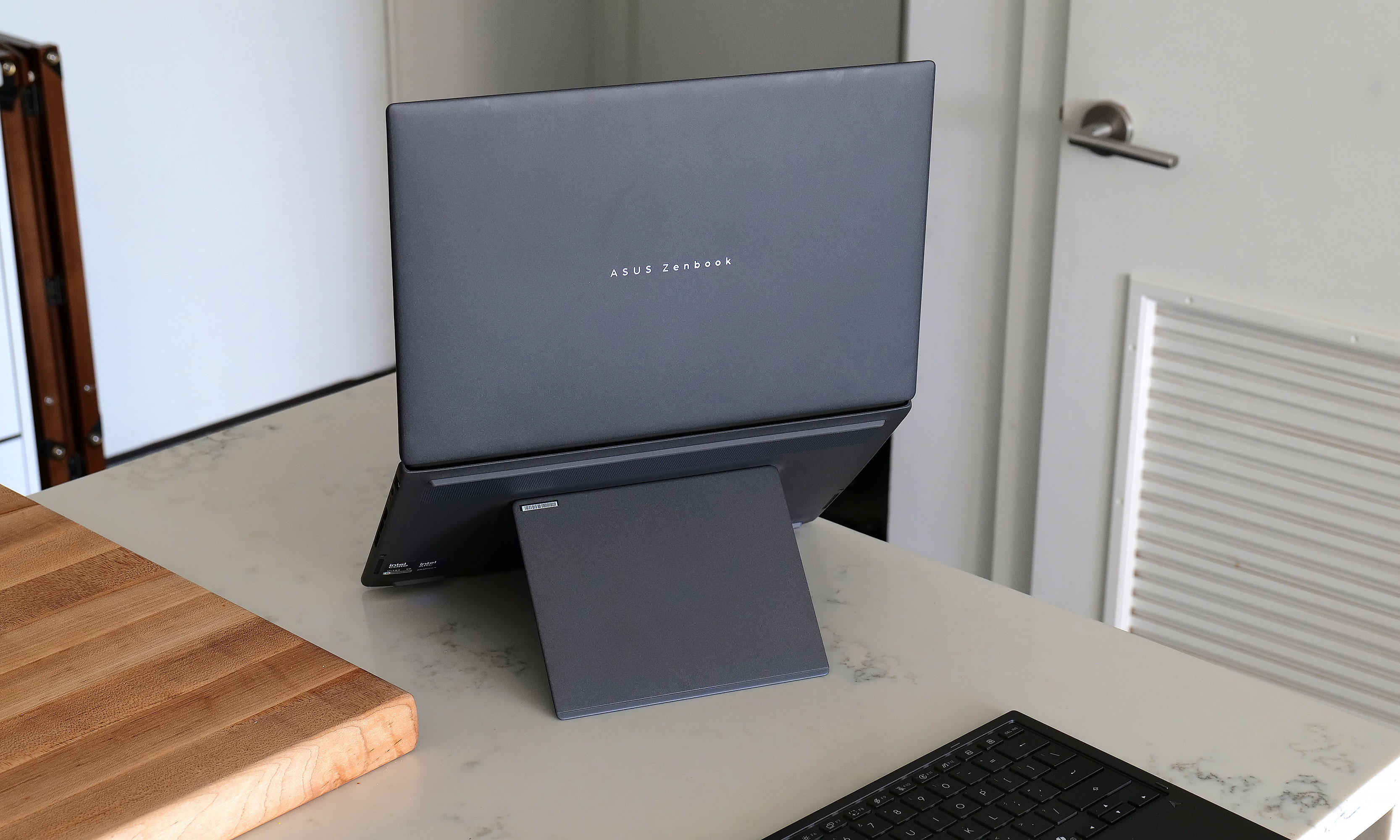
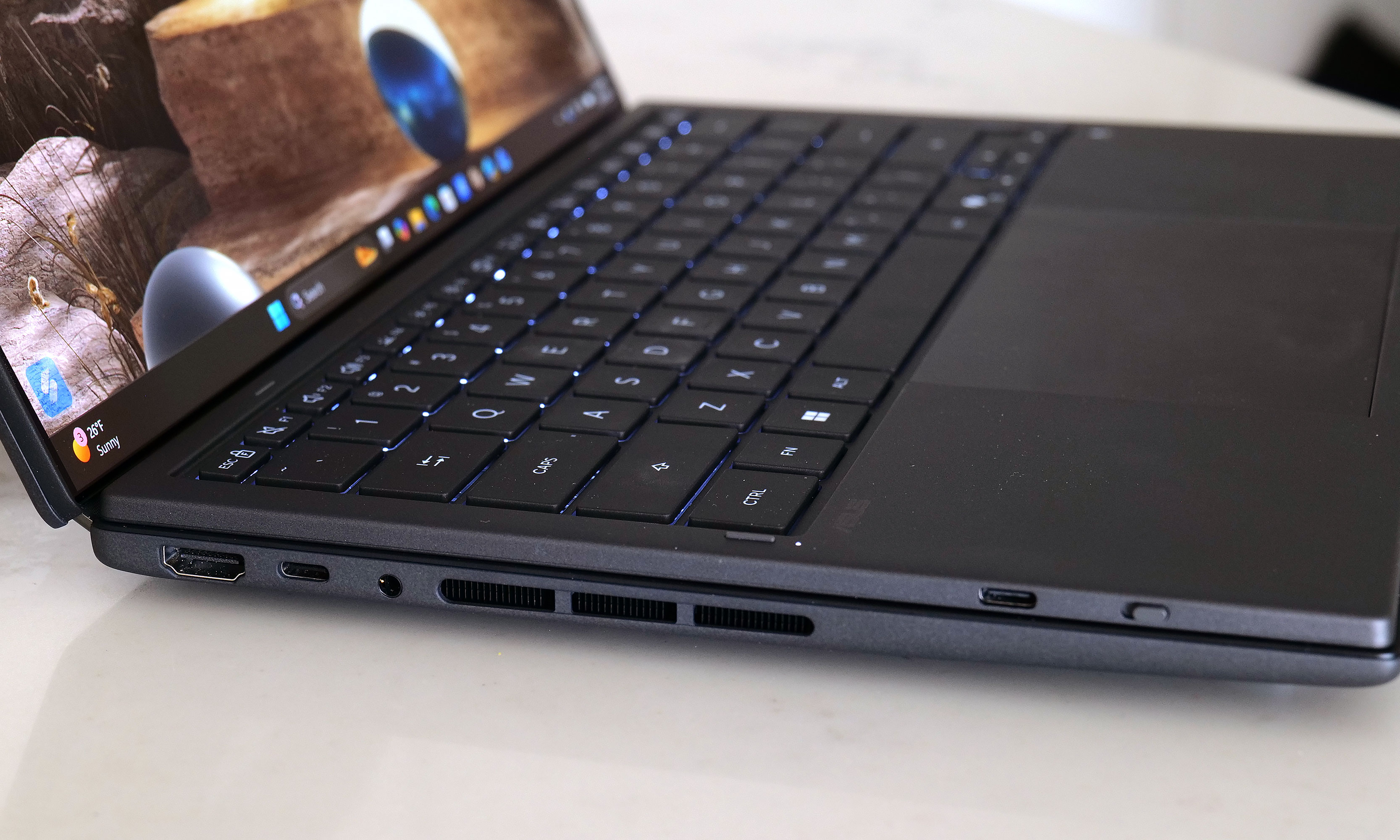
For the new model, ASUS didn't mess with the laptop's basic layout too much. Instead, the company polished and tightened everything up, resulting in a system that weighs about the same (3.6 pounds) while reducing its overall size (12.1 x 8.2 x 0.77 to 0.92 inches) by five percent. Critically, you still get a built-in kickstand on the bottom and a detachable keyboard that you move wherever you want. There’s also a decent number of ports, including two USB-C with Thunderbolt 4, one USB-A 3.2 jack, HDMI 2.1 and a combo audio port. That said, I do wish ASUS had found room for an SD card reader of some kind, though given the Zenbook Duo's unique design, I get why that didn't make it.
One of the Zenbook Duo's most important design upgrades is a new "hideaway" hinge that reduces the gap between the laptop's two screens. Not only does this make the laptop easier and more pleasant to use in dual-screen mode, it also allows the entire system to lay flat on a table, which is nice for drawing or sharing your screen with someone sitting opposite you. Unfortunately, while my review unit didn’t come with one, ASUS says its forthcoming Pen 3.0 will come bundled with the Zenbook Duo in the US, so you won’t need to pay extra for it.
Another small but appreciated improvement is the new pogo pins below the lower display, which provides a more secure and reliable way of keeping the laptop's detachable keyboard topped up. In my experience, even after running multiple rundown tests that completely drained the Duo's battery, I never had to charge up the keyboard on its own. It was always smart enough to sip electricity from the main system in the background, though it also has a built-in USB-C port for power just in case. On the flipside, if you're not scared of typing on glass, you can still use the lower screen as a keyboard and touchpad, or as a place to display widgets for news, the weather, performance and more.
Displays

The standout feature on the Zenbook Duo continues to be its dual displays, and now for 2026, they look better than ever. Both OLED panels have a 144Hz refresh rate with a 2,880 x 1,800 resolution while also covering 100 percent of the DCI-P3 spectrum. And while its nominal brightness of 500 nits for SDR content is just OK, ASUS makes up for that with peaks of up to 1,000 nits in HDR. And to make both screens even more enjoyable, ASUS managed to shrink the size of their bezels down to just 8.28mm. That's a reduction of 70 percent compared to the previous model, so now there's even less getting in the way of you utilizing these screens to their fullest.
Performance
The Zenbook Duo can be configured with a range of new Intel Core Ultra 7 and Core Ultra 9 processors, including the X9 388H chip used on our review unit. For general use and productivity, the laptop is super smooth and responsive, though that shouldn't be a surprise coming from Intel's latest top-of-the-line mobile CPU. However, for those seeking max performance, some of the benchmark numbers aren't quite as impressive as you might expect. That’s because ASUS has limited the Duo's TDP (thermal design power) to 45 watts — which is shy of the chip's 80-watt turbo power limit.
In PCMark 10, the Zenbook Duo only managed a score of 7,153 compared to 9,651 from a Dell XPS 14, despite the latter having a lower-tier Intel Core Ultra X7 358H processor. That said, in other tests like Geekbench 6, the Duo had no trouble staying on top with a multicore score of 17,095 versus 9,651 for the Dell.
Another pleasant surprise is that because the Duo's chip comes with Intel's upgraded Arc B390 integrated GPU, this thing has plenty of oomph to game on, let alone edit videos or other similar tasks. In Elden Ring at 1,920 x 1,200, the Zenbook maintained a relatively stable framerate between 55 and 60 fps on high settings, which is great considering this thing doesn't have discrete graphics. This means as long as you don't mind fiddling with game options a bit, you should be able to play newer AAA games without too much trouble.
Battery life
You'd think a laptop with two displays would be super power hungry. However, by increasing the capacity of its cell from 75WHrs to 99WHrs, ASUS has made the Zenbook Duo's endurance (or lack thereof) a complete non-issue. On PCMark 10's Modern Office rundown test, the laptop lasted 18 hours and 33 minutes in single-screen mode. Granted, that's nearly four hours less than what we got from MSI's Prestige 14 Flip AI+, but considering that's the longest-lasting notebook we've ever tested, I'm not bothered. When compared to ASUS' own Zenbook A14 (18:16), things are basically a wash, which I think is a win for the Duo, as the A14 is meant to be an ultralight system with an emphasis on portability and longevity.
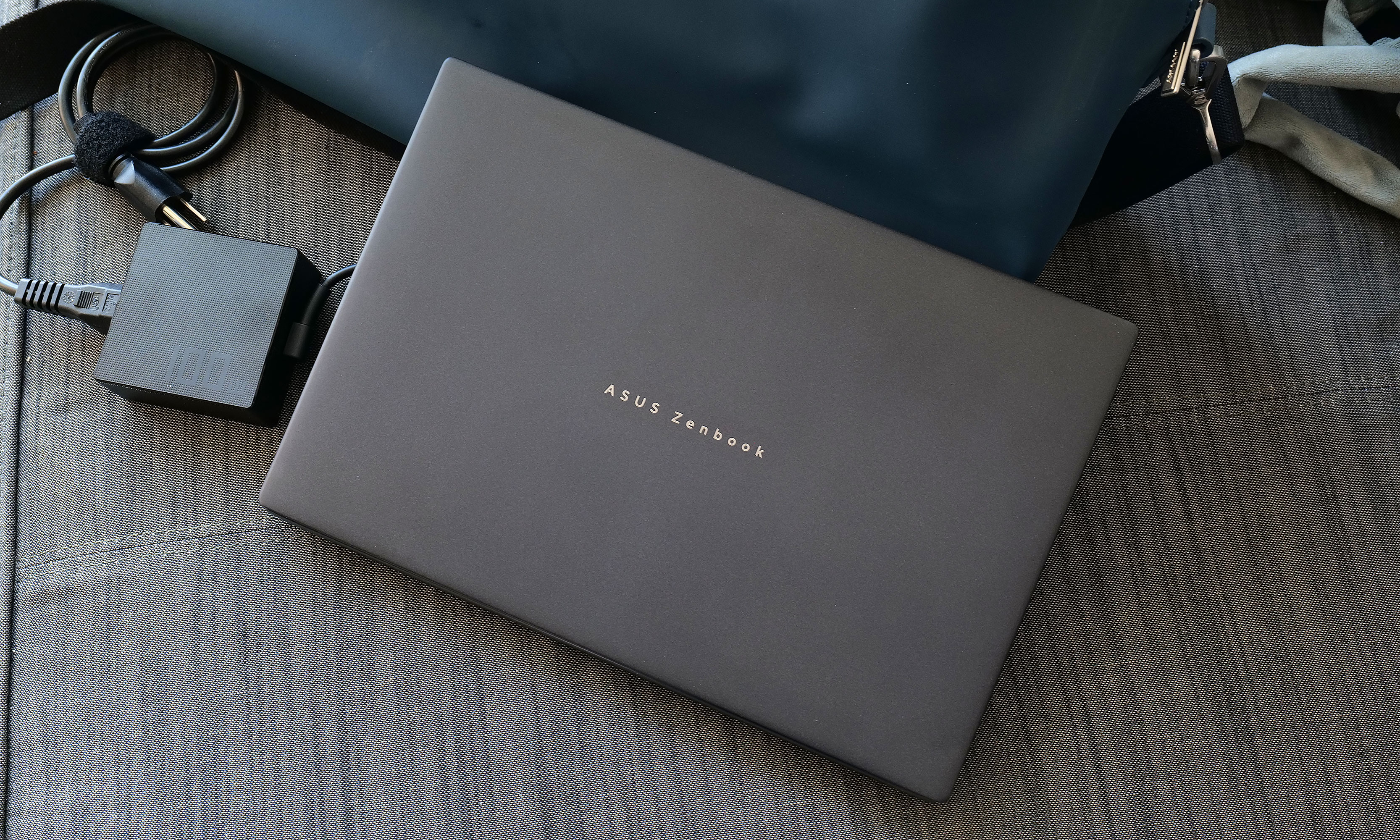
Obviously, battery life takes a hit when you're using both displays. However, when I re-ran our battery test with its two displays turned on, the Duo still impressed with a time of 14:23. This is more than enough to give you the confidence to set this thing up in dual-screen mode even when an outlet isn't close at hand. Thankfully, for times when you do need a power adapter, the charging brick on ASUS' cable is rather compact, so it's not a chore to lug it around.
Wrap-up
I'm a believer that one day people will eventually embrace typing on screens with laptops just like they have for smartphones. However, even if you're not willing to make that jump just yet, the Zenbook Duo still has all of its bases covered. Its detachable keyboard gives you a pleasant experience while freeing up the bottom of the notebook to be a second display. This allows you to have something similar to a traditional dual-monitor desktop but in a chassis that you can easily take on the road without any major compromises.
The 2026 Zenbook Duo combines a compact design with strong performance, plenty of ports and surprisingly good battery life. Sure, it's a touch heavier than a typical 14-inch laptop, but its two screens more than make up for a little added weight and thickness. That leaves price as the Duo's remaining drawback, and starting at $2,100 (or $2,300 as reviewed), it certainly isn't cheap.
However, when you consider that a similarly equipped rival like a Dell XPS 14 costs just $50 less for a single screen, that price difference is rather negligible. Alternatively, if you opt for a more affordable ultraportable and then tack on a decent third-party portable monitor, you're still likely looking at a package that costs between $1,500 and $1,800. Plus, that setup is significantly bulkier and more annoying to carry around. So while the Zenbook Duo might be an unconventional pick right now, it has all the tools to deliver unmatched portable productivity and I don’t think it will be too much longer until the masses catch on.
This article originally appeared on Engadget at https://www.engadget.com/computing/laptops/asus-zenbook-duo-2026-review-two-screens-really-are-better-than-one-140000982.html?src=rss
Disney+ and Hulu deal: Get one month of the bundle for $10
10 Feb 2026, 1:45 pm by Valentina Palladino,Georgie Peru
The peak time for deals on streaming services — the holiday shopping season — has come and gone, but Disney is back with a fresh offer for the new year. New and eligible returning subscribers can get one month of the ad-supported Disney+ Hulu bundle for just $10. That's $3 off the usual monthly rate for the bundle, and more than 58 percent off if you consider the prices for each service individually (Disney+ at $12 per month and, separately, Hulu also at $12 per month).
We'd be remiss if we didn't mention that this isn't quite as good as the Black Friday deal we saw last year, which offered the same bundle for $5 per month for one year. However, if you missed that offer or just want to try out Disney+ and Hulu for a brief period of time, this is a good way to do so.
Disney+ and Hulu make one of the most balanced streaming pairs available, blending family-friendly favorites with acclaimed originals and network TV staples. Disney+ brings a vast library of animated classics, blockbuster franchises and exclusive content from Marvel, Pixar, Star Wars and National Geographic. It’s the place to stream nearly every Star Wars film and series, plus the full Marvel Cinematic Universe lineup and Disney’s most recent theatrical releases.
Hulu balances things out with a more adult-oriented lineup of current TV shows, next-day network episodes and a growing roster of award-winning originals. The platform hosts series like The Bear, The Handmaid’s Tale and Only Murders in the Building, alongside comedies, thrillers and documentaries that regularly feature in awards conversations. It’s also the home for next-day streaming of ABC and FX shows, making it especially useful if you’ve already cut the cable cord but still want to keep up with primetime TV.
The Duo Basic bundle ties these two services together under a single subscription, offering a simple way to expand your library without juggling multiple accounts. This tier includes ads on both platforms, but the trade-off is significant savings compared with paying for each service separately. For many households, that’s an acceptable compromise when it means access to such a wide range of content.
Follow @EngadgetDeals on X for the latest tech deals and buying advice.
This article originally appeared on Engadget at https://www.engadget.com/deals/disney-and-hulu-deal-get-one-month-of-the-bundle-for-10-192814395.html?src=rss
Our favorite Sony wireless headphones are on sale for a record low
10 Feb 2026, 1:19 pm by Lawrence Bonk
Sony's wireless WH-1000XM6 headphones are on sale for $398 via Amazon. This is a record-low price, as it drops $62 from the price tag. The sale applies to all three colorways.
These easily topped our list of the best wireless headphones. They are, in a word, fantastic. The headphones are packed with premium features, like advanced ANC. There are a whopping 12 ANC microphones throughout and a brand-new chip to power the feature. The end result? It successfully blocks background noise at medium and high frequencies, including the human voice.
The sound quality is extremely pleasing to the ears, thanks to new audio drivers and a team of mastering engineers that assisted with tuning. There are perforations in the driver's voice coil, which extends high frequency reproduction.
The design has been upgraded from the previous iteration and we found them extremely comfortable to wear for long periods of time, which is important with headphones. The battery gets around 30 hours, which is a fairly standard metric for this type of thing.
The only real major nitpick here is the original asking price. It's tough to recommend any pair of headphones for $460, but a bit easier at under $400.
Follow @EngadgetDeals on X for the latest tech deals and buying advice.
This article originally appeared on Engadget at https://www.engadget.com/deals/our-favorite-sony-wireless-headphones-are-on-sale-for-a-record-low-175038375.html?src=rss
UK takes 'light touch' approach to regulating Apple and Google's app stores
10 Feb 2026, 1:11 pm by Steve Dent
Last year the UK declared that Apple and Google were a duopoly with "strategic market status" in the mobile platforms market, making them subject to special regulations. However, the UK's Competition and Markets Authority (CMA) will not regulate Google and Apple's app stores like the EU has done. Rather, government plans to enforce its own digital markets rules in a "pragmatic" way by accepting "commitments" from Apple and Google in areas like app rankings, the CMA announced.
Google and Apple agreed to work with the CMA to address concerns on the following matters: app review, app ranking, use of data and interoperability process. Effectively, regulators require the tech giants to treat developers fairly, particularly when they compete against Google and Apple's own apps. However, the UK's rules are more like suggestions and "not legally binding in any case," former CMA director Tom Smith told the Financial Times.
This is in stark contrast to Europe's Digital Markets Act, which forced Apple to make changes to open up iOS features and data to rivals, allow app installations from outside its Store and reduce fees collected on purchases.
That could change if the companies fail to comply with its measures, though. The CMA plans to check metrics like the number of apps approved or rejected, app review times and developer complaints received. New requirements could then be brought forward if deemed necessary. "For example, if we find Apple is routinely declining interoperability requests without good reason… we could bring forward specific interoperability requirements. Non-compliance would also mean we would be unlikely to consider commitments as a similar approach in [the] future."
Google said in a blog today that it "welcomed the opportunity to resolve the CMA's concerns collaboratively." Apple, meanwhile, seemed similarly pleased with the deal. "The commitments announced today allow Apple to continue advancing important privacy and security innovations for users and great opportunities for developers,” an Apple spokesperson told Bloomberg.
The UK is possibly taking a light touch on app store rules to avoid antagonizing the Trump administration. Earlier today, French President Emmanuel Macron predicted that the US could go after the EU on areas like data privacy, digital taxation and the plan of multiple EU countries to ban children from social media. "The US will, in the coming months — that’s certain — attack us over digital regulation," Macron said at a special summit yesterday.
This article originally appeared on Engadget at https://www.engadget.com/big-tech/uk-takes-light-touch-approach-to-regulating-apple-and-googles-app-stores-131119575.html?src=rss
Toyota and Pony.ai start mass producing robotaxis for China
10 Feb 2026, 1:08 pm by Mariella Moon
The first Pony.ai bZ4X robotaxi, made in partnership with Toyota, has just rolled off the production line and is ready to be deployed. It’s the first of many, if the companies stick to their plan, which is to produce more than 1,000 bZ4X robotaxis this year. The bZ4X is one of the three autonomous vehicle models Pony.ai intends to use for commercial services in Tier 1 Chinese cities, including Beijing and Shanghai. The other two vehicles are already being used for Pony.ai’s ride-hailing service, while the bZ4X robotaxis will be gradually integrated into its fleet. Pony.ai’s goal is to operate 3,000 vehicles by the end of 2026.
Toyota introduced the new bZ4X last year, and the non-autonomous versions are available for purchase to the public. Pony.ai’s version comes equipped with the company’s Gen-7 autonomous driving system, which features Bluetooth-based automatic vehicle unlocking and in-cabin voice interaction. It also comes integrated with online music services and braking patterns that can help minimize motion sickness for passengers. Pony.ai was founded in 2016 and has been testing and operating self-driving vehicles since then. It received permission from Beijing to offer self-driving car services to the general public back in 2022. While It’s a Chinese company, it has headquarters in Silicon Valley and filed for an IPO in the US in 2024.
This article originally appeared on Engadget at https://www.engadget.com/transportation/evs/toyota-and-ponyai-start-mass-producing-robotaxis-for-china-130833065.html?src=rss
Spotify now has more than 750 million monthly users
10 Feb 2026, 12:41 pm by Sarah Fielding
Spotify announced Tuesday that it hit 751 million total monthly active users (MAUs) for quarter-four of 2025. That record-high is an 11 percent jump from the year before and a significant bump from the third quarter's 713 million MAUs.
The quarterly earnings report also showed a 10 percent jump year-over-year in Premium subscribers, from 263 million to 290 million. Europe makes up the greatest number of the Swedish company's premium subscribers (36 percent), with North America coming second at 25 percent.
Spotify contributes a few factors to its growth, including AI. "We consider ourselves the R&D department for the music industry. Our job is to understand new technologies quickly and capture their potential, which we’ve done time and again," Gustav Söderström, Co-CEO of Spotify, said in a statement. The entire industry stands to benefit from this [AI] paradigm shift but we believe those who embrace this change and move fast, will benefit the most.” In late 2025, Spotify announced it would get rid of some of the AI "slop" on its platform and have "artist-first AI music products" — though the specifics were very vague.
The company also claims that December's Spotify Wrapped was bigger than ever, with over 300 million engaged users and 630 million shares across 56 languages.
This article originally appeared on Engadget at https://www.engadget.com/entertainment/music/spotify-now-has-more-than-750-million-monthly-users-124103630.html?src=rss
The Morning After: DOJ may face investigation over removal of ICE agent tracking apps
10 Feb 2026, 12:15 pm by Mat Smith

The House Judiciary Committee wants the US Department of Justice to turn over all its communications with both Apple and Google regarding the companies’ decisions to remove apps that shared information about sightings of US Immigration and Customs Enforcement officers.
Several apps were removed from both Apple’s App Store and Google’s Play Store in October. Politico reported that Raskin has contacted Attorney General Pam Bondi.
“The coercion and censorship campaign, which ultimately targets the users of ICE-monitoring applications, is a clear effort to silence this Administration’s critics and suppress any evidence that would expose the Administration’s lies, including its Orwellian attempts to cover up the murders of Renee and Alex,” Raskin wrote to Bondi.
— Mat Smith
The biggest stories you might have missed
How to disable Ring’s creepy Search Party feature
Say goodbye to AI-assisted mass surveillance… for now.
Ring’s Super Bowl ad showcased its Search Party feature, scaring the pants off anyone concerned about a mass surveillance state and, well, the state of everything at the moment. Search Party turns individual Ring devices into a surveillance network. Each camera uses AI to detect pets running within its field of view, and feeds are pooled to help identify lost animals. If it can handle pups, why not people? Here’s how to disable it.
Inside the Ive-designed interior of Ferrari’s luxe EV
The Luxurious Luce.

On a lighter note, consumer tech! Ferrari’s new car is no Apple Car. This is the Ferrari Luce (“light” in Italian), the actual name for the EV formerly known as Elettrica, and we (well, Tim Stevens) were lucky enough to get a walkthrough with Sir Jony Ive himself.
That’s because the interior was designed by LoveFrom, founded by Ive after leaving Apple in 2019. OpenAI acquired the design firm for $6.5 billion, and while the company has had numerous projects, the Luce could be its biggest yet. It’s filled with playful touches and a lot of, well, glass. If that tilting screen doesn’t shout iPhone design, what does?
This article originally appeared on Engadget at https://www.engadget.com/general/the-morning-after-doj-may-face-investigation-over-removal-of-ice-agent-tracking-apps-121500737.html?src=rss
Waymo's vehicles are now fully driverless in Nashville
10 Feb 2026, 12:04 pm by Mariella Moon
Waymo has gotten a step closer to offering robotaxi rides to the public in Nashville, Tennessee. The company the city and making sure they can operate as fully autonomous rides before launching a paid service in the location. Waymo announced that it was planning to bring its robotaxis to Nashville in September 2025, with the intention opening up rides to the public sometime this year. The company has been testing its technology in Nashville since then, but it has yet say when it’ll start accepting bookings for rides.
The company conducts extensive testing in every new city before deploying its robotaxi service. It starts by having safety drivers map the area and then updating its software with information learned from those tests, since each city has its own driving rules and conditions. Despite its testing, Waymo has had to issue a software recall several times in the past after its vehicles malfunctioned when faced with real hazards on the road. Its vehicles were previously seeing hitting gates, chains, telephone poles and stationary vehicles. Most recently, it issued a recall because its robotaxis failed to stop for school buses.
At the moment, Waymo vehicles are already open to the public in Los Angeles, San Francisco, Miami and Phoenix, as well as in Atlanta and Austin through a partnership with Uber. It’s active in a lot more locations, including New York, New Orleans, Seattle and even Tokyo, Japan, but it’s not serving riders in those locations yet. Nashville is in the list of new locations where Waymo is conducting or planning to conduct driverless trials, along with Boston, Dallas, Denver, Detroit, Houston, Las Vegas, Orlando, Sacramento, San Antonio, San Diego, Washington and London, UK.
This article originally appeared on Engadget at https://www.engadget.com/transportation/waymos-vehicles-are-now-fully-driverless-in-nashville-120412343.html?src=rss
The best VR accessories for 2026
10 Feb 2026, 10:00 am by Lawrence Bonk
VR headsets are impressive gadgets on their own, but the right accessories can significantly improve comfort, usability and immersion. From controller grips that offer better handling to upgraded head straps that balance weight and extend battery life, these add-ons can make long sessions more enjoyable and less fatiguing. Some accessories focus on convenience, like charging docks and storage stands, while others enhance how virtual experiences feel through haptic feedback or more secure fits.
As VR continues to expand beyond gaming into fitness, productivity and mixed reality experiences, accessories are starting to serve a wider range of functions. Whether you’re looking to fine-tune comfort, improve tracking or add realism to your virtual world, these are the VR accessories worth considering in 2026.
Best VR accessories: Controllers
Best VR accessories: Headsets
Best VR accessories: Fitness
Best VR accessories: Cables, chargers and batteries
VR accessories FAQs
What equipment do you need for VR?
What you need depends on the VR headset you buy. Some devices, like the Meta Quest 3, are entirely standalone, which means you don't need anything but the headset itself to use it. Other VR headsets need to be connected to a system from which it can draw power and run software. Some systems, like the HP Reverb G2, must connect to a PC, while others like the PS VR2 can connect to gaming consoles like the PS5. Most VR headsets come with the basic controllers you'll need to control actions and movement in virtual worlds.
What's the difference between PC VR, Smartphone VR and Gaming Console VR?
The main difference between those three VR systems is the main machine that allows the VR headset to run. PC VR headsets require a PC, like a gaming laptop or desktop, to run, while smartphone and gaming console VR systems require smartphones and gaming consoles, respectively, to work.
Do all VR headsets need a phone?
No, not all VR headsets need a phone to work. Many VR headsets have build in displays that sit in front of your eyes and basically act as your window into the virtual world.
This article originally appeared on Engadget at https://www.engadget.com/ar-vr/best-vr-accessories-150021126.html?src=rss
The best E Ink tablets for 2026
10 Feb 2026, 8:00 am by Valentina Palladino
I’m a longtime lover of pen and paper, so E Ink tablets have been intriguing to me ever since they started becoming more widely available. After having hundreds of half-filled notebooks over the years, I, at some point, turned to digital tools instead because it was just easier to store everything on my phone or laptop so I always had my most important information at my fingertips.
E-Ink tablets seem to provide the best of both worlds: the tactile satisfaction of regular notebooks with many of the conveniences found in digital tools, plus easy-on-the-eyes E-Ink screens. These devices have come a long way in recent years — now you can find them in multiple sizes, some have color E Ink screens and others double as full-blow ereaders with access to ebook stores and your local library’s offerings. I’ve tested out close to a dozen E Ink tablets over the past few years to see how well they work, how convenient they really are and which are the best tablets using E Ink screens available today.
Best E Ink tablets for 2026
Are E Ink tablets worth it?
An E Ink tablet will be a worthwhile purchase to a very select group of people. If you prefer the look and feel of an e paper display to LCD panels found on traditional tablets, it makes a lot of sense. They’re also good options for those who want a more paper-like writing experience (although you can get that kind of functionality on a regular tablet with the right screen protector) or a more distraction-free device overall.
The final note is key here. Many E Ink tablets don’t run on the same operating systems as regular tablets, so you’re automatically going to be limited in what you can do. And even with those that do allow you to download traditional apps like Chrome, Instagram and Facebook, E Ink tablets are not designed to give you the best casual-browsing experience. This is mostly due to the nature of E Ink displays, which have noticeable refreshes, a lack of vibrant colors and lower picture quality than the panels you’ll find on even the cheapest iPad.
Arguably the biggest reason why you wouldn’t want to go with an iPad (all models of which support stylus input, a plethora of reading apps, etc) is because it’s much easier to get distracted by email, social media and other Internet-related temptations.
What to look for in an E Ink tablet
Writing and latency
Arguably the most important thing to consider when looking for an E Ink tablet is the writing experience. How good it is will depend a lot on the display’s refresh rate (does it refresh after every time you put pen to “paper,” or at a different regular interval) and the stylus’ latency. Most of the tablets I’ve tested have little to no latency, but some are certainly better than others. Finally, you should double check before buying that your preferred E Ink tablet comes with a stylus, or if you need to purchase one separately.
Reading
How much will you be reading books, documents and other things on this tablet? E Ink tablets come in many sizes, but most of them tend to be larger than your standard e-reader because it makes writing much easier. Having a larger display isn’t a bad thing, but it might make holding it for long periods slightly more uncomfortable. (Most e-readers are roughly the size of a paperback book, giving you a similar feeling to analog reading).
The supported file types for e-books can also make a big difference. It’s hard to make a blanket statement here because this varies so much among E Ink tablets. The TL;DR is that you’ll have a much better reading experience if you go with one made by a company that already has a history in e-book sales (i.e. Amazon or Kobo). All of the titles you bought via the Kindle or Kobo store should automatically be available to you on your Kindle or Kobo E Ink tablet.
Also with Kindle titles, specifically, since they are protected by DRM, it’s not necessarily the best idea to try to bring those titles over to a third-party device. Unless the tablet runs an operating system like Android that supports downloads for apps like Kindle and Kobo, you’ll be limited to supported file types, like ePUB, PDF, MOBI, JPEG, PNG and others.
Search functionality
Most E Ink tablets have some on-device search features, but they can vary widely between models. You’ll want to consider how important it is to you to be able to search through all your handwritten notes and markups. I noticed in my testing that Amazon’s and Kobo’s E Ink tablets made it easy to refer back to notes made in books and files because they automatically save to the specific pages on which you took notes, made highlights and more.
Searching is less standardized on E Ink tablets that have different supported file types, but their features can be quite powerful in their own right. For example, a few devices I tested supported text search in handwritten notes along with handwriting recognition, the latter of which allows you to translate your scribbles into typed text.
Sharing and connectivity
While we established that E Ink tablets can be great distraction-free devices, most manufacturers understand that your notes and doodles aren’t created in a vacuum. You may want to access them elsewhere, and that requires some form of connectivity. All of the E Ink tablets I tried have Wi-Fi support, and some support cloud syncing, companion mobile apps and the ability to export notes via email so you can access them elsewhere.
None of them, however, integrate directly with a digital note taking system like Evernote or OneNote, so these devices will always be somewhat supplementary if you use apps like that, too. I’d argue that, if you already lean heavily on apps like OneNote, a standard tablet with a stylus and screen protector might be the best way to go. Ultimately, you should think about what you will want to do with the documents you’ll interact with on your E Ink tablet after the tablet portion is done.
Price
E Ink tablets aren’t known for being cheap. They generally fall into the $300-$800 price range, which is what you can expect to pay for a solid regular tablet, too. A key factor in price is size: cheaper devices with E Ink displays are likely to have smaller screens, and stylus support isn’t as much of a given. Also, those types of devices are generally considered e-readers because of their size and may not be the best for note-taking, doodling and the like.
E Ink tablets have gone up in price recently. Supernote and Onyx Boox increased prices, as did reMarkable. The former said it was due to "increased costs,” and a reMarkable representative confirmed this to Engadget and provided the following statement: "We regularly review our pricing based on market conditions and operational costs. We've communicated an upcoming adjustment for the US market effective in May to provide transparency to our customers. Multiple factors influence our pricing decisions, including supply chain dynamics and overall operational costs in specific markets.”
As a result, the reMarkable Paper Pro jumped from $579 to $629 (that's for the bundle with the standard Marker and no Folio). This isn't great, considering the Paper Pro was already on the expensive side of the spectrum for E Ink tablets. It's also worth noting that Supernote and Onyx Boox have raised prices in the past few months as well.
Other E Ink tablets we've tested
Onyx Boox Tab X C
The Boox Tab X C is a color-screened version of the Tab X, the company’s all-purpose e-paper Android tablet. The Tab X C has a lovely 13.3-inch Kaleido 3 E Ink color display, an octa-core processor, 6GB of RAM and it runs on Android 13, making it one of the most powerful tablets in Boox’s lineup. I’ve used the Tab X in the past and this color version runs similarly, if not better, and at 5.3mm thick, it’s impressively svelte even when you pair it with its folio keyboard case. As someone who loves legal-pad sized things to write on, I also like how the Tab X C is most akin to A4-size paper. But at $820 for the bundle with the standard case (or a whopping $970 for the tablet and its keyboard case), it’s really only best for those who are ready to go all-in on a premium E Ink tablet.
Lenovo Smart Paper
Lenovo made a solid E Ink tablet in the Smart Paper, but it's too pricey and too married to the company's companion cloud service to warrant a spot on our top picks list. The hardware is great, but the software isn't as flexible as those of competitors like the reMarkable 2. It has good Google Drive integration, but you must pair it with Lenovo's cloud service to really get the most use out of it — and in the UK, the service costs £9 per month for three months, which is quite expensive.
Onyx Boox Tab Ultra
The Boox Tab Ultra has a lot of the same features we like in the Note Air 2 Plus, but it’s designed to be a true, all-purpose tablet with an E Ink screen. Running Android 11 and compatible with a magnetic keyboard case, you can use it like a standard 2-in-1 laptop, albeit a low-powered one. You can browse the web, check email and even watch YouTube videos on this thing — but that doesn’t mean you should. A standard 2-in-1 laptop with a more responsive screen and better overall performance would be a better fit for most people who even have the slightest desire to have an all-in-one device. Like the rest of Onyx’s devices, the Tab Ultra is specifically for those who put reading and eye comfort above all else.
This article originally appeared on Engadget at https://www.engadget.com/mobile/tablets/best-e-ink-tablet-130037939.html?src=rss
End of today’s Engadget roundup.