This digest compiles the latest from Engadget.
Today’s Engadget Roundup
Polymarket is cracking down on insider trading with updated rules
23 Mar 2026, 4:39 pm by Jackson Chen
Polymarket announced that it’s taking insider trading more seriously. Seen in its latest press release, the prediction market updated its market integrity rules, specifically those concerning insider trading and market manipulation. While Polymarket is taking the initiative to update its rules, it’s likely a response to the rise in suspicious bets, whether it’s about the US capture of Nicolás Maduro or the release of a new product from OpenAI.
As first reported on by Bloomberg, Polymarket is targeting three specific forms of trading activity. First off, users aren’t allowed to trade on “stolen confidential information,” or any behind-the-scenes knowledge about an outcome that people wouldn’t otherwise have access to. As an extension, Polymarket traders are also prohibited from taking advantage of “illegal tips,” which means that even if someone else has access to confidential information and passes it along, you still can’t trade on it. Lastly, anyone who has a “position of authority or influence sufficient to affect the outcome of the underlying event,” isn’t allowed to trade on said event.
Users can expect more surveillance and enforcement around these new rules, too. Polymarket explained that if it or its users find “unusual or potentially questionable trading activity,” the platform would conduct a review and if necessary, ban the wallet address, refer the issue to law enforcement or impose “monetary penalties.” If you’re curious what the punishment for insider trading on these prediction markets looks like, a recent case saw MrBeast’s video editor suspended for two years from the platform and fined five times the amount of his initial trade size after Kalshi concluded its investigation.
This article originally appeared on Engadget at https://www.engadget.com/big-tech/polymarket-is-cracking-down-on-insider-trading-with-updated-rules-163928655.html?src=rss
Billionaire OnlyFans owner Leonid Radvinsky has died from cancer at 43
23 Mar 2026, 4:32 pm by Lawrence Bonk
Leonid Radvinsky, the billionaire owner of OnlyFans, has died. He passed “peacefully after a long battle with cancer” at age 43, according to a statement from the platform published by Forbes. He was born in Ukraine, but grew up in Chicago.
Radvinsky didn’t create OnlyFans. He purchased it back in 2018, though is largely credited with transforming it from a niche website to a gigantic porn empire. The platform became so huge that reports have indicated that Radvinsky personally made nearly $2 million every day in 2024. His net worth at the time of his death grew to $4.7 billion, which had more than doubled since 2021.
Leonid Radvinsky, the owner of OnlyFans, has died at 43 after a battle with cancer.
“We are deeply saddened to announce the death of Leo Radvinsky,” an OnlyFans spokesperson said in a statement to Variety. “Leo passed away peacefully after a long battle with cancer. His family… pic.twitter.com/xJetAcTZmU
— Variety (@Variety) March 23, 2026
It has been reported that he was in talks to sell OnlyFans in a deal valued at $8 billion. It’s long-been rumored that he bought a controlling stake in the platform for around $30 million back in 2018, though that number has never been officially confirmed.
Radvinsky was famously secretive and avoided giving interviews, but his history is not without controversy. He built his fortune with websites that were much shadier than OnlyFans. Radvinsky founded a similar site called MyFreeCams back in 2004 when he was in college, which has been involved in numerous scandals.
He also founded a website called Cybertania, which provided links to various pornograpy sites. Some of these links claimed to direct users to illegal content involving children and animals.
Forbes did a deep dive into this and found that the site didn’t actually lead to the offending content, but it’s still likely that Radvinsky and the platform made money by getting people to click on the links. Records also indicate that Radvinsky held domain names like “websyoungest.com” and “aretheylegal.com” until 2014. It’s currently unknown what those sites hosted.
He’s also been sued for everything from spamming users to impersonating large companies like Microsoft and Amazon to direct traffic to his pornography sites. These cases were all settled outside of court for undisclosed sums of money.
This article originally appeared on Engadget at https://www.engadget.com/big-tech/billionaire-onlyfans-owner-leonid-radvinsky-has-died-from-cancer-at-43-163211324.html?src=rss
LG Sound Suite review: Dolby Atmos FlexConnect in a powerful package
23 Mar 2026, 4:00 pm by Billy Steele
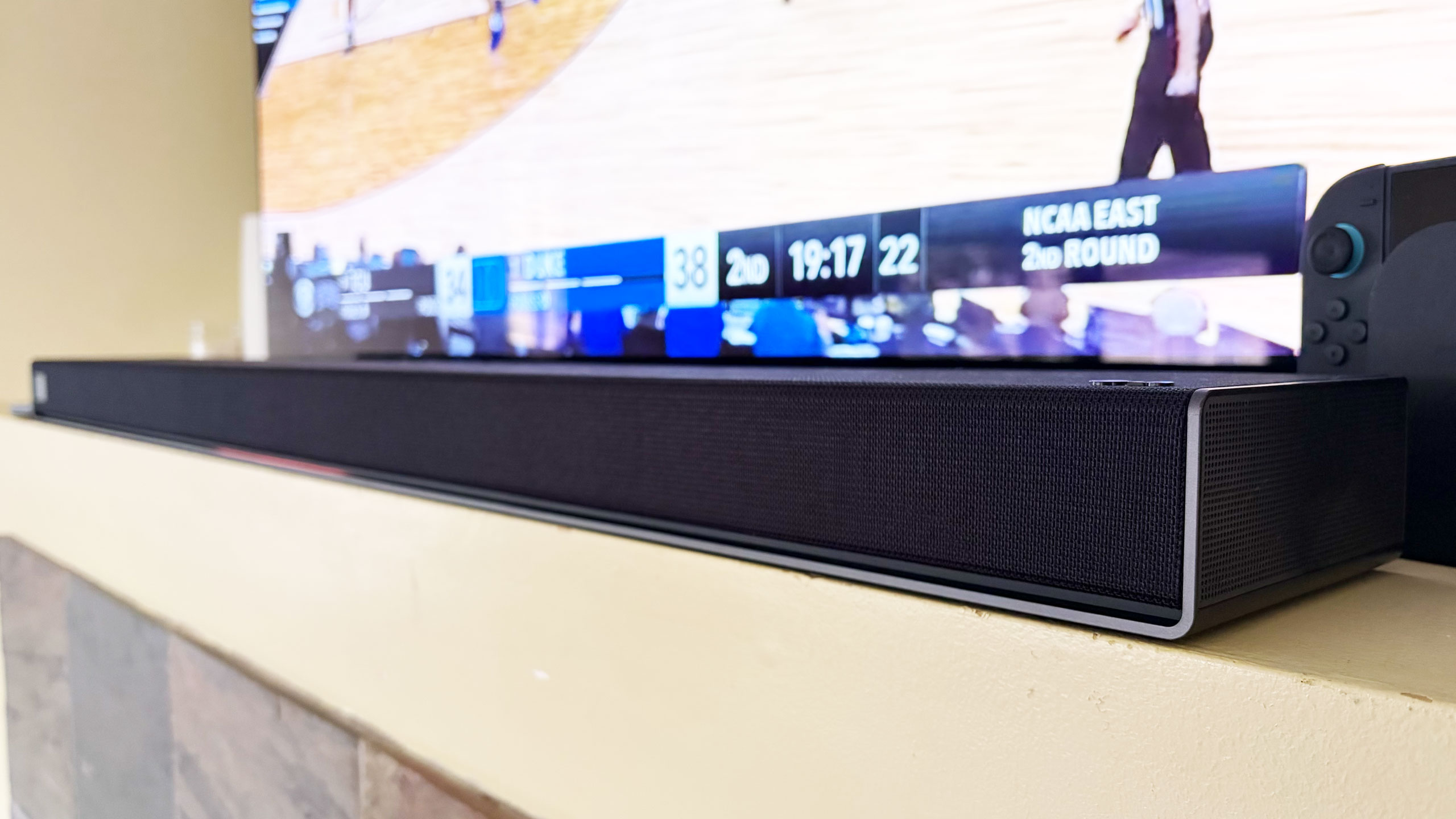
The premise seems simple enough. LG promises that you can set its Sound Suite speakers anywhere and Dolby’s home theater tech will make them perform well. The soundbar, subwoofer and speakers don’t have to go in prescribed locations for the best results, which means you can place them where you need to and move them as you see fit. Of course, this all hinges on the reliability of the underlying tech and LG’s ability to make individual speakers that actually sound good.
Like most premium soundbars and complete home theater setups these days, a complete Sound Suite collection is expensive. The centerpiece alone, a soundbar that most people will want in their customizable configuration, is $1,000. However, if you have a recent LG TV, or are planning to buy a 2026 model when those arrive, there’s no better option for boosting your living room entertainment experience.
The components of the LG Sound Suite
There are four different devices that make up the Sound Suite. The centerpiece is the H7 soundbar ($1,000), which is the first one that works with Dolby Atmos FlexConnect (DAFC) technology. Then there’s the 8-inch W7 subwoofer ($600) and the M5 and M7 speakers ($250 and $400). LG allows you to pick and choose between these products to build a home theater set up that suits your needs — up to four speakers and one subwoofer. The only real caveat is that you need the H7 soundbar or a recent LG TV (2025 OLED G5, C5, CS5 and QNED 9M, or an upcoming 2026 model) to serve as the primary device for Sound Suite to work. That’s because the underlying tech requires LG’s alpha 11 Gen 3 AI processor, which is inside the soundbar and the company’s newer TVs.
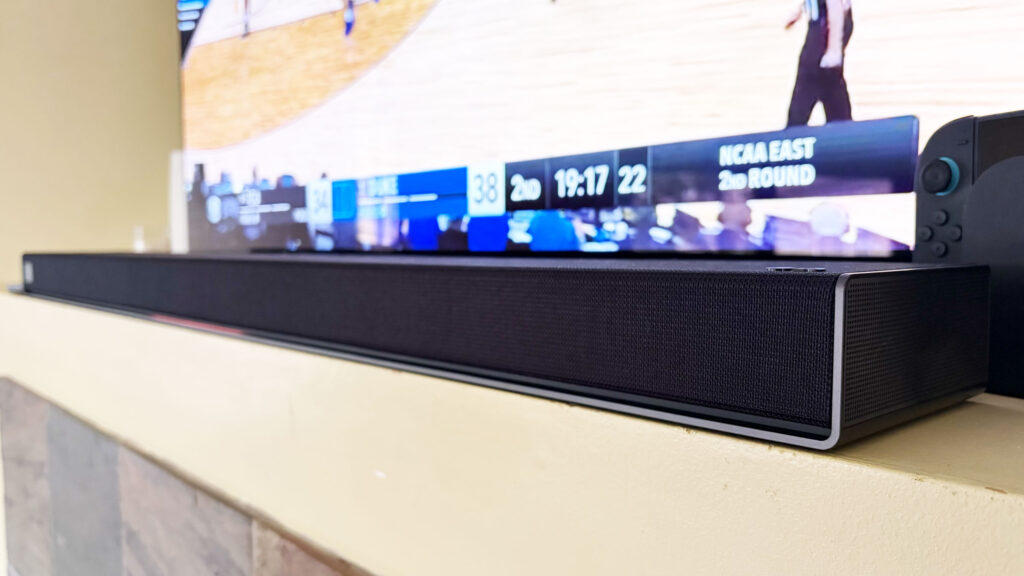
The H7 houses a dozen Peerless drivers comprising front, side and up-firing units. There’s also four woofers and eight passive radiators for bass and low-frequency audio. The soundbar has a pretty basic design, plain enough to sit in front of an LG OLED (or other premium TV) without being a distraction, and short enough not to block it. Both Bluetooth and Wi-Fi are available here, so AirPlay 2, Google Cast, Spotify Connect and Tidal Connect are all supported.
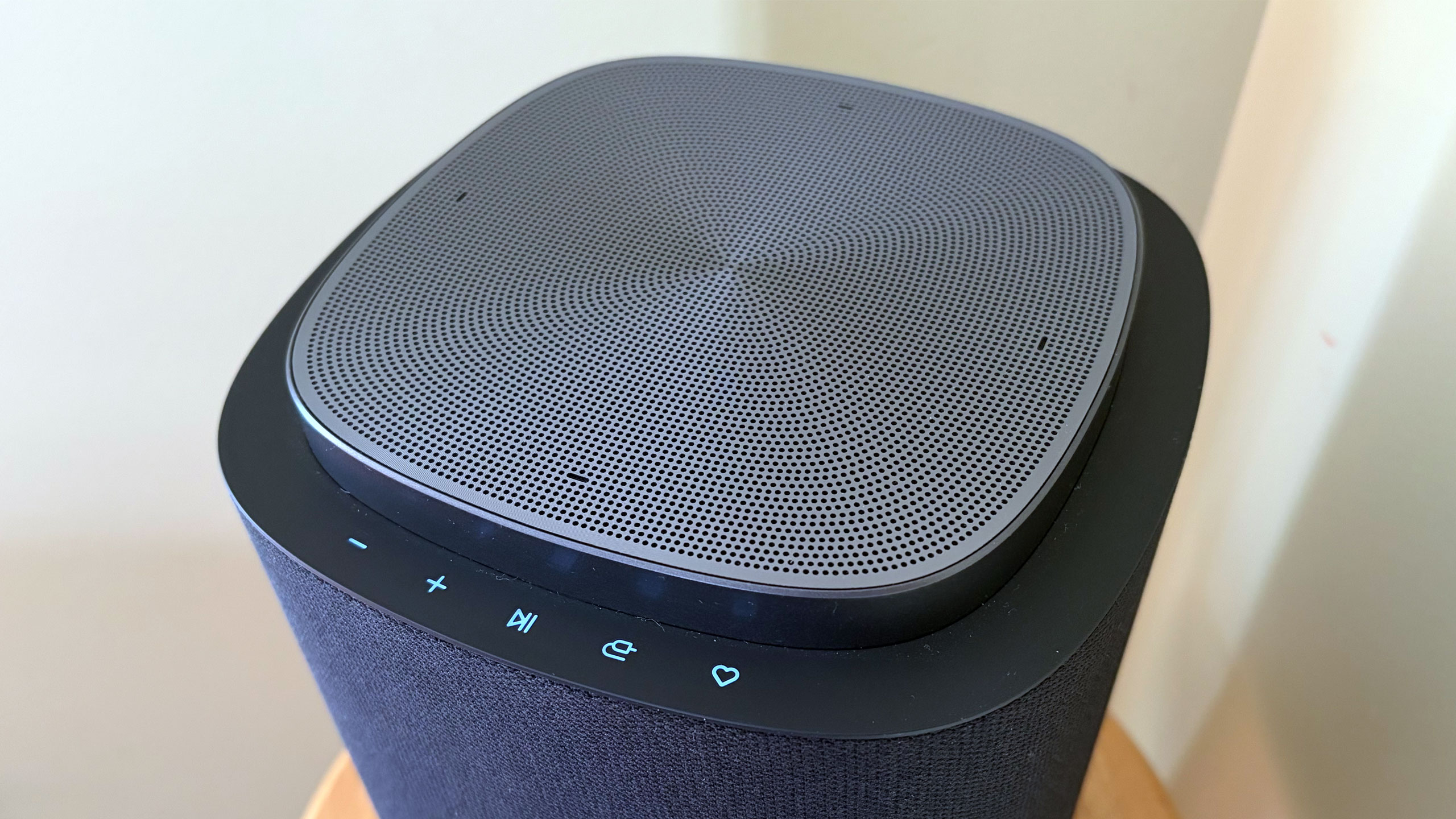
The W7 wireless sub has an 8-inch woofer that gets really boomy at times. It’s quite large at 16.1 x 16.3 x 7.6 inches, but you can use it standing up vertically or laying down horizontally — whichever orientation fits your needs or available space. The M5 and M7 speakers offer basically the same features, including AirPlay and Cast, and can be used either by themselves, as a stereo pair, as a four-speaker array or as rear satellite speakers with the H7 soundbar. The main difference is the M7 has two full-range drivers, one up-firing driver and a woofer while the M5 only has a tweeter, an up-firing driver and a woofer.
What is Dolby Atmos FlexConnect?
FlexConnect is a home theater audio technology that Dolby announced in 2023. It was available on TCL’s Z100 speakers last year, but LG’s Sound Suite marks the first time the feature has been available on a more robust living room product that includes a soundbar. FlexConnect allows you to position speakers anywhere in a room without sacrificing audio performance. The tech uses a TV or soundbar as the lead device to locate speakers so it can tune the sound to match their positioning. The system can also quickly adapt when you move a speaker — maybe for a party or other special occasion.
FlexConnect works as advertised, but there is one caveat that should’ve been obvious, although I didn’t anticipate it. Every time you add or remove speakers from a DAFC group, you’ll need to recalibrate the system, which includes the software playing sounds from the speakers so that the TV or soundbar can locate them and Dolby’s tech adjusts their output. It doesn’t take long, but there is audible noise from each unit in the group, so you’ll want to factor in that time — and potential annoyance for anyone else in the house.
Other Sound Suite features
Sound Suite offers some of the same features as LG’s other home theater products. Those include Night Mode, Room Calibration Pro, AI Sound Pro+ real-time audio upscaling and Clear Voice Pro+ for enhanced dialogue. For the Sound Suite, LG has also introduced Sound Follow, a feature that allows you to adjust the “sweet spot” for the system based on where you’re sitting.
Once you set your current position with a tap in the ThinQ app, Sound Follow is supposed to change the levels and tuning accordingly. I’m not entirely sure this was working on my system. Unlike my demo at CES, the seating position on the FlexConnect layout in the app was never updated. And while the UI seemed to indicate the change was made when I tapped the buttons, I couldn’t hear any difference in the audio. I asked LG for more information to ensure Sound Follow is functioning properly.
A word about setup
Like most soundbars and speakers these days, you have to use an app to get them all connected and properly set up. And like Samsung, LG makes you do that through the same app that handles all of its connected devices — including appliances. Once you unbox and plug in the Sound Suite speakers, you add them in the ThinQ app as a new home theater arrangement. The software shows you which speakers are available to use and allows you to select which ones you want in the initial Dolby Atmos FlexConnect grouping.
The app will ask you to set the distance between the soundbar and your primary seating area before running the sound optimization (tuning) process. ThinQ will display the speaker layout and you can edit the DAFC group at any time. If you move a speaker though, you’ll need to run the optimization again for the best audio performance. And if you’re using an LG TV as the lead device, all of this is sorted onscreen rather than in the app.
Overall, the process is pretty straightforward, although I encountered some pretty significant connectivity issues that were very frustrating. I review soundbars and speakers regularly, so I’m familiar with the process of using an app to connect devices to my home Wi-Fi in order to get them up and running. With the H7, it took a few days to get it connected, which meant I could only use the soundbar with the audio options available on LG C5’s menu and wasn’t able to set up a larger Sound Suite configuration. After several router and soundbar reboots, I was finally able to get the H7 to connect and become available to finish the install. I’ve never had this problem before, so perhaps LG did something different with the Wi-Fi components here.
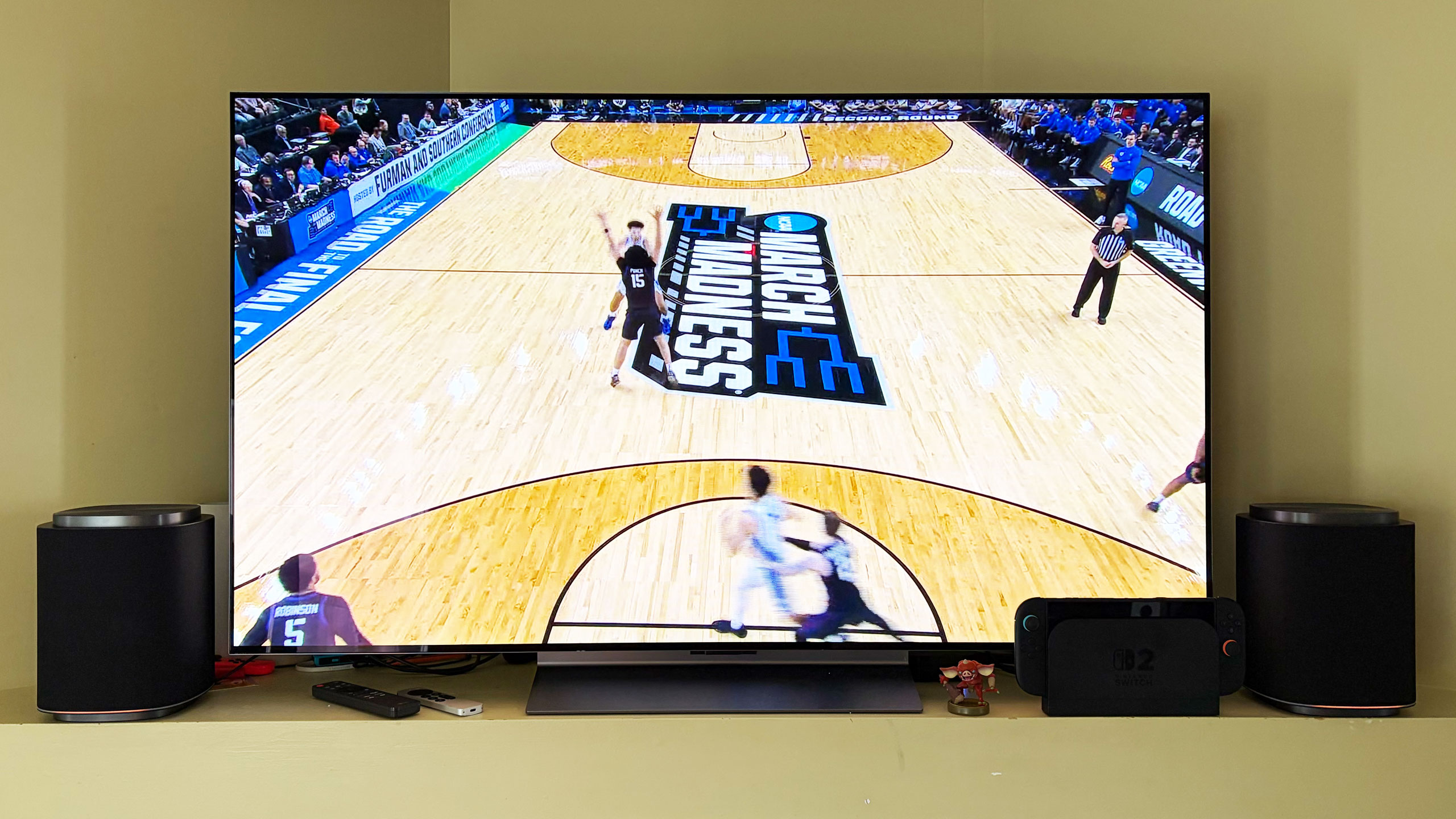
When I was adding the M7 speakers to my DAFC setup, I had no issues connecting them to Wi-Fi initially. However, I did have trouble adding them to the FlexConnect group, which required each piece of the Sound Suite playing an audio calibration clip. Repeatedly, the ThinQ app told me there was a connection issue with one of the M7s, although eventually they all somehow got added anyway. I also had trouble removing speakers from the arrangement. Even though the app said sound was only coming from the H7 soundbar, one of the two M7 speakers was still connected and emitting sound when I didn’t want it to. For some reason, this only happened when playing music over AirPlay — TV audio over HDMI eARC always functioned as intended.
If you’re using the TV as the lead device, you do all of the setup on the screen. I found this method to be more straightforward and reliable, although it blasted the calibration sounds at a deafening volume. There is a big issue though: Once connected to the TV as a DAFC setup, the speaker settings weren’t available in either the ThinQ app or on-screen menus. This meant I was stuck in standard mode, with things like AI Sound Pro+ inaccessible. I asked LG for more info on this because it greatly impacts the overall experience.
Which configuration sounds best?
Before I get into describing the various Sound Suite configurations, I need to make an important note about the limitations for the possible setups. LG only allows a maximum of five speakers in any Sound Suite arrangement, but you can mix and match however you want. Just remember if you don’t opt for the H7 soundbar, you’ll need a compatible LG TV as the lead device for FlexConnect to work.
You can also use the M5 and M7 as standalone speakers in another room and swap them in and out of your living room or home theater setup as needed. In the multi-room scenario, Sound Suite speakers function much like a Sonos system would, and the M7 is more than capable of being a standalone music speaker with plenty of detail and decent bass. I wasn’t able to test the M5, so I can’t vouch for that one. Keep in mind that if you opt for the M5 or the M7 for your living room, you’ll need at least two of either one to use FlexConnect with your LG TV.
After testing multiple configurations of the Sound Suite, I think the combination of the H7 soundbar, W7 subwoofer and two M7s is the ideal arrangement. I’ll hedge that a bit as I prefer to disable the M7s in the rear of the room when watching live TV — especially sports — as the same audio coming from the soundbar and those speakers didn’t really enhance the experience. Plus, arena noise seemed overly echo-y and off-putting. This setup is well-suited for streaming TV shows and movies, things where Dolby Atmos, or at least LG’s spatial upscaling, is at the height of its powers.
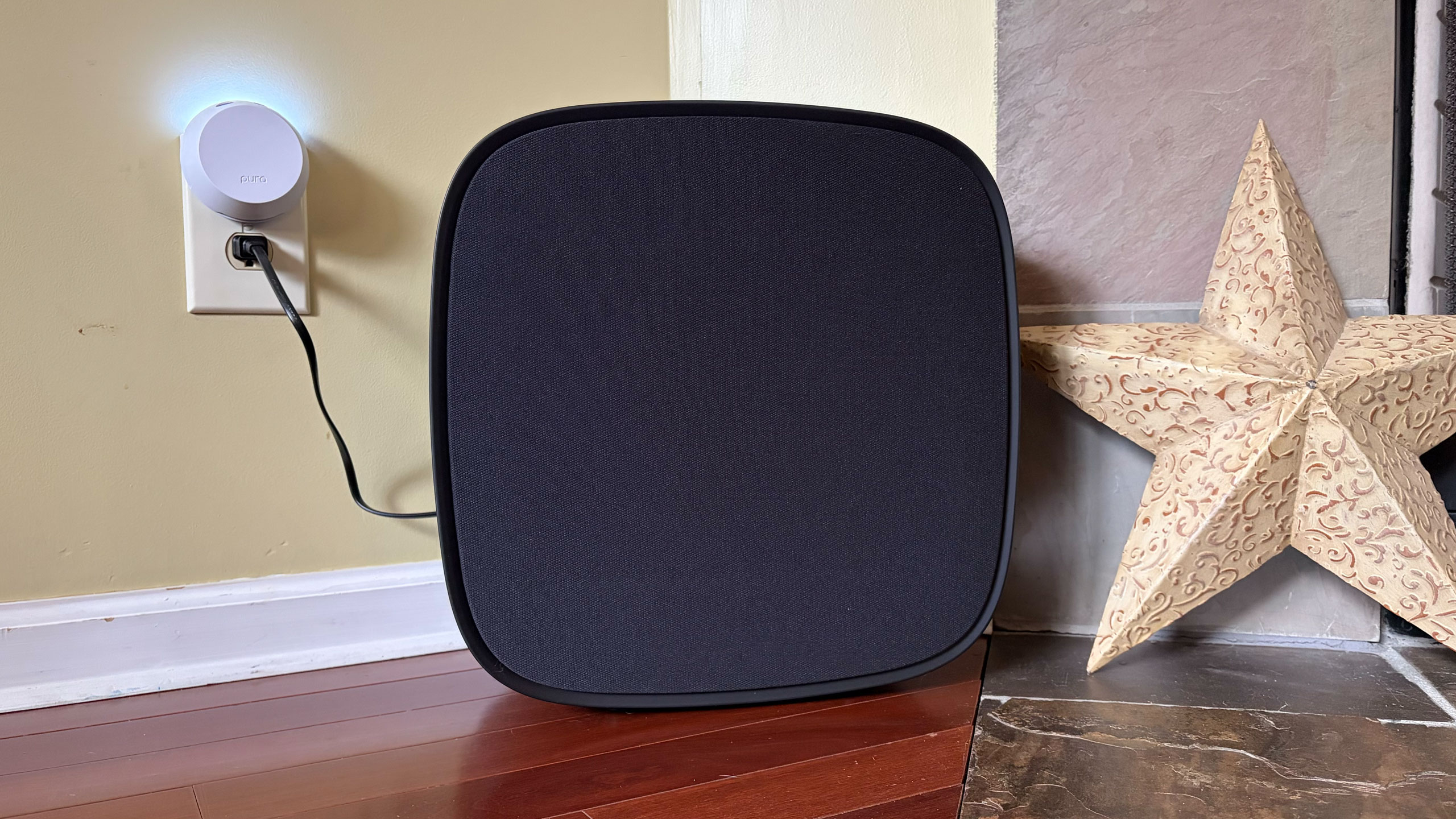
In this setup with the H7 as the lead, you get Sound Suite in its most immersive form. I always use Netflix’s Drive to Survive as my first test of a new home theater system, and LG’s lineup handled it like a champ. You get excellent directional audio, which makes the cars sound like they’re zooming around your living room. And the in-car shots are so enveloping, it’s like you’re sitting right behind the driver. This configuration also works well for music, though I preferred to use either one of the M7 speakers or the soundbar/sub duo rather than the whole shebang.
My second favorite setup is four M7s. Once again, this configuration requires an LG TV as the lead device, but if you have that, you can definitely save some room in front of your television with separate front speakers. Unfortunately, you can’t use a subwoofer too because if you’re using a TV to power the speakers, you can only add up to four. That’s a real bummer, but the TV speakers will be used as a center channel (dialogue) boost, so it’s not a complete waste. However, this arrangement would benefit from more bass.
The four-speaker setup could be particularly beneficial for people who mount their TVs on the wall and don’t want a soundbar underneath. And, again, FlexConnect allows you to put the speakers anywhere, not necessarily flanking your TV. You also get the option of moving these smaller speakers around when you need to — something you can’t really do with a soundbar. The only sacrifice I noticed audio-wise is that two M7s in the front doesn’t offer the same overhead sensation for Atmos content as the H7’s up-firing drivers.
If you’re just using four M7 speakers for home theater duties, you’ll enjoy the immersive audio these Sound Suite speakers will provide. There’s lots of directional sounds with Atmos content, and there’s plenty of subtle detail that comes through on movies and shows. However, for live sports, this arrangement pulls commentary audio from the TV speakers and puts much of the arena/stadium noise in the rear M7s, which makes it difficult to hear the announcers at times. This is one area where the inability to adjust the audio settings really hampers the experience.
If you’re hoping to invest in something that can pull double duty for music, I prefer one or two M7s for that purpose. And while there’s decent low-end thump, streaming your favorite tunes is where you’ll notice the absence of that W7 subwoofer.
The competition
If you’re looking for alternatives to LG’s Sound Suite, you have to make some sacrifices. The only other option right now that offers Dolby Atmos FlexConnect is the TCL Z100 speaker. Obviously, you’ll need multiples of this $300 device, and you’ll probably want to add the $350 subwoofer, too. Like the LG M7, you’ll need a compatible TCL TV to serve as the lead device for FlexConnect (a QM6K, QM7K, QM8K, QM9K or X11L model). I haven’t tested these 1.1.1-channel units, so I can’t provide a direct comparison to the Sound Suite’s M5 or M7.
For those who can live without FlexConnect, Samsung’s Q990 series is consistently the best all-in-one setup you can buy. I haven’t reviewed one since 2024 because the company has been keen on shipping new models with minimal updates, which means the hardware and most of the features remain the same. The HW-Q990H will be the latest installment when it arrives later this year, with the biggest differentiator being a new dialogue boost called Sound Elevation.
While the Q990 always comes with rear speakers and a subwoofer alongside a powerful soundbar, some features will only be available if you also have a Samsung TV. One of those is Q-Symphony, which utilizes TV speakers alongside the Q990’s drivers for more detailed and immersive sound. For the entire Q990 package, you’re looking at $2,000 — $100 less than the comparable Sound Suite arrangement of the H7 soundbar, two M5 speakers and a W7 sub.
Wrap-up
There’s no denying that LG has created a powerful and immersive living room experience with its Sound Suite lineup. I also like that the company allows customers to decide what they need without sacrificing the main draw of FlexConnect. While I did experience some setup and software issues, those are things LG can iron out over time — Sound Suite is still brand new, after all. I would like to see the company offer some discounted bundles and continue to add more audio features over time to justify the hefty investment. If you’ve got a couple grand to spend, especially if you have a recent LG TV, Sound Suite will be your best option for building out a home theater setup.
This article originally appeared on Engadget at https://www.engadget.com/audio/speakers/lg-sound-suite-review-dolby-atmos-flexconnect-in-a-powerful-package-160000544.html?src=rss
Wheely, an on-demand chauffeur app, makes its US debut in NYC
23 Mar 2026, 2:32 pm by Jackson Chen
When the Uber Black isn’t premium enough, New Yorkers now have the option to call for a Wheely instead. Whimsical name aside, the London-based company is breaking into the US market by offering its chauffeur-hailing services to residents of New York City first, as first reported by Bloomberg. Think of it like Uber, but for business executives and VIPs who prefer better service and riding in Cadillacs and Mercedes.
“New York has long been requested by our customers, whether that be New Yorkers who have traveled with us in Europe and the Middle East, or our international clients who regularly visit the city,” Anton Chirkunov, founder and CEO of Wheely, said in a press release.
Besides its black car Business SUV service, New Yorkers can opt for Wheely First that offers a Mercedes-Benz S-Class W223 filled with amenities like Fiji water and towels. For a more dedicated service, Wheely has its Perfect Airport Pickup where drivers will track flights to line up a pickup, and the Chauffeur for a Day option that lets users reserve a chauffeur that will also pick up friends and family or run errands for you. For interested drivers in New York City, Wheely will port over its in-house “Chauffeur Academy,” which is expected to grow to a network of 5,000 qualified drivers over the next five years.
While Wheely currently operates in London, Paris and Dubai, the company plans to expand to five major US cities within the next three years. According to Bloomberg, Wheely is considering markets in Texas, Miami and Palm Beach, Fla. as well as Washington, D.C. Wheely’s entry into the US market comes about a week after the announcement of the Uber Elite program, which targets a similar demographic. However, Uber Elite is only available in Los Angeles and San Francisco currently, with plans to expand to New York soon. However, Uber may have Wheely beat when it comes to hailing a helicopter, thanks to its upcoming Uber Air option.
This article originally appeared on Engadget at https://www.engadget.com/transportation/wheely-an-on-demand-chauffeur-app-makes-its-us-debut-in-nyc-143233840.html?src=rss
Xbox lines up a Partner Preview showcase for March 26
23 Mar 2026, 2:01 pm by Kris Holt
Microsoft has locked in its second games showcase of the year. A Xbox Partner Preview stream will take place on March 26 at 1PM ET. It'll be available on the Xbox YouTube and Twitch channels. There'll be dedicated Twitch and YouTube streams with ASL interpretation, another featuring British Sign Language and one with audio descriptions in English on the main Xbox YouTube channel.
The YouTube stream will be in 4K at 60fps (other channels are limited to 1080p) and have subtitle support for nearly three dozen languages. The broadcast will be available on regional Xbox channels as well.
This showcase is all about upcoming games from Xbox's third-party partners. It will feature an in-depth look at Ryu Ga Gotoku’s Stranger Than Heaven (formerly known as Project Century), an update on Stalker 2: Heart of Chornobyl and the latest peek at The Expanse: Osiris Reborn. Along with those, expect some world premieres. Of course, many of these projects will be coming to Game Pass.
This article originally appeared on Engadget at https://www.engadget.com/gaming/xbox/xbox-lines-up-a-partner-preview-showcase-for-march-26-140117249.html?src=rss
Samsung's Galaxy S26 will get Apple AirDrop support starting today
23 Mar 2026, 11:04 am by Sarah Fielding
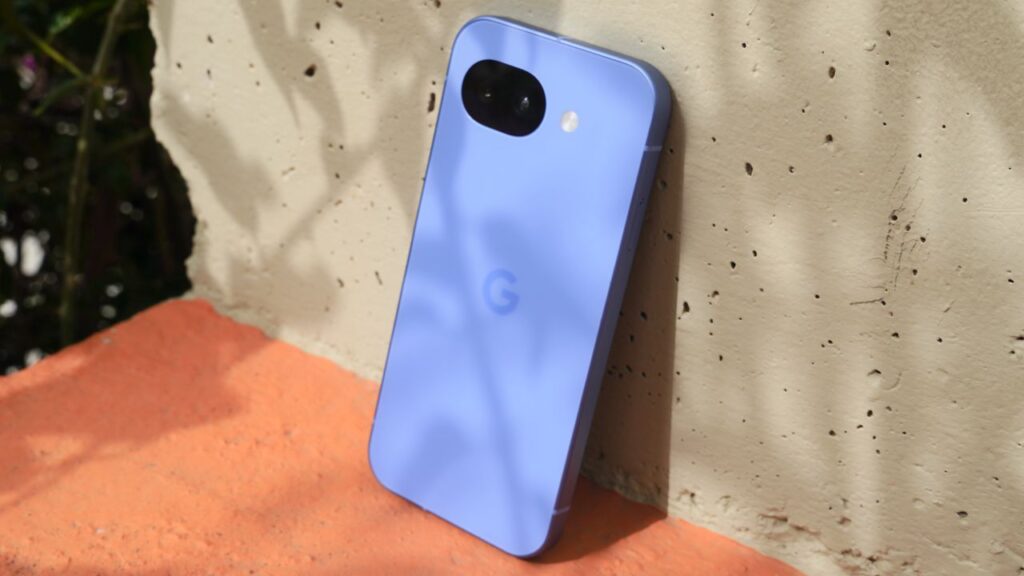
As Google promised, Apple AirDrop sharing is expanding to more Android devices. Samsung announced today that its Galaxy S26 Series is getting AirDrop support through the Quick Share feature.
Google first introduced the Quick Share feature on its Pixel 10 phones last year and, in February, shared plans to increase the number of devices included. The setting allows Android users to send and receive photos and files from an Apple device, much like two Apple users do with AirDrop. To get media from an iPhone, Android users need to turn visibility settings onto “everyone for 10 minutes.”
Starting tomorrow, March 23, Samsung will begin rolling out this AirDrop support in Korea. It should then expand to areas such as North America, Europe, Hong Kong, Japan, and Latin America. Once again, Samsung states that additional devices should be able to get AirDrop compatibility soon.
This article originally appeared on Engadget at https://www.engadget.com/mobile/smartphones/samsungs-galaxy-s26-will-get-apple-airdrop-support-starting-today-110452832.html?src=rss
End of today’s Engadget roundup.