This digest compiles the latest from Engadget.
Today’s Engadget Roundup
The creators of Dark Sky have a new weather app
23 Feb 2026, 3:54 pm by Andre Revilla
The team behind the beloved Dark Sky weather app has announced a new iPhone app called Acme Weather. The release comes after Apple's 2020 acquisition of Dark Sky, which it ultimately shut down in 2022 after integrating much of its tech into the native iOS Weather app.
Acme Weather is primarily designed to address the uncertainty inherent in most forecasts, as different models yield disparate results and no two weather apps seem to report the same thing. Acme’s answer to this issue is “Alternate Predictions,” which shows users a range of possible outcomes alongside the app's core forecast line throughout the day. If the lines are arranged together tightly, it means the app has high confidence in the forecast at that time. When those lines start to diverge, the app is signaling lower confidence while showing users alternate predictions for that time of day.
The app also supports community reporting, seeking to do for weather what Waymo did for traffic. Users can share real-time conditions in their area using icons or emojis, helping increase accuracy when conditions are changing quickly. Like most weather apps, there is also a map component with layers for radar, lightning, rain and snow totals, wind and more.
Acme leverages notifications to help make sure you don't miss important changes to the forecast or weather alerts. Grossman says they are comprehensive and should help you avoid getting caught in the rain unawares. Notifications also include community reports, government weather alerts and even experimental tools from "Acme Labs" like rainbow and beautiful sunset alerts.
Acme offers a two-week free trial, then costs $25 a year. The iOS version is available now and an Android is forthcoming.
This article originally appeared on Engadget at https://www.engadget.com/apps/the-creators-of-dark-sky-have-a-new-weather-app-155426063.html?src=rss
Anker's new 45W Nano charger with smart display is already $10 off
23 Feb 2026, 2:30 pm by Lawrence Bonk
Anker introduced a nifty little charger at CES 2026, which is a refresh of the pre-existing Nano Charger. It’s already on sale for $30 for Prime members, which is a discount of $10.
The 45W charger includes a smart display that shows real-time data like power flow, temperature and charging status. It also features “fun animations to keep things cheerful.” Anker says it can recognize what’s being charged and automatically adjust certain metrics to ensure a longer battery lifespan.
To that end, it works with just about everything. The company advertises that this charger is a good fit for the iPhone, Apple Watch, AirPods and Samsung devices, among others. The new Nano Charger is on the smaller side, with dual folding prongs that rotate to fit most outlets.
Follow @EngadgetDeals on X for the latest tech deals and buying advice.
This article originally appeared on Engadget at https://www.engadget.com/deals/ankers-new-45w-nano-charger-with-smart-display-is-already-10-off-160707114.html?src=rss
Elevation Lab's AirTag 10-year extended battery case is only $16 right now
23 Feb 2026, 2:05 pm by Kris Holt
AirTags are basically an essential accessory for iPhone users who want to keep track of things like their keys, wallet and backpack. While it's easy enough to replace the battery in both versions of the AirTag, you may not want to have to rush to do so at the end of the battery's roughly two-year lifespan. That's where Elevation Lab's extended battery case for the AirTag comes in, and it's heavily discounted right now: it's 30 percent off and down to $16.
The case usually sells for $23, so that's a 30 percent discount. It's not the first time we've seen this deal, but it's a pretty decent one all the same.
This is arguably one of the more useful AirTag accessories around for certain use cases. It won't exactly be helpful for an AirTag that you put in a wallet or attach to your keys, as it's too bulky for such a purpose — and it doesn't have a hole for a keyring anyway. Still, if you're looking for an AirTag case that you can place in a suitcase or backpack and not have to touch for years, this could be the ticket.
Elevation Lab says that, when you place a couple of AA batteries in the case, it can extend the tracker's battery life to as much as 10 years (the brand recommends using Energizer Ultimate Lithium batteries for best results). The AirTag is slated to run for over a year on its standard CR2032 button cell.
The case gives the AirTag more protection as well. It's sealed with four screws and it has a IP69 waterproof rating. What's more, it doesn't ostensibly look like an AirTag case, so someone who steals an item with one inside is perhaps less likely to realize that the object they pilfered is being tracked.
There are some other downsides, though. Since the AirTag is locked inside a case, the sound it emits will be muffled. Elevation Lab says the device's volume will be about two-thirds the level of a case-free AirTag. However, the second-gen AirTag is louder than its predecessor, which should mitigate that issue somewhat.
Follow @EngadgetDeals on X for the latest tech deals and buying advice.
This article originally appeared on Engadget at https://www.engadget.com/deals/elevation-labs-airtag-10-year-extended-battery-case-is-only-16-right-now-151215061.html?src=rss
Falcon Northwest FragBox review: A compact gaming rig that does everything right
23 Feb 2026, 1:00 pm by Devindra Hardawar
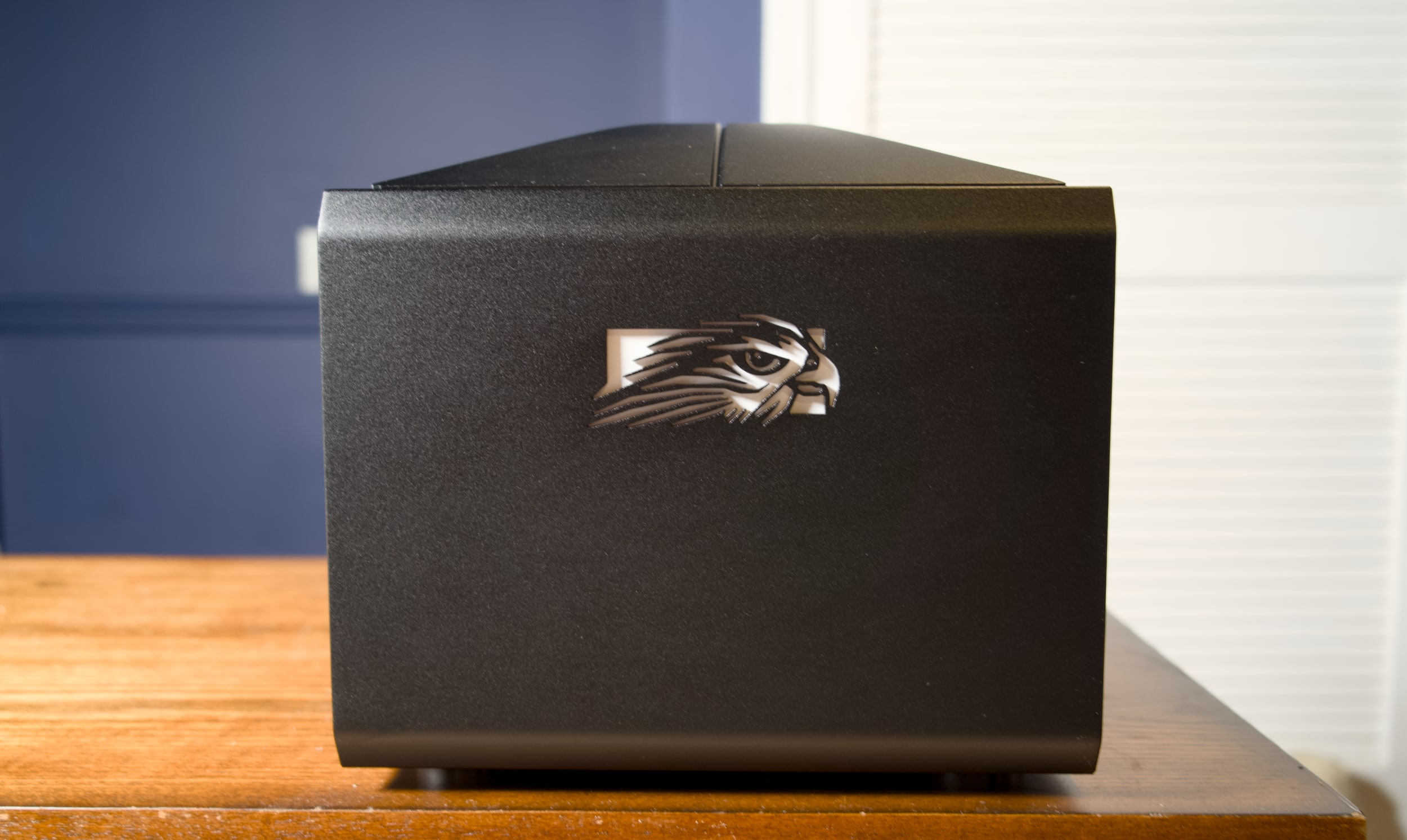
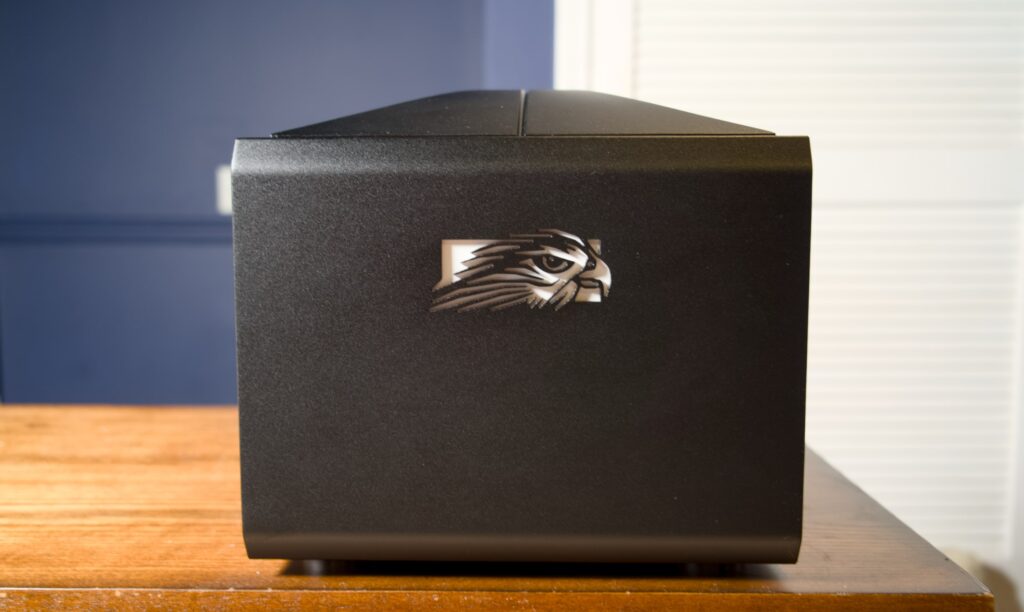
Mafia: The Old Country demands to be played on an enormous screen. As much as I love my 32-inch Alienware OLED gaming monitor, it doesn't do justice to Mafia's cinematic vistas of Sicily. But, I also wanted to play that game in its full 4K glory, with none of the compromises of today's game consoles. So why not just shove a tiny gaming desktop under my home theater? Enter the Fragbox, Falcon Northwest's revamped small form factor gaming PC. While it's very expensive, starting at $3,997, it's incredibly powerful and gives you the freedom to easily upgrade the hardware down the line.
I know what you're thinking: "A $4,000 desktop, in this economy?" That pricing also doesn't include upgrading from the stock NVIDIA's RTX 5070 GPU, as well as adding more RAM and larger SSDs, all of which could drive the price up thousands more. I initially planned to review the FragBox back in early December 2025, before the AI-induced RAMaggedon made memory, storage and other components dramatically more expensive. Falcon Northwest is mainly known as a boutique and high-end system builder, so its wealthier clientele can likely weather the pricing storm. If you're looking for a deal, though, you won't find it here.
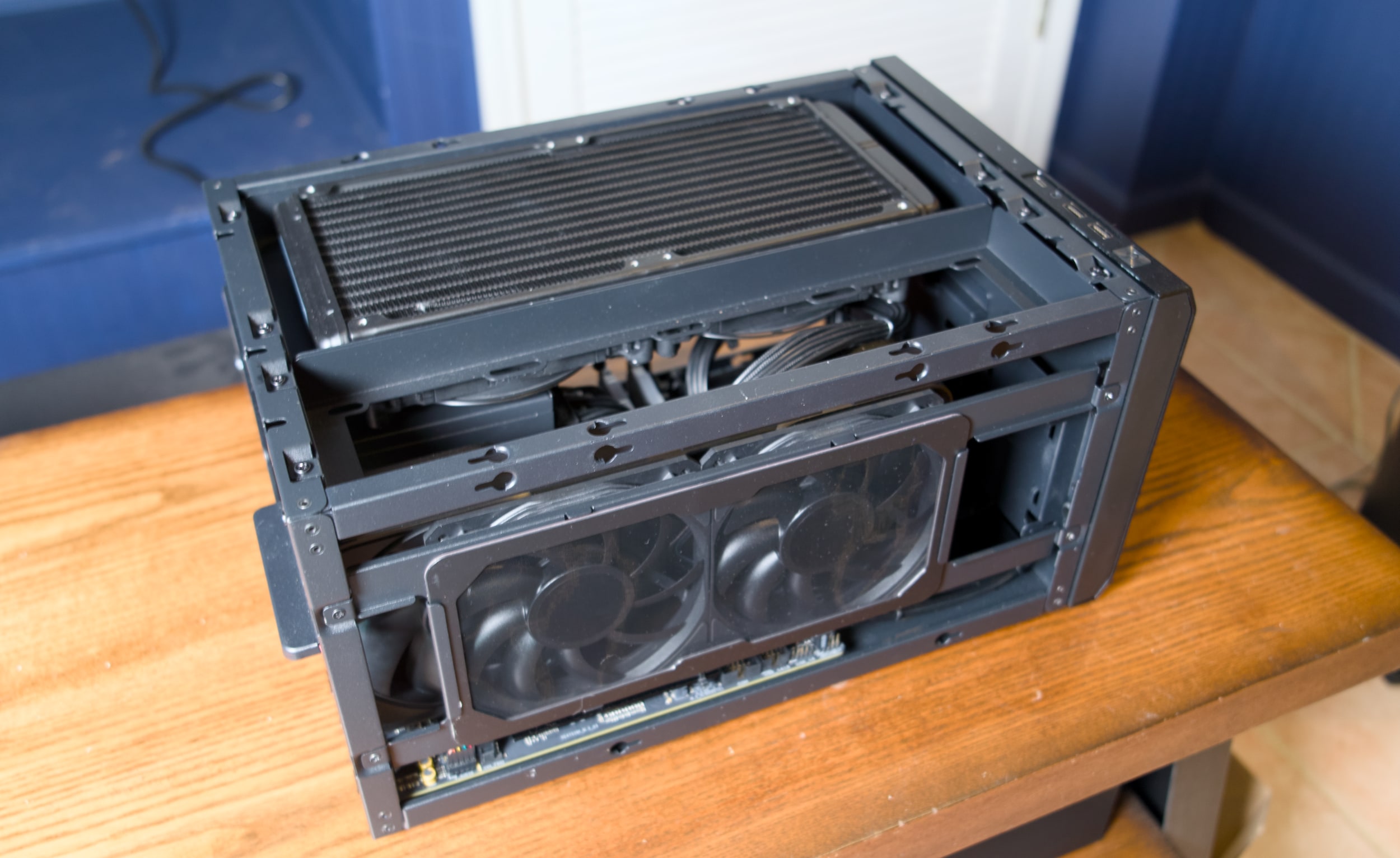
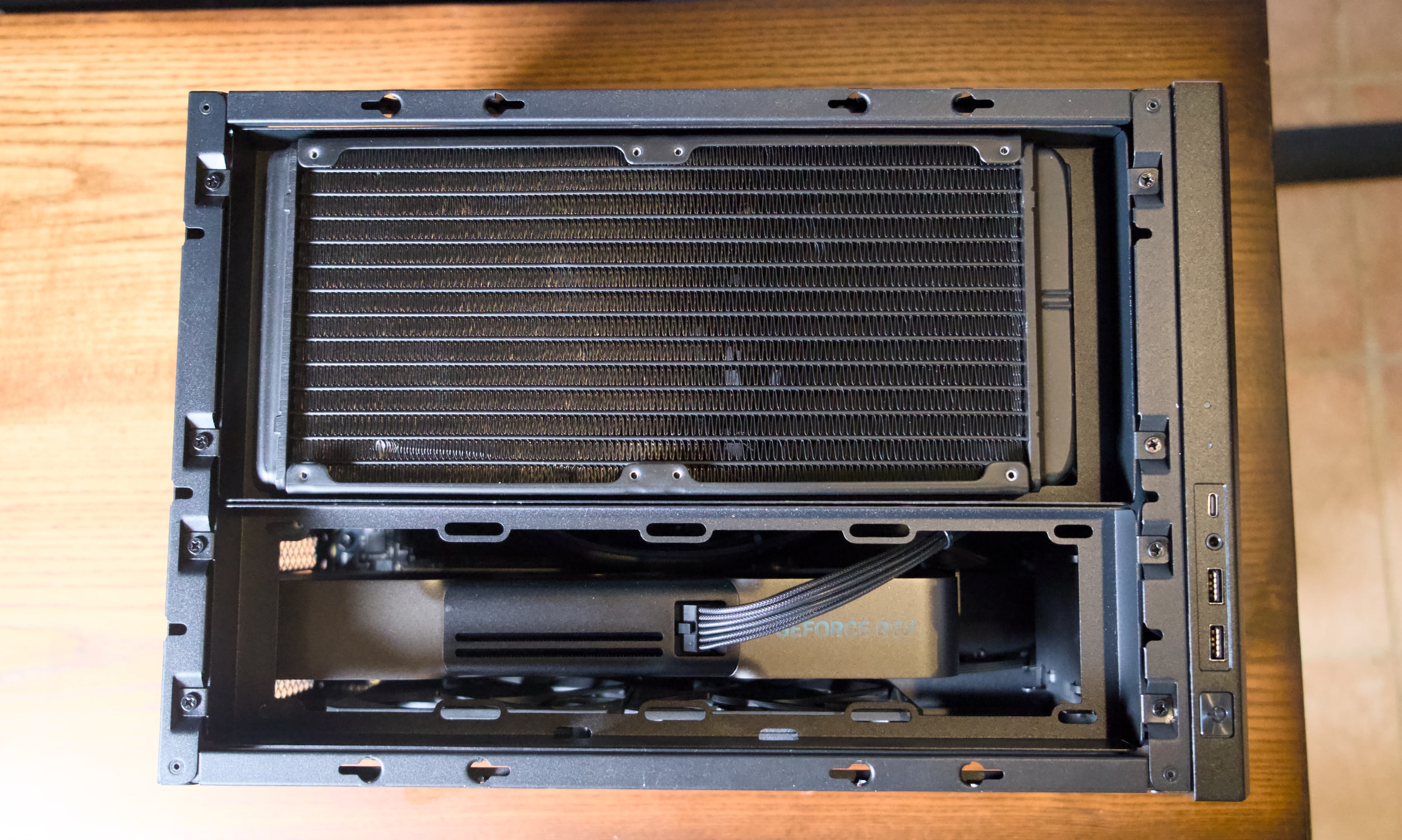
So what, exactly, is a FragBox? Imagine a typical mid-tower desktop squashed down to a system that's only 10.2-inches tall, 10.5-inches wide and 15.9-inches deep. When Falcon initially debuted the FragBox in 2004, it was notable for being a genuinely small PC that used full-sized parts. That's still a main selling point today: It can still fit in large NVIDIA GPUs, including the beefy RTX 5090, as well as either Intel's latest Core Ultra chips or AMD's Ryzen 9000 CPUs. A huge 280mm radiator sits at the top pulling out hot air, and it also serves as an All-in-One (AIO) liquid cooler for the CPU.
At 25 pounds, the FragBox isn't exactly light, but its sturdy metal handle makes it easy to move around. Most mid-tower desktops usually weigh between 20 and 35 pounds, depending on their case material. But they're also much larger and harder to squeeze into tight spaces. The FragBox's relatively squat size makes it easy to shove into a home entertainment center, or just sit on the corner of your desk. I do wish the handle was removable, though. It was about half an inch too tall for one of my shelves.
Despite its density, the FragBox's elegant design makes it a cinch to access to all of the system's components. Just unscrew the side and top panels and you can easily remove the GPU, RAM, storage and other major components. There are three slots of M.2 SSDs, as well as two locations for 2.5-inch drives and a spot for a large 3.5-inch HDD. The system is bundled with a 1,200W power supply, which should be more than enough to handle future GPUs and CPUs.
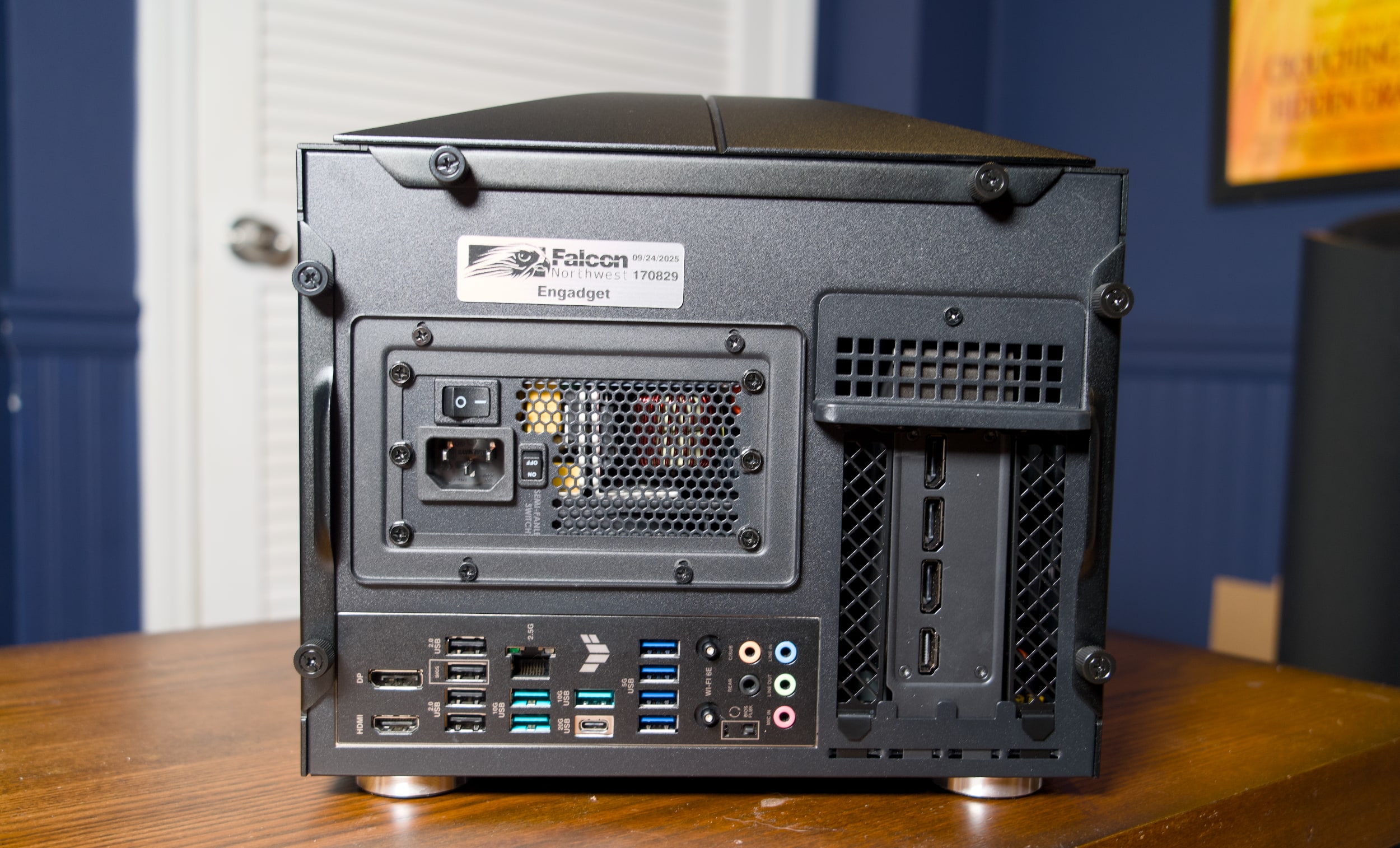
Ports are plentiful as well: There are two USB-A and one USB-C connections right up front, alongside a headphone jack. On the rear, you've got your typical assortment of mid-tower connections, including four USB-A 2.0 connections, seven USB-A 3 ports, one 20G USB-C 3.2 port, 2.5G Ethernet, HDMI and DisplayPort. Our RTX 5090 review unit also included three DisplayPort jacks and one HDMI connection (which you'll see on most GPUs). Wi-Fi 6E is also built-in, though at this price it would have been nice to see Wi-Fi 7.
The FragBox, thankfully, lacks the garish LEDs and cheesy thermal glass you find on more ostentatious gaming rigs. Falcon Northwest's aluminum case looks and feels stately, like an old-school luxury car. If you want something flashier, you can shell out an additional $400 for a custom UV printed case or $149 for a UV-printed front panel.
Our review unit was equipped with AMD's Ryzen 9950X3D CPU, NVIDIA's RTX 5090, 96GB of DDR5 RAM and a 2TB SSD. So sure, even before benchmarking or running any games, I expected it to be a beast. In PCMark 10, the FragBox scored a whopping 13,810, which is around 500 points higher than my mid-tower system with the same CPU and GPU. It also scored the highest 3DMark Speedway and Port Royal ray tracing scores I've ever seen. Even more impressive, the FragBox's fans were barely audible under load, and the CPU and GPU sat at a chill 52C and 65C, respectively
|
CPU |
GeekBench 6 CPU |
GeekBench 6 GPU |
Cinebench 2024 |
|---|---|---|---|
|
Falcon Northwest FragBox |
3,445/22,787 |
390,148 |
N/A |
|
Desktop with AMD Ryzen 9 9950X3D, RTX 5090 |
3,366/18,950 |
381,400 |
134/2,124 |
|
Desktop with AMD Ryzen 9 7900X, RTX 5090 |
2,822/14,216 |
358,253 |
113/1,103 |
|
Apple Mac Studio M4 Max |
4,090/26,394 |
116,028 |
190/2066 |
To get back to my initial point, it ran Mafia: The Old Country in 4K flawlessly, with every graphics setting cranked all the way up. While playing on my 120-inch projector home theater setup, the game reached 62 fps natively, and flipping on DLSS upscaling and frame generation bumped that up to 120 fps. Not that you need a super higher framerate for a slow-paced, mostly cinematic action game. I was just happy to be playing without any compromises — even the PS5 Pro can't reach the same level of graphical fidelity as the monstrously powerful RTX 5090.
I'm no stranger to big-screen PC gaming, but previously I've had to run a laughably long HDMI cable from my desktop to make it work. I'm just too old for that mess now. And it also doesn't work consistently, especially at higher framerates, thanks to the massive bandwidth required to pump out 4K at high refresh rates. In-home game streaming is also an option, but that's not great when you're blowing games up to an enormous TV or projector screen. It's just too hard to ignore the imperfections of streaming compression. (Admittedly, I need to test newer high-bandwidth options, especially after I was impressed by NVIDIA's GeForce Now upgrade last year.)
The FragBox also made it easy to jump into all of my recent Steam titles, including Mewgeneics and Arc Raiders on a big screen. Unfortunately, Windows itself remains a key stumbling block for home theater PC gaming. You'll still need to keep a keyboard and PC around to deal with the initial OS configuration. And even once I enabled Steam's Big Picture mode, which offers excellent controller options, I still occasionally had to deal with Windows Updates and other annoyances.
Microsoft is currently trying to optimize Windows for gaming handhelds, and it's reportedly doing even more to make a future PC-powered Xbox feel more console-like. For now, though, using a Windows PC in your home theater doesn't feel much different than it did a decade ago. Steam is your savior, Windows is your enemy. Or you could just save thousands of dollars and buy a $500 PlayStation 5 or $700 PS5 Pro, instead. The latter will still get you smooth framerates and a healthy dose of ray tracing, without the annoyance of Windows, keyboards and mice.
But if you just want a compact and insanely powerful gaming desktop, and you don't mind spending a premium, it's hard to deny that the FragBox gets everything right.
This article originally appeared on Engadget at https://www.engadget.com/computing/falcon-northwest-fragbox-review-a-compact-gaming-rig-that-does-everything-right-130000837.html?src=rss
The best cheap Windows laptops for 2026
23 Feb 2026, 10:01 am by Valentina Palladino
You don’t need to spend a fortune to get a capable Windows laptop. For everyday tasks like web browsing, writing documents, streaming video or handling schoolwork, a well-chosen budget machine can still deliver a smooth, reliable experience. The challenge is cutting through the noise to find affordable options that balance performance, build quality and battery life without serious compromises.
For many buyers, timing is no longer optional. With Windows 10 support now officially over, upgrading has become a necessity rather than a nice-to-have. The picks below focus on cheap Windows laptops that can handle day-to-day workloads comfortably while keeping you current on software and security updates. If you’re open to spending more for extra power or premium features, our broader guide to the best Windows laptops covers higher-end alternatives as well.
What to look for in a budget-friendly Windows laptop
While you can do a lot even when spending little on a Windows laptop, you must set your expectations accordingly. The biggest downside when purchasing a budget laptop (of any kind, really) is limited power. You’ll want to carefully consider a few specs, the most important among them being the processor (CPU). Many Windows laptops under $500 run on Intel Celeron or Pentium chipsets, but you can find some with Core i3/i5 and AMD Ryzen 3/5 CPUs at the higher end of the price spectrum.
We recommend getting the most powerful CPU you can afford because it will dictate how fast the computer will feel overall. Memory (RAM) is also important because, the more you have, the easier it will be for the laptop to manage things like a dozen browser tabs while you edit a Word document and stream music in the background.
When it comes to storage, consider how much you want to save locally. If you primarily work in Google Docs or save most things in the cloud, you may not need a machine with a ton of onboard storage. Just remember that your digital space will also be taken up by apps, so it may be worth getting a little extra storage than you think you need if you know you’ll be downloading big programs. A final side note: solid state drives (SSDs) are ubiquitous at this point, not to mention faster and more efficient than hard drives (HDDs), so we recommend getting a laptop with that type of storage.
As for screens, there’s a healthy mix of HD (720p resolution) and FHD (1080p) options in this price range and we recommend springing for a notebook with a 1080p display if you can. Touchscreens aren’t as common in the budget space as standard panels, but you’ll only really miss one if you get a 2-in-1 laptop.
Before we get to our recommended specs for a cheap Windows laptop, it’s worth mentioning that Microsoft clearly lays out the true minimum requirements for any Windows 11 machine. Those include a 1GHz or faster processor that includes two or more cores, at least 4GB of RAM and 64GB of available storage space. That’s the bare minimum to run Windows 11; we recommend giving yourself some wiggle room by choosing a machine that will perform well now and for years to come.
Specs to look for in an affordable Windows laptop
-
CPU: Intel Core i3 or AMD Ryzen 3 processors, at minimum
-
RAM: At least 8GB
-
Storage: At least 128GB SSD
-
Screen: At least 1080p FHD
It’s essential to prioritize what’s important to you. But at the lower end of the budget, a good laptop may not offer everything you need, whereas a great one might. Although most machines come with features like Bluetooth, built-in Wi-Fi and additional ports, you might find not all of them come with the specifics you require, like an SD card slot, webcam, charger, and so on. Be sure to check the spec list of any laptop you’re considering before you buy, especially if you need specific connectors and capabilities.
See Also:
As for Copilot+, don’t expect to see much of it on truly affordable Windows laptops just yet. Microsoft’s AI features and Copilot assistant require certain specs to run, namely a powerful neural processing unit (NPU), 16GB of RAM and 256GB of storage. Currently, the cheapest Copilot+ AI PCs will run you about $700, so if you’re willing to pay more for those perks, check out our best laptops guide for more options.
If you’re looking for either a gaming laptop or a “Windows on Arm” laptop, both categories will require you to spend more money than we’re discussing here.
Best cheap Windows laptops for 2026
The cheap Windows laptop market moves fast, and — unlike nearly all of our other buying guides — we haven't necessarily tested each specific configuration listed below. However, the combination of these technical specifications and familiar brands represent exactly the sort of entry-level laptops we'd recommend to shoppers in this price range based on our thorough research and expert knowledge.
What to know about the budget Windows laptop market
The best cheap laptop models change all the time. Unlike more expensive, flagship machines, these notebooks can be updated a couple times each year. That can make it hard to track down a specific model at Amazon, Best Buy, Walmart or any other retailer. Also, we’ve seen prices vary widely depending on the configuration and retailer you’re looking at.
You can ensure you’re getting a quality laptop by doing a few things. First and foremost, make sure you get a machine that follows the recommended specs we list above. Also, make sure you’re buying from a reputable retailer, including big-box stores like Walmart, Best Buy and Costco, online shops like Amazon or direct manufacturers like Dell, HP, Lenovo and others. If you have a physical store near you (likely a Best Buy in the US), it’s never a bad idea to go play around with some laptops in person before choosing one.
If you decide to shop online from the likes of Amazon or Walmart, double check the seller of the laptop you’re considering. For example, many items on Amazon are “shipped and sold” by Amazon and those are typically the best options. You’ll see that information on Amazon on the right sidebar on a product page, under the Add to Cart and Buy Now buttons. Third-party sellers are common in the affordable laptop space. Amazon sometimes classifies laptop manufacturers as third-party sellers, so you may see a laptop shipped and sold by HP or Dell — that’s a good thing, since it’s coming directly from the manufacturer.
However, there are other third-party electronics sellers out there. We recommend clicking on the third-party seller’s name on Amazon or Walmart (yes, Walmart has them, too) to see how much positive feedback and how many five-star ratings they’ve received from buyers.
What about Chromebooks and tablets?
You may be inclined to recommend a Chromebook or a tablet to anyone considering a budget Windows laptop computer. Those instincts aren’t wrong, but Chromebooks and tablets aren’t the best buy for everyone. Tablets have the most portability, but they will only work for the most mobile-competent users like kids who have been grabbing smartphones out of their parents’ hands since they’ve been dexterous enough to do so. Tablets can also be just as expensive as some of the cheapest Windows laptops, and that’s without a mouse or keyboard.
Chromebooks are a good alternative for those that basically live in a browser, the trade-off being you must give up the “traditional desktop.” And Chrome OS is a more limited operating system than Windows when it comes to the programs you can install and run.
What Windows laptops do well
What can you realistically accomplish on a cheap Windows laptop? Quite a bit, especially if you’re doing one thing (or a limited number of things) at a time. They’re great for everyday tasks like web browsing, checking email, video streaming and more. All of those things can be done on Chromebooks as well, but Windows laptops have a big advantage in Microsoft Office. While yes, there is a browser based version, the native, desktop apps are considered a must have for many and will run smoothly on even the most bare-bones budget laptop. The only caveat is that you may run into some slowdown on low-powered devices if you’re multitasking or working with large data sets in Excel or a lot of photos and graphics in Powerpoint.
When it comes to specs, a bright spot for Windows laptops is storage. Even the most affordable devices tend to have at least a 128GB solid state drive. That will come in handy if you prefer to keep your most important files saved locally on your laptop's hard drive. In contrast, cheaper Chromebooks often have less storage because they’re built on the assumption that you’ll save all of your documents in the cloud. Not only is that less convenient when you need to work offline, but it also limits the size of programs and files that you can download. So, Chromebooks aren't the best for hoarding Netflix shows before a long trip or for use as a gaming laptop.
Windows also has thousands of apps that you can download from its app store. Chromebooks have some Chrome apps, numerous browser extensions and the ability to download Android apps, but quality control is… inconsistent. Android apps, in particular, often haven’t been optimized for Chrome OS, which makes for a wonky user experience. Windows may not have as many apps as Android, but at least the experience is fairly standard across the board.
Windows also gives you the ability to download and use programs from other sources, like direct from the developer. You can run things like Adobe Creative Suite, certain VPNs and programs like GIMP, Audacity and ClipMate on a Windows device, which just isn’t possible on Chrome OS. Chromebooks limit you to the apps and programs in The Play Store and the Chrome Extensions store, reducing any others to unusable, space-sucking icons in your Downloads folder.
This article originally appeared on Engadget at https://www.engadget.com/computing/laptops/best-affordable-windows-laptops-123000512.html?src=rss
The best earbuds for Android devices in 2026
23 Feb 2026, 8:00 am by Jeff Dunn
If you’re using an Android phone, finding the right pair of wireless earbuds can take a little more work than it does for iPhone owners. Apple’s AirPods are tightly woven into iOS, but that same level of seamless integration doesn’t automatically carry over to Android. The good news is there are plenty of earbuds that play just as nicely with Android devices, and in some cases offer features AirPods simply don’t.
From earbuds designed to pair especially well with Samsung Galaxy and Google Pixel phones to models that prioritize strong noise cancellation, long battery life or workout-friendly durability, the Android ecosystem has no shortage of solid options. We’ve tested a wide range of wireless earbuds to find the best picks for Android users, whether you’re after premium sound, reliable everyday performance or a more affordable alternative.
Best Android earbuds for 2026
What to look for in wireless earbuds for Android devices
For the most part, the features you want from a set of “Android earbuds” are the same as what you want from any headphones. Great sound quality, a comfortable fit and sufficient battery life are still the foundations. Adequate water resistance is good for workouts, and nobody wants a crummy mic for making calls. Once you approach the $100 range, features like active noise cancellation (ANC), wireless charging, an ambient sound mode (which lets you better hear outside noise without turning off your music) and multipoint connectivity (the ability to pair with multiple devices simultaneously) should be expected.
For Android devices specifically, there are a few extras to consider. A dedicated app that makes it easy to switch sound modes, customize the audio profile, locate your earbuds if they ever get misplaced or adjust other settings is strongly preferred. Features like Google Fast Pair or NFC-based pairing, which can help you avoid having to dig through your Bluetooth menu to connect your earbuds for the first time, are also nice perks. Some Android devices can also utilize higher-quality Bluetooth codecs such as aptX Adaptive or Sony’s LDAC — these aren’t nearly as important to audio quality as the actual architecture of your earbuds, but they can help wring out a little more detail if the buds are capable enough and you’re streaming lossless files. AptX Adaptive can also help reduce latency, which is good for streaming video or gaming.
Diversity is Android’s greatest strength, but it also means that some wireless earbuds play nicer with certain devices, typically those made by the same company. Recent Samsung earbuds, for instance, come with a few perks that are only available if you use a Galaxy phone. We have a couple of recommendations related to this idea above.
How we test Android earbuds
The best way to test earphones is simply to wear them as much as possible, so that’s what we do. We typically do this over a one- to two-week period, though embargo times occasionally force us to finish our review process a bit faster. We listen to a test playlist that includes several musical genres and podcasts, paying close attention to how each pair approaches the bass, mid and treble frequencies to get an accurate sense of its sound profile. We also test at high and low volumes to check for consistency in the tuning. We do not have access to a dummy head to take more objective measurements, but we’ll sometimes look to sites like Rtings, SoundGuys and others that do just to ensure our impressions are not wildly off-base. If a model supports custom EQ, we’ll tinker with that and use the available EQ presets to see if one sounds dramatically better than the others — though in general we base most of our impressions on the stock tuning each pair uses by default.
To assess microphone quality, we record our own audio samples and take multiple calls with a partner both indoors and outside. For battery life, we play our test playlist on a loop with the volume around 75 percent and measure how long it takes for each set to drain. Where applicable, we do a thorough review of a pair’s companion app and test each available feature. While comfort is ultimately subjective, we take note of how secure each pair feels while we’re on the move. We also use certain pairs in especially crowded public spaces to get a better sense of their passive and active noise cancellation, as well as their ability to maintain a consistent Bluetooth connection.
Recent updates
February 2026: Updated to include new top picks.
November 2025: The lightly updated Beats Powerbeats Fit replace the older Beats Fit Pro as our top pick for working out. We’ve also noted the new Google Pixel Buds 2a as a cheaper alternative to the Pixel Buds Pro 2, which remain our recommendation for Pixel phone users.
August 2025: We’ve taken another sweep to ensure our advice is still up-to-date.
May 2025: We’ve checked this guide to ensure our top picks still stand and noted a couple alternatives to the Noble Fokus Rex5, since that pair has had stock issues of late. We’re also keeping an eye on how the Trump administration’s tariff policy affects the pricing and stock of our recommendations (and the consumer tech industry as a whole). All of our picks are still available in their normal price ranges today, but we’ll update this guide if that changes.
February 2025: The Noble FoKus Rex5 is our new "best for sound quality" pick, replacing the Sennheiser Momentum True Wireless 4. Our other recommendations remain unchanged.
December 2024: We’ve lightly edited this guide for clarity and ensured that our current picks are still accurate.
This article originally appeared on Engadget at https://www.engadget.com/audio/headphones/best-earbuds-for-android-devices-120015765.html?src=rss
End of today’s Engadget roundup.