This digest compiles the latest from Engadget.
Today’s Engadget Roundup
Scott Pilgrim EX will hit PC and consoles on March 3
28 Jan 2026, 4:04 pm by Kris Holt
Fans of co-op beat-‘em-ups and fictional bass players who kind of suck as human beings might want to mark March 3 on their calendars. That’s when Scott Pilgrim EX is set to hit PS4, PS5, Xbox Series X/S, Xbox One, Nintendo Switch and Steam.
Developer and publisher Tribute Games announced the release date in a new trailer, which also revealed two more playable characters: Matthew Patel (a member of the League of Evil Exes) and Robot-01, a creation of the Katayanagi Twins. One more fighter will be unveiled in the coming weeks.
Tribute worked with Scott Pilgrim creator Bryan Lee O’Malley on an original storyline for the game. After Scott’s bandmates in Sex Bob-omb are kidnapped and demons descend on Toronto, Scott and Ramona Flowers set out to save the day with some unexpected allies. Anamanaguchi are making new music for the game, after providing the soundtrack for Scott Pilgrim vs. The World: The Game way back when.
I’m a fan of Scott Pilgrim vs. The World and I dug Tribute's last two games, Marvel Cosmic Invasion and Teenage Mutant Ninja Turtles: Shredder’s Revenge. So it's safe to say I'll be trying out Scott Pilgrim EX in a few weeks.
This article originally appeared on Engadget at https://www.engadget.com/gaming/scott-pilgrim-ex-will-hit-pc-and-consoles-on-march-3-160427832.html?src=rss
Super Bowl 2026 TV deals: The best sales ahead of kickoff
28 Jan 2026, 4:00 pm by Engadget
The big game is one of the few instances now in the US where most people gather around the TV to watch the live event together. While the teams playing in Super Bowl 2026 are the true stars of the show (and Bad Bunny, of course), your TV is a pretty important part of the puzzle of putting together an excellent Super Bowl party. Maybe you’ve been thinking about replacing an aging set, or you’re itching for a full refresh of your home theater setup — either way, you’ll want to try to get a good deal on a new TV. Thankfully, the weeks leading up to the Super Bowl can be a great time to shop for a new TV.
Generally, TV prices steadily decrease after a new model comes out. Some 2026 TV models were announced at CES and are forthcoming things year, making now a good time to look for discounts on 2025 sets. Aside from the holiday shopping season, now is one of the best times of the year to save on a TV. Here, we’ve curated the best Super Bowl TV deals we could find this year, from already affordable sets discounted even further to high-end OLEDs that are hundreds of dollars off.
Super Bowl 2026 TV deals for less than $500
You can easily find solid 1080p and 4K TV sets within this budget-friendly price range. What you’ll be more limited in is size — most TV deals under $500 we’re seeing right now are on sets up to 55 inches. There are a few 65- and 75-inch models in there, but the pickings are slim.
Hisense 32-inch Class A4 1080 FHD smart TV for $98 (18 percent off)
Roku 24-inch 720p smart TV for $100 (18 percent off)
Roku 55-inch 4K smart TV for $248 (29 percent off)
Roku 55-inch Mini LED 4K smart TV for $348 (30 percent off)
TCL 75-inch Class S5 4K smart TV for $480 (26 percent off)
OLED TV deals
This is where you want to look if you want your new TV to have the richest colors, deepest blacks and excellent contrast performance. Of course, that all comes at steeper prices — it can be difficult to find a good OLED set for less than $1,000, even on sale.
LG 55-inch B5 OLED 4K smart TV for $847 ($50 off)
Samsung 65-inch Class OLED S95F 4K smart TV for $2,298 (23 percent off)
Sony 77-inch Bravia XR A95L OLED 4K smart TV for $3,498 (30 percent off)
Super Bowl 2026 TV deals for $500 and up
This will likely be the sweet spot for many people when it comes to TV features, performance and price. Good 4K sets are common in this price range, and you’ll also find some Mini LED sets available here as well.
TCL 65-inch Class T7 4K smart TV for $500 (29 percent off)
Hisense 65-inch Class U6 Mini LED 4K smart TV for $550 (35 percent off)
Amazon 65-inch Fire TV Omni Mini LED 4K smart TV for $920 (16 percent off)
TCL 65-inch Class QM8K Mini LED 4K smart TV for $998 (33 percent off)
Streaming and home entertainment deals
A good TV is key, but having the right peripherals and accessories to go along with it will complete your home theater setup. Deals we’re tracking right now include discounts on streaming devices, soundbars and projectors.
Roku Ultra streamer for $78 (22 percent off)
Vizio 2.0 SV200M-08 soundbar for $78 (22 percent off)
Samsung HW B400F soundbar with built-in subwoofer for $100 (29 percent off)
Anker Nebula Capsule 3 projector for $540 (28 percent off)
Valerion VisionMaster Max 4K projector for $3,999 (20 percent off)
This article originally appeared on Engadget at https://www.engadget.com/deals/super-bowl-2026-tv-deals-the-best-sales-ahead-of-kickoff-160000725.html?src=rss
One of our favorite budgeting apps is only $50 for the year for new users
28 Jan 2026, 3:45 pm by Ian Carlos Campbell
A new year is the perfect time to get your spending in order, and if you're not trying to build your own spreadsheet, budgeting apps are one of the best ways to do it. To save yourself some money in the process, you can pick up a year-long subscription to Monarch Money, one of Engadget's favorite budgeting apps, for just $50 if you use code NEWYEAR2026 at checkout and you're a new subscriber. That's a 50 percent discount on the service's normal $100 price.
Monarch Money makes for a capable and detailed budgeting companion. You can use the service via apps for iOS, Android, iPadOS or the web, and Monarch also offers a Chrome extension that can sync your Amazon and Target transactions and automatically categorize them. Like other budgeting apps, Monarch Money lets you connect multiple financial accounts and track your money based on where you spend it over time. Monarch offers two different approaches to tracking budgeting (flexible and category budgeting) depending on what fits your life best, and the ability to add a budget widget on your phone so you can know how you're tracking that month.
How budgeting apps turn your raw transactions into visuals you can understand at a glance is one of the big things that differentiates one app from another, and Monarch Money offers multiple graphs and charts to look at for things like spending, investments or categories of your choice based on how you've labelled your expenses. The app can also monitor the spending of you and your partner all in one place, to make it easier to plan together.
The main drawbacks Engadget found in testing Monarch Money were the app's learning curve, and the differences in features (and bugginess) between Monarch's web and mobile versions. Still, for 50 percent off, the Monarch Money is well worth experimenting with if you're trying to save money in 2026, especially if you want to do it collaboratively with a partner.
Follow @EngadgetDeals on X for the latest tech deals and buying advice.
This article originally appeared on Engadget at https://www.engadget.com/apps/one-of-our-favorite-budgeting-apps-is-only-50-for-the-year-for-new-users-204507183.html?src=rss
Apple Creator Studio is now available for $13 per month: What's included and what it means for creators
28 Jan 2026, 3:31 pm by Georgie Peru
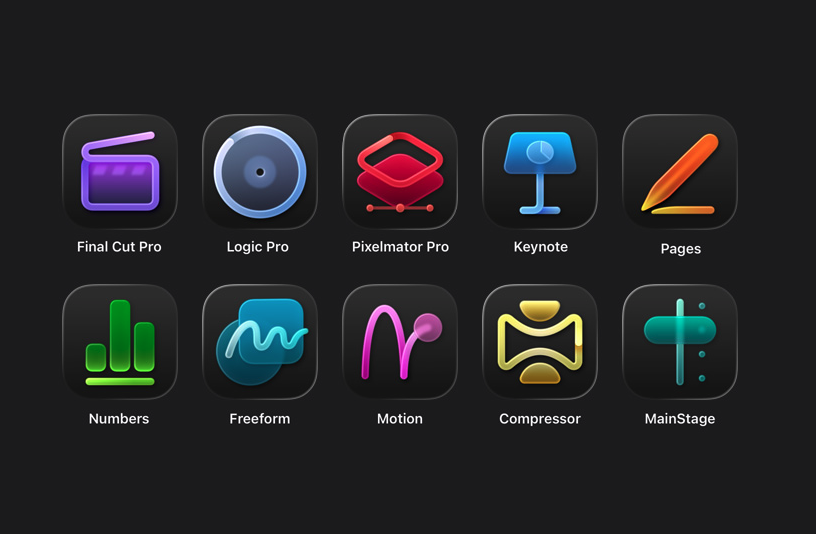
Services have been a huge part of Apple’s business for the past several years — to the tune of tens of billions of dollars in revenue last year alone. Now, with the new Apple Creator Studio bundle, the company is leaning harder into the professional creative software space.
Apple Creator Studio packages a bunch of the company’s pro apps into a single subscription service that you can pay monthly or yearly for. It’s officially available starting January 28, and includes a one-month free trial. The key shift is that some of these apps are now subscription-only on iPad, even as Apple continues to offer one-time purchases on the Mac – albeit with slightly different feature offerings. Here’s everything you need to know about Apple Creator Studio and the programs it includes.
What Apple Creator Studio includes
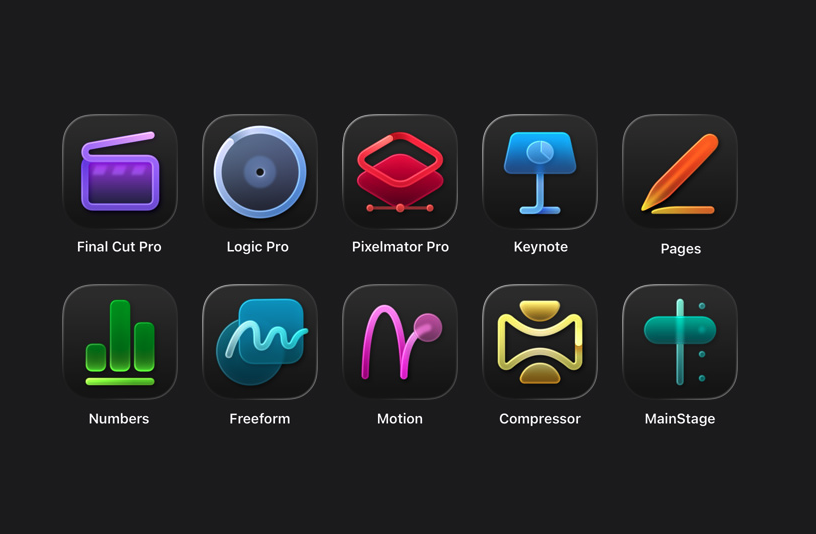
At its core, Apple Creator Studio gives subscribers access to Apple’s professional video, music and imaging apps. The bundle includes Final Cut Pro, Logic Pro, Pixelmator Pro, Motion, Compressor and MainStage. Pixelmator Pro (which Apple acquired in late 2024) is also coming to iPad for the first time, with a touch-optimized interface and Apple Pencil support.
A Creator Studio subscription also unlocks premium content and features inside Apple’s productivity apps. Keynote, Pages and Numbers remain free, but subscribers get access to premium templates and themes, plus a new Content Hub with Apple-curated photos, graphics and illustrations. Similar paid features are coming to Freeform later this year, the company says.
Apple is also using the bundle to introduce new “intelligence” features across several apps. In Final Cut Pro, the new Beat Detection feature can analyze a music track and show a beat grid so you can line edits up to the rhythm. The app is also getting tools like transcript search and visual search designed to make it easier to find moments across footage.
Logic Pro is gaining new AI-assisted Session Players and workflow features on Mac and iPad. Pixelmator Pro continues to rely heavily on machine learning for tasks like background removal, image repair and image upscaling. Note that some of these features require an Apple Intelligence-capable device.
Which devices are supported
Apple Creator Studio works across multiple Apple platforms, though not every app is available everywhere.
On the Mac, subscribers get access to all six apps: Final Cut Pro, Logic Pro, Pixelmator Pro, Motion, Compressor and MainStage.
On the iPad, Final Cut Pro, Logic Pro and Pixelmator Pro are included. Motion, Compressor and MainStage remain Mac-only.
On the iPhone, Creator Studio does not include full versions of Final Cut Pro, Logic Pro or Pixelmator Pro. Instead, it unlocks premium features and content inside Keynote, Pages and Numbers, and eventually Freeform.
Apple says the best experience is on macOS 26, iPadOS 26 and iOS 26 or later, with individual app requirements varying by device and chip.
Pricing and subscription options
Apple Creator Studio costs $12.99 per month or $129 per year, and new subscribers can try the service free for one month. College students and educators get a steep discount: the education plan costs $2.99 per month or $29.99 per year, and it also comes with a one-month free trial.
A standard subscription can be shared with up to five other people using Family Sharing, allowing six users total. Education subscriptions are limited to individual use and cannot be shared. Apple is also offering three free months of Creator Studio to customers who purchase a qualifying new Mac or iPad around launch.
But Creator Studio isn’t the only way you can access most of these apps. Apple says all of the major apps included in Creator Studio will continue to be available as one-time purchases on the Mac App Store.
Final Cut Pro remains priced at $299.99, Logic Pro at $199.99, Pixelmator Pro at $49.99, Motion at $49.99, Compressor at $49.99 and MainStage at $29.99. Users who already own these apps can keep using them and re-download them from the App Store as usual.
On the iPad, however, things are different. Final Cut Pro, Logic Pro and Pixelmator Pro for iPad are only available through the Creator Studio subscription. There is no standalone purchase option for those apps on iPadOS.
Keynote, Pages, Numbers and Freeform remain free for everyone to download and use. Apple says those apps will continue receiving updates, including the upcoming visual design changes tied to iOS 26 and iPadOS 26.
Without a Creator Studio subscription, you can still create, edit and collaborate in those apps. What you will not get are the paid templates, Content Hub assets and certain intelligence features.
What happens to your projects if you cancel
Apple says projects and content you create with an active subscription remain licensed as part of your original work.
Final Cut Pro, Logic Pro and Pixelmator Pro projects remain on your devices and can be copied or shared elsewhere. But you will need an active subscription to open or edit projects in those paid apps.
Keynote, Pages, Numbers and Freeform documents remain editable without a subscription. However, you will not be able to make new edits that rely on paid features once your subscription ends.
Other information about the Apple Creator Studio app bundle
Apple Creator Studio also comes with some immediate trade-offs. Alongside the bundle, Apple confirmed that the older Pixelmator app for iPhone and iPad, now described as Pixelmator Classic, will no longer receive updates. Apple says it will remain functional, but development is shifting to Pixelmator Pro, including the new iPad version included with Creator Studio.
But don't expect the standalone versions of the apps to maintain feature parity with their Creator Studio counterparts. Per Apple's FAQ, "The Apple Creator Studio version of Pixelmator Pro includes access to the Warp Tool feature," which implies that feature isn't present on the standalone version.
More broadly, the bundle puts Apple more directly in competition with Adobe and other subscription-focused creative platforms, especially for people who are looking for a lower monthly entry point. At the same time, Apple is keeping one-time purchases on the table for Mac users, even as iPad access moves behind a subscription.
Apple Creator Studio will be available January 28. Whether it makes sense will likely come down to which device you work on and whether you would otherwise pay upfront for one or more of Apple’s pro apps.
This article originally appeared on Engadget at https://www.engadget.com/apps/apple-creator-studio-is-now-available-for-13-per-month-whats-included-and-what-it-means-for-creators-130000475.html?src=rss
TurboTax Deluxe is 44 percent off ahead of tax season
28 Jan 2026, 2:35 pm by Igor Bonifacic
Tax season is fast approaching, and unfortunately for 2026, Direct File isn't an option anymore. The free, government-provided service was shut down, so you'll need to look to other federal programs, including IRS Free File, to file your paperwork. If you don't qualify for Free File, TurboTax might be your best bet for a relatively cheap, efficient way to file your taxes. While it pains us to suggest you give money to a company that has spent decades lobbying to ensure America's tax system remains a nightmare, we can at least help you save a bit of cash if you've determined TurboTax is a necessary expense for you this year.
Right now, Amazon has discounted the deluxe desktop edition of TurboTax by 44 percent. That gets you $35 off software that normally costs $80, which you can use to file both your individual state and federal taxes. For most Americans, that should cover their needs.
However, if you're self-employed, you'll need to pony up for the more expensive Business version of TurboTax, which is currently 42 percent off, or $54 off. One last thing to note: you'll need a PC with either Windows 11 or macOS Sonoma to run the software, so an older machine won't do, unfortunately.
An alternative that's also on sale is from H&R Block. Amazon has H&R Block's Deluxe + State tax software for 50 percent off, bringing it down to only $30. It works on Windows and Mac devices and lets you import your previous year's personal tax return, even from competing software like TurboTax and Quicken.
Follow @EngadgetDeals on X for the latest tech deals and buying advice.
This article originally appeared on Engadget at https://www.engadget.com/deals/turbotax-deluxe-is-44-percent-off-ahead-of-tax-season-204848046.html?src=rss
Apple TV offers first look at Ted Lasso season 4
28 Jan 2026, 2:15 pm by Andre Revilla
Last year fans of Ted Lasso received the good news that the show would be returning for a fourth season, despite having referred to its third season as its "final" one. Now Apple TV has shared some still images and further confirmation that production is underway.
As first shared by The A.V. Club, this latest batch of still images depicts the eponymous coach back in action, this time coaching a women’s soccer team. A description of the upcoming season shared with the outlet reads, “In season four, Ted returns to Richmond, taking on his biggest challenge yet: coaching a second division women’s football team. Throughout the course of the season, Ted and the team learn to leap before they look, taking chances they never thought they would.”
The images also feature returning cast members such as Hannah Waddingham, who plays Greyhounds owner Rebecca Welton, and Annette Badland, who plays pub owner Mae Green. Also shown are newcomers Grant Feely as Ted's son and Tanya Reynolds as an assistant coach.
Apple shared that the show is returning this summer, but no specific date has been announced.
This article originally appeared on Engadget at https://www.engadget.com/entertainment/streaming/apple-tv-offers-first-look-at-ted-lasso-season-4-141538177.html?src=rss
Get the Disney+ and Hulu bundle for one month for only $10
28 Jan 2026, 2:06 pm by Valentina Palladino,Georgie Peru
The peak time for deals on streaming services — the holiday shopping season — has come and gone, but Disney is back with a fresh offer for the new year. New and eligible returning subscribers can get one month of the ad-supported Disney+ Hulu bundle for just $10. That's $3 off the usual monthly rate for the bundle, and more than 58 percent off if you consider the prices for each service individually (Disney+ at $12 per month and, separately, Hulu also at $12 per month).
We'd be remiss if we didn't mention that this isn't quite as good as the Black Friday deal we saw last year, which offered the same bundle for $5 per month for one year. However, if you missed that offer or just want to try out Disney+ and Hulu for a brief period of time, this is a good way to do so.
Disney+ and Hulu make one of the most balanced streaming pairs available, blending family-friendly favorites with acclaimed originals and network TV staples. Disney+ brings a vast library of animated classics, blockbuster franchises and exclusive content from Marvel, Pixar, Star Wars and National Geographic. It’s the place to stream nearly every Star Wars film and series, plus the full Marvel Cinematic Universe lineup and Disney’s most recent theatrical releases.
Hulu balances things out with a more adult-oriented lineup of current TV shows, next-day network episodes and a growing roster of award-winning originals. The platform hosts series like The Bear, The Handmaid’s Tale and Only Murders in the Building, alongside comedies, thrillers and documentaries that regularly feature in awards conversations. It’s also the home for next-day streaming of ABC and FX shows, making it especially useful if you’ve already cut the cable cord but still want to keep up with primetime TV.
The Duo Basic bundle ties these two services together under a single subscription, offering a simple way to expand your library without juggling multiple accounts. This tier includes ads on both platforms, but the trade-off is significant savings compared with paying for each service separately. For many households, that’s an acceptable compromise when it means access to such a wide range of content.
Follow @EngadgetDeals on X for the latest tech deals and buying advice.
This article originally appeared on Engadget at https://www.engadget.com/deals/get-the-disney-and-hulu-bundle-for-one-month-for-only-10-192814129.html?src=rss
Snap is spinning off its AR glasses into a separate business
28 Jan 2026, 2:00 pm by Mariella Moon
Snap’s augmented reality glasses business will now be its own entity, with the company establishing Specs Inc. as a wholly owned subsidiary. It will enable Snap to more easily secure investors and partnerships for its wearables, as well as to grow Specs into a distinct brand while running it within Snap Inc. As The Information reported in mid-2025, Snap was thinking of ways to raise outside money for its AR glasses to be able to better compete with Meta, which has a lot more money to spend on development. It was already considering spinning off the business back then.
“Specs are launching at an important time, as artificial intelligence transforms the way that we use our computers,” the company said in its announcement. The glasses’ operating system can help you get things done faster based on what they see and what they know about your behaviors. Snap also says that its smartglasses can keep you present in the moment with friends and family unlike phones and computers, since they superimpose digital tools over your view of the real world. In addition, the company believes Specs can help reduce waste over time as its digital tools can replace physical objects, such as manuals and whiteboards.
Snap didn’t say whether Specs Inc. already has investors lined up, but it is already hiring for over 100 roles around the world. The new subsidiary is expected to launch Snap's next generation of standalone AR glasses sometime this year. Company CEO Evan Spiegel previously said that the model will be lighter, have a much smaller form factor and have more capabilities than its older smartglasses, which are mostly developer-focused.
This article originally appeared on Engadget at https://www.engadget.com/wearables/snap-is-spinning-off-its-ar-glasses-into-a-separate-business-140000659.html?src=rss
LinkedIn will let you show off your vibe coding expertise
28 Jan 2026, 2:00 pm by Karissa Bell

LinkedIn has long been a platform for showing off professional accomplishments. Now, the company is leaning into the rise of vibe coding by allowing users to show off their proficiency with various AI coding tools directly on their profiles.
The company is partnering with Replit, Lovabl, Descript and Relay.app on the feature and is working on integrations with fellow Microsoft-owned GitHub as well as Zapier. LinkedIn has always allowed users to add various skills and certifications to their profiles. But what makes the latest update a bit different is that users aren't self-reporting their own qualifications. Instead, LinkedIn is allowing the companies behind the AI tools to assess an individual's relative skill and assign a level of proficiency that goes directly to their profile.
For example, AI app maker Lovabl could award someone a "bronze" in "vibe coding," while the platform Replit uses numerical levels and Relay.app may determine that someone is an "intermediate" level "AI Agent Builder," according to screenshots shared by LinkedIn. These levels should dynamically update as people get more experience using the relevant tools, according to LinkedIn.
Of course, the update also comes at a time when companies have used these same kinds of AI tools to lay off thousands of workers. So while there's may be value in showing off your vibe coding skills, there are still many workers who likely aren't as excited about ceding more ground to AI. When I asked, LinkedIn's head of career products Pat Whealan about this he said that
AI-specific skills are an increasingly important signal to recruiters and the latest update will make it easier for them to assess candidates' skills. But he added that the intention isn't to make AI-specific skills the sole focus. "This is less about replacing any of those other existing signals, and more about showing new ways that people are doing work," he tells Engadget. "And how do we give a verifiable signal to both hirers and other people looking at their profile, that they actually are using these tools on a regular basis."
This article originally appeared on Engadget at https://www.engadget.com/ai/linkedin-will-let-you-show-off-your-vibe-coding-expertise-140000776.html?src=rss
The 512GB Samsung P9 microSD Express card is $40 off right now
28 Jan 2026, 1:31 pm by Andre Revilla
If you're looking to expand the storage on your Switch 2, the 512GB Samsung P9 microSD Express card is on sale right now for 33 percent off, marked down to $80 from $120. With component prices skyrocketing these days, it's getting increasingly rare to see good storage on sale, and 512GB for $80 is a much better deal than you'll currently find directly from Nintendo.
The P9 boasts transfer speeds of up to 800MB/s, making moving games to the card that much faster. As for load times, in our testing we found that any microSD Express, the standard the Switch 2 requires, will offer roughly the same performance. This format is pretty new, so there aren't a ton of cards on the market. As such, the P9 makes our list of best microSD cards for the Nintendo Switch 2.
The P9 microSD Express is also compatible with the Steam Deck or any other gaming console that accepts the format, as well as cameras and more. If you were hoping to spend a bit less, the 256GB version of Samsung's card is on sale for $40, while this 256GB Lexar microSD Express card is on sale for $50.
Follow @EngadgetDeals on X for the latest tech deals and buying advice.
This article originally appeared on Engadget at https://www.engadget.com/deals/the-512gb-samsung-p9-microsd-express-card-is-40-off-right-now-143849385.html?src=rss
Our first look at Google's Android for PC interface leaks in a bug report
28 Jan 2026, 1:30 pm by Andre Revilla
Last summer, Google announced that Android 16 would include a desktop interface built from Samsung DeX, a mirroring and phone integration tool for PC. Thanks to a (now permissions-restricted) bug report discovered on Google's Issue Tracker, we have what is almost certainly a first look at the Android-on-desktop project, codenamed Aluminium OS.
First spotted by 9to5Google, the bug report was about Chrome incognito tabs and included two screen recordings. The description said the recordings were from an HP Elite Dragonfly Chromebook. The video shows a 'chrome://version/' page where one can see the OS listed as Android 16. 9to5Google also said the bug report listed "ALOS" as the operating system, understood to stand for Aluminium OS, along with a corresponding build number that matches the one seen in the screen recordings.
The UI looks like a clear blend of ChromeOS and Android aesthetics, with an Android-style taskbar across the bottom and status bar across the top, with familiar battery and Wi-Fi indicators. The videos also show the Play Store, windowed apps, split-screen multitasking and a version of Chrome with an extensions button, which is currently only available on the desktop version. Google has yet to comment on the leak, so users may have to wait for future Android 16 updates for a more in-depth look at the upcoming desktop experience.
This article originally appeared on Engadget at https://www.engadget.com/computing/our-first-look-at-googles-android-for-pc-interface-leaks-in-a-bug-report-133006008.html?src=rss
UK wants to give web publishers a 'fairer' deal with Google's AI overviews
28 Jan 2026, 1:27 pm by Steve Dent
The UK’s Competition and Markets Authority (CMA) is recommending measures to give publishers more control over how their content is used in Google’s AI overviews. The aim is to “provide a fairer deal for content publishers, particularly news organizations,” the CMA’s chief executive Sarah Cardell said in a press release.
With Google accounting for more than 90 percent of search inquiries in the UK, the CMA recently designated the company with “strategic market status” for search under the Digital Market Act. That allows the regulator to apply “conduct requirements” on Google to promote competition and avoid antitrust issues.
With those new powers, the CMA proposed a number of measures today. The first is a set of controls that would allow publishers to opt out of their content being used for features like AI Overviews or to train AI models. Google would also need to properly attribute publisher content.
Another measure would require Google to apply fair search result rankings for businesses, with an “effective process for raising and investigating issues.” Google would also need to provide a “choice screen” for alternative search options on Android mobile and Chrome browsers.
“These targeted and proportionate actions would give UK businesses and consumers more choice and control over how they interact with Google’s search services — as well as unlocking greater opportunities for innovation across the UK tech sector and broader economy,” Cardell said in a statement.
In response, Google wrote that it’s “exploring updates to let sites specifically opt out of Search generative AI features.” The aim, it said, is to keep search helpful for people who want information quickly while allowing publishers to better manage content. “Any new controls need to avoid breaking Search in a way that leads to a fragmented or confusing experience for people,” the company wrote, adding that it’s “optimistic” it can meet the CMA’s requirements.
When its new designation was announced in October 2025, Google complained that some of the proposed interventions would inhibit UK innovation and growth. Citing a study, the company said that similar measures imposed by the European Union produced “negative results” that “have cost businesses $114 billion.”
This article originally appeared on Engadget at https://www.engadget.com/ai/uk-wants-to-give-web-publishers-a-fairer-deal-with-googles-ai-overviews-132742850.html?src=rss
Anker's new 45W Nano charger with smart display is on sale for $10 off
28 Jan 2026, 1:08 pm by Lawrence Bonk
Anker introduced a nifty little charger at CES 2026, which is a refresh of the pre-existing Nano Charger. It’s already on sale for $30, which is a discount of $10 when you clip the on-page coupon on Amazon.
The 45W charger includes a smart display that shows real-time data like power flow, temperature and charging status. It also features “fun animations to keep things cheerful.” Anker says it can recognize what’s being charged and automatically adjust certain metrics to ensure a longer battery lifespan.
To that end, it works with just about everything. The company advertises that this charger is a good fit for the iPhone, Apple Watch, AirPods and Samsung devices, among others. The new Nano Charger is on the smaller side, with dual folding prongs that rotate to fit most outlets.
Follow @EngadgetDeals on X for the latest tech deals and buying advice.
This article originally appeared on Engadget at https://www.engadget.com/deals/ankers-new-45w-nano-charger-with-smart-display-is-on-sale-for-10-off-160707585.html?src=rss
Shokz OpenFit Pro review: Reducing distractions while keeping your ears open
28 Jan 2026, 1:00 pm by Billy Steele
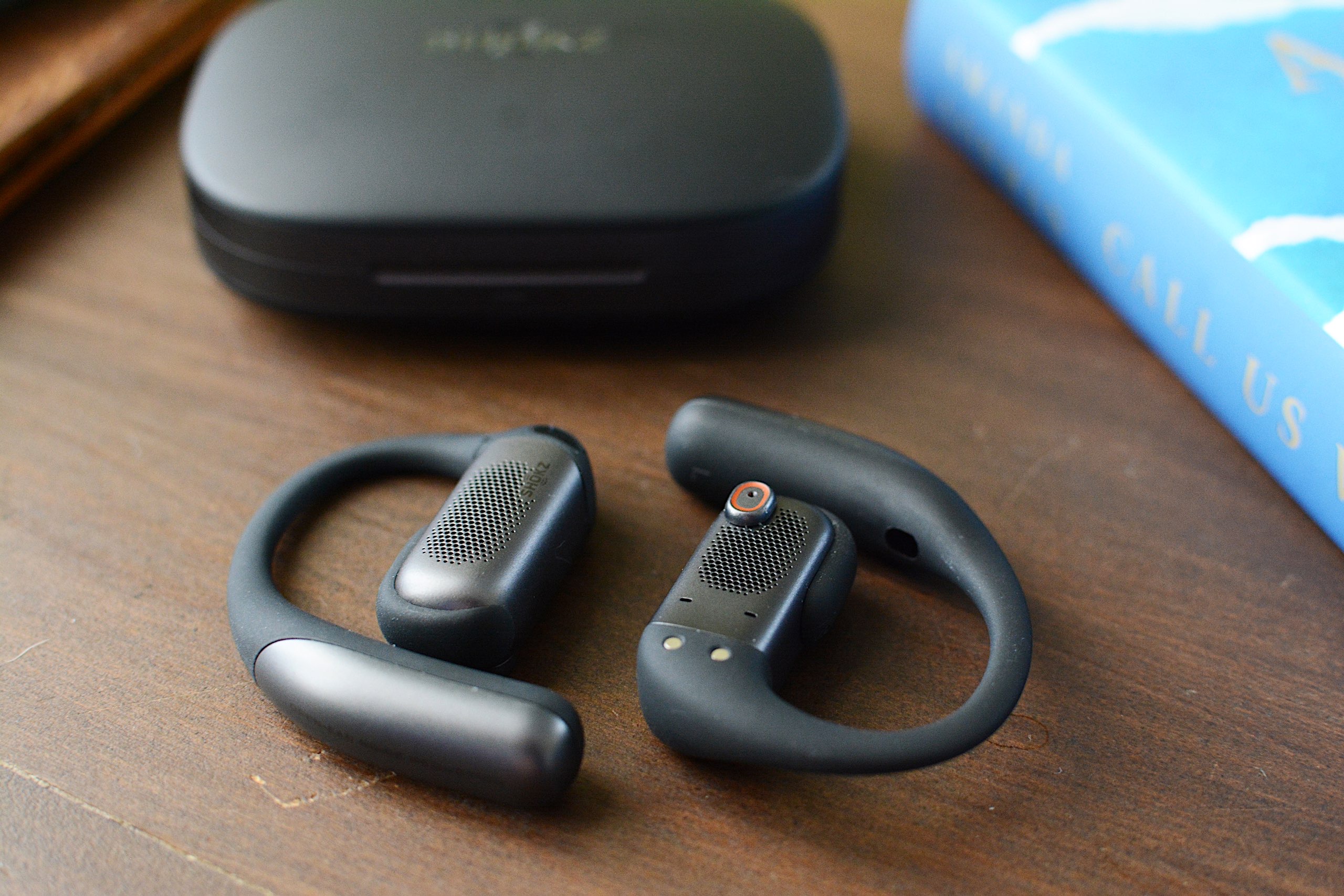
Rarely does a set of open-fit earbuds actually impress me. I tend to find them underwhelming because overall sound quality is subpar compared to the more “traditional” in-ear models. Any promise of noise reduction, or a far-fetched claim of noise cancellation, usually doesn’t hold true. The first time I used the Shokz OpenFit Pro ($249.95) I was immediately met with better audio performance than I’d just experienced on Sony’s new LinkBuds Clip and noise reduction technology that actually lessened some distractions. These aren’t the perfect set of open earbuds, but they have a lot more to offer than most of the competition.
Design
Shokz has a number of over-the-ear hook earbud designs under its belt, and they all carry the OpenFit name. That is also an apt description of these products since they all sit outside of your ear canal, which inherently allows you to remain aware of your surroundings. The company currently offers the OpenFit 2 and 2+ in addition to the OpenFit Air, at prices ranging from $120 to $200. The OpenFit Pro looks similar to its predecessors, albeit with a slightly smaller main housing and more pops of silver. Those ear hooks have a titanium wire inside and are wrapped in “ultra-soft” silicone. They’re plenty flexible and provide a secure yet comfortable fit for daily wear and workouts.
Both earbuds of the OpenFit Pro have tiny physical controls for media playback, volume adjustments, calls and noise settings. The various actions are customizable through the Shokz app. During several weeks of testing, these buttons responded quickly to my clicks and using them didn’t cause the OpenFit Pro to shift out of place.
The OpenFit Pro comes with a charging case that's larger than most other earbuds, which is understandable since Shokz had to accommodate that ear hook. However, the case is quite flat, so it doesn’t take up too much room and easily fits in a small pocket. There’s a USB-C port around back for charging and a Bluetooth pairing button inside. The case also supports wireless charging, if your charging pad is large enough.
Noise reduction vs. noise cancellation
The OpenFit Pro is the first set of Shokz earbuds with what the company calls Open-Ear Noise Reduction. This is essentially the company’s take on active noise cancellation (ANC), but it’s designed to be effective with earbuds that don’t enter your ear canals. Since your ears aren't completely sealed off from the noise of the outside world, Shokz is limited in just how much sound it can reduce. But I’m happy to report the company’s microphone and algorithm combo is actually quite effective.
Shokz says its noise reduction works best in moderately loud environments, like offices and cafes. I’ve found the OpenFit Pro does well to reduce the distraction of constant noise sources like HVAC systems, fans and white noise machines. The earbuds completely silenced a particularly raucous HVAC fan in my hotel room during CES. It's not the most effective at cutting down environmental noise, but in exchange you get a more comfortable set of earbuds while also remaining somewhat alert and aware of your surroundings
Other OpenFit Pro features
The OpenFit Pro is Shokz’ most premium set of earbuds, so the features don’t end at noise reduction. Head tracking, customizable EQ, multipoint pairing, find my earbuds and wear detection are also available here. The company’s app displays battery percentages for each earbud and the case right at the top of the main screen with access to the rest of its tools just below. You don’t have to go searching and tapping through menus until you’ve found what you’re looking for. As someone who has to contend with a lot of headphone apps, I appreciate when all of the options are quickly available from the home screen.
Like other companies offer on their open-type earbuds, Shokz has given the EQ settings a few presets specifically designed for the open nature of the product. Those include a Vocal option that boosts mids for audiobooks or calls and a Private mode that reduces high frequency sounds to prevent leakage. I usually kept the OpenFit Pro around 70 percent volume, which is loud enough that a nearby neighbor in a quiet room could hear the muffled rage of Incendiary’s “Echo of Nothing.”
Another audio feature that’s worth mentioning is Dolby Atmos support. More specifically, the OpenFit Pro is “optimized for Dolby Atmos,” thanks in part to the aforementioned Dolby Head Tracking. You can disable the enhanced audio and head tracking individually in the Shokz app, but I found leaving Atmos on all the time, even when I wasn’t listening to Dolby Atmos music, gave the earbuds a more immersive, more detailed sound profile.
Sound quality and calls
Overall sound quality is another area where the OpenFit Pro shines. Many open-design earbuds struggle to manage much bass or detailed highs, both of which Shokz has addressed with its driver design. Dual 11x20mm diaphragms power a larger, rectangular driver that’s the equivalent of a 16.7mm round driver in a “normal” set of earbuds. For comparison, most in-ear models typically use 10-12mm drivers, with smaller designs housing 6-8mm units. Shokz says it tuned the OpenFit Pro with what it calls OpenBass 2.0 and DirectPitch 3.0, features that provide better bass performance and audio that’s beamed more directly into your ears.
All of that combines for some truly impressive audio performance in a set of open earbuds. The OpenFit Pro still doesn’t muster the bombastic bass that earbuds like the WF-1000XM5 offer, but the low-end performance here is greatly improved over other open models like the LinkBuds Clip. While Thrice’s “Silhouette” still has enough driving kick drum, bass guitar and riffs to do the track justice, there isn’t as deep of a growl as the song has on flagship options from Bose, Sony and Sennheiser.

There’s also more clarity and detail in the tuning here than on other open models, which is on full display when listening to albums like Wet Leg’s alternative masterpiece moisturizer. I love how I can hear the texture of the guitars and drums, and even the vocals, which are the kind of subtle details open earbuds typically lack.
I should also mention that overall sound quality will depend on how the OpenFit Pro sits on your ears. I can easily improve the bass tone if I slightly push the earbuds in closer to my ear canals, but all of the observations I just made were with the earbuds in their natural resting position.
Shokz says the three-microphone setup that assists with its noise reduction tech also helps with calls. That configuration, combined with AI-powered voice recognition, should be able to block over 99 percent of background noise and deliver sharper vocal clarity overall. While that first part holds true — the OpenFit Pro does a great job canceling any ambient roar — the overall voice quality here is below average. It will certainly work for casual chats, but I wouldn’t recommend it for regular work calls or any scenario where you might need to record what you’re saying. My voice sounded muffled during calls and voice memos, more like I would over speakerphone than a set of carefully tuned earbuds.
OpenFit Pro battery life
Shokz promises up to 12 hours of battery life on the OpenFit Pro with up to 50 hours of total use when you factor in the charging case. That’s with noise reduction disabled though; you can expect up to six hours with that turned on (24 hours total with the case). During weeks of testing, I never encountered any issues hitting those figures and the OpenFit Pro never struggled to get through a full work day of music, podcasts and calls using a combination of the default Open Mode and Noise Reduction mode.
As I mentioned, the charging case can be topped up wirelessly if you have a compatible accessory that’s large enough. And if you find yourself with a pair of completely dead earbuds, Shokz includes a quick-charge feature that gives you up to four hours of use in 10 minutes.
The competition

If you’re looking for something that closely resembles the design of the OpenFit Pro, Shokz’ other OpenFit models are likely your best alternatives. The $200 OpenFit 2+ offers 11 hours of battery life and Dolby Audio with both physical buttons and touch controls. The most affordable option, the OpenFit Air ($120), lasts up to six hours on a charge but doesn’t have enhanced audio or wireless charging. As you step down from the OpenFit Pro, you’re missing out on noise reduction, Dolby Atmos and longer battery life.
JBL will soon have three models of its own to rival the Shokz OpenFit line. The Soundgear Sense is currently available for $165 and the Sense Pro and Sense Lite are coming in March for $200 and $150, respectively. These all have a variety of seemingly handy features, but none of them offer any kind of noise reduction and they all have shorter battery life than the OpenFit Pro and OpenFit 2+. I also cannot vouch for them as I haven’t tested any of JBL’s open designs yet.
Wrap-up
Shokz has achieved a rare feat. The company managed to build a set of open-fit earbuds that retain all of those inherent benefits while also providing some relief from distractions with noise reduction. No, the over-the-ear hook design isn’t for everyone — especially if you wear glasses — but the comfy, secure fit and IP55 rating make these a great choice for workouts. The OpenFit Pro is also good enough to be your all-around set of earbuds, and that noise reduction can be beneficial in the office or your favorite work from home space. Sound quality is better than you’ll find on most open earbuds as well, but you’ll probably enjoy not having anything crammed into your ears most. And you don’t have to make too many sacrifices here for that satisfaction.
This article originally appeared on Engadget at https://www.engadget.com/audio/headphones/shokz-openfit-pro-review-reducing-distractions-while-keeping-your-ears-open-130000443.html?src=rss
China finally approves the first batch of NVIDIA H200 AI GPU imports
28 Jan 2026, 1:00 pm by Steve Dent
China has agreed to import its first batch of NVIDIA’s H200 AI chips after the government initially rejected the idea, Reuters reported. Several hundred thousand H200 chips were approved for sale in the country following NVIDIA’s CEO Jensen Huang’s visit there last week, according to two people familiar with the matter.
The US government allowed the sale of NVIDIA’s H200 processors to vetted and approved companies in China late last year. The first sales have been allocated mainly to three unnamed Chinese internet companies and the government is accepting applications for future approvals, according to the sources.
NVIDIA’s most powerful AI chip, the Blackwell B200, is still restricted for export to China. Despite that, over $1 billion worth of those and other high-end NVIDIA chips made their way to China via black market sales, according to previous reports.
The H200 is NVIDIA’s second most powerful AI GPU behind the B200, which is reportedly 10 times faster for some jobs. However, the H200 is still far more capable than NVIDIA’s H20, which was the only chip approved for export to China prior to the Trump administration’s H200 approval in December. Initially, China’s government rejected that chip in favor of domestically developed semiconductors.
China is trying to become self-reliant for its AI chips and infrastructure, with Huawei currently offering the best processors domestically. However, AI chip experts have said NVIDIA's tech is still far ahead of anything that Huawei or other Chinese companies can currently produce.
This article originally appeared on Engadget at https://www.engadget.com/ai/china-finally-approves-the-first-batch-of-nvidia-h200-ai-gpu-imports-130000335.html?src=rss
Windscribe review: Despite the annoyances, it has the right idea
28 Jan 2026, 12:00 pm by Sam Chapman

Windscribe is a virtual private network (VPN) with intense "How do you do, fellow kids?" energy. It has servers in 69 countries and an annual plan that costs $69, an obsession with the sex number that rivals Elon Musk's. I'm shocked that it doesn't have a subscription costing $4.20 per month.
But there's another side to Windscribe's cringe: an obsession with independence and a Bernie Sanders-like anger on behalf of an exploited public. In a market where the best VPNs aim for professionalism, Windscribe aspires to be punk. Its iconoclasm may have led it to develop an app that looks like ExpressVPN in a trash compactor, but it also spurred Windscribe to offer a strong free plan and forgo financial relationships with VPN reviewers. That attitude earned it a spot on my list of the best free VPNs.
Although Windscribe's heart is in the right place, my job is to figure out whether that translates into a good product. I used our rigorous VPN testing procedure to rate Windscribe in 11 categories. You can find my results in the table below and a final verdict at the end of the review.
Editor's note (1/27/26): We've overhauled our VPN coverage to provide more detailed, actionable buying advice. Going forward, we'll continue to update both our best VPN list and individual reviews (like this one) as circumstances change. Most recently, we added official scores to all of our VPN reviews. Check out how we test VPNs to learn more about the new standards we're using.
Findings at a glance
Installing, configuring and using Windscribe
The first step is always to figure out how easy or hard the VPN is to use. Windscribe and other VPNs are important tools, but you'll never use them if the UI gets in the way. I tested Windscribe's desktop apps on Windows and Mac, its mobile apps on iOS and Android and its Chrome and Firefox browser extensions.
To start with, let me say that installing Windscribe is a breeze no matter where you do it. The downloaders and installers handle their own business, only requiring you to grant a few permissions. The apps arrive on your system ready to use out of the box.
Windows
The first thing you'll notice about Windscribe is that it's not even slightly interested in looking like any other VPN. It crams everything into an extremely compact window, which has some advantages — mainly that it's easy to operate it while looking at another app. On the downside, well, it looks like this.
The Windscribe team will probably just say that I'm brainwashed by the establishment, but there's a good reason that most VPNs choose designs with a little more space. This fiddly console, most of which is taken up by information you can't interact with, is likely to confirm all a newcomer's worst fears about using a VPN. Private Internet Access had a similar problem of tightening its app design to the point of being incomprehensible.
The problems persist when you get to the settings page. It's easy to make sense of a VPN without technical knowledge, but Windscribe's preferences menu does everything it can to obscure that truth. Highly technical features are mixed in with options for casual users, and the explanatory blurbs usually cloud the issue even further.
Even the "Look & Feel" settings somehow manage to be confusing. What is the difference between the Stretch, Fill and Tile modes for aspect ratio? What the heck is a Bundled background, and what does it matter whether it's Square, Palm, Ripple, Drip or Snow? The answers to all these can be found by playing around or looking in the knowledgebase, but a VPN really shouldn't require that for its most basic toggles.
Once you get used to Windscribe and learn where to find the features that actually matter, it runs quite smoothly. Connections are never delayed and there are none of the random error messages that have dogged me on other VPNs. In a world of VPNs that look great but run clunkily, Windscribe has built one that looks terrible but runs great. I can't complain about how well it works, but is it too much to ask for a provider that does both? (Oh, wait, that's Proton VPN.)
Mac
Windscribe's macOS app is almost identical to its Windows app. That deserves praise in itself — you'll get much the same experience no matter which type of computer you use. But it also means the Mac app shares the same problems.
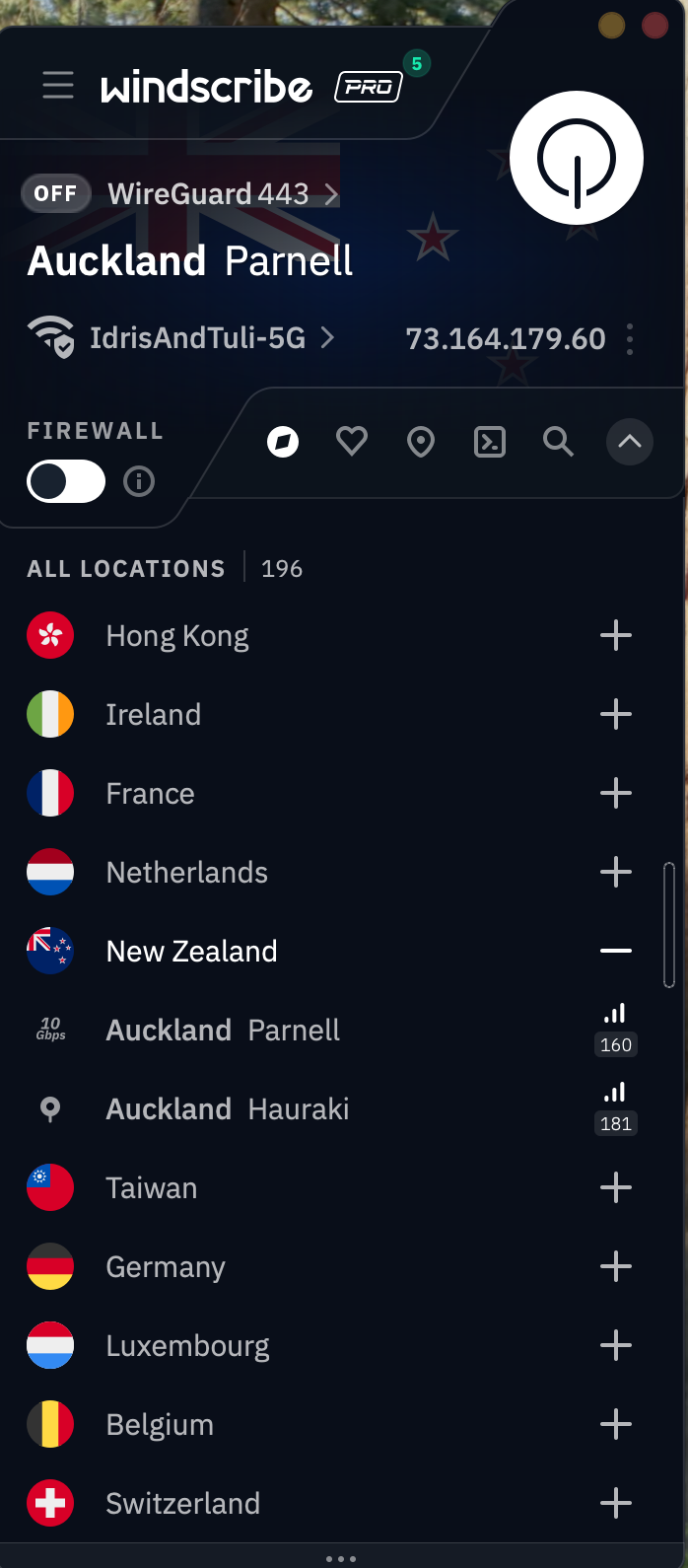
There's the same overly compact design cluttered with too much information. The same technobabble-filled options menu. And the same fundamental solidity underlying it all: a VPN that does the job beautifully but has no interest in being accessible. It would be a mistake to write Windscribe off because of its app design, but it's important to know what you'll have to work through.
Android
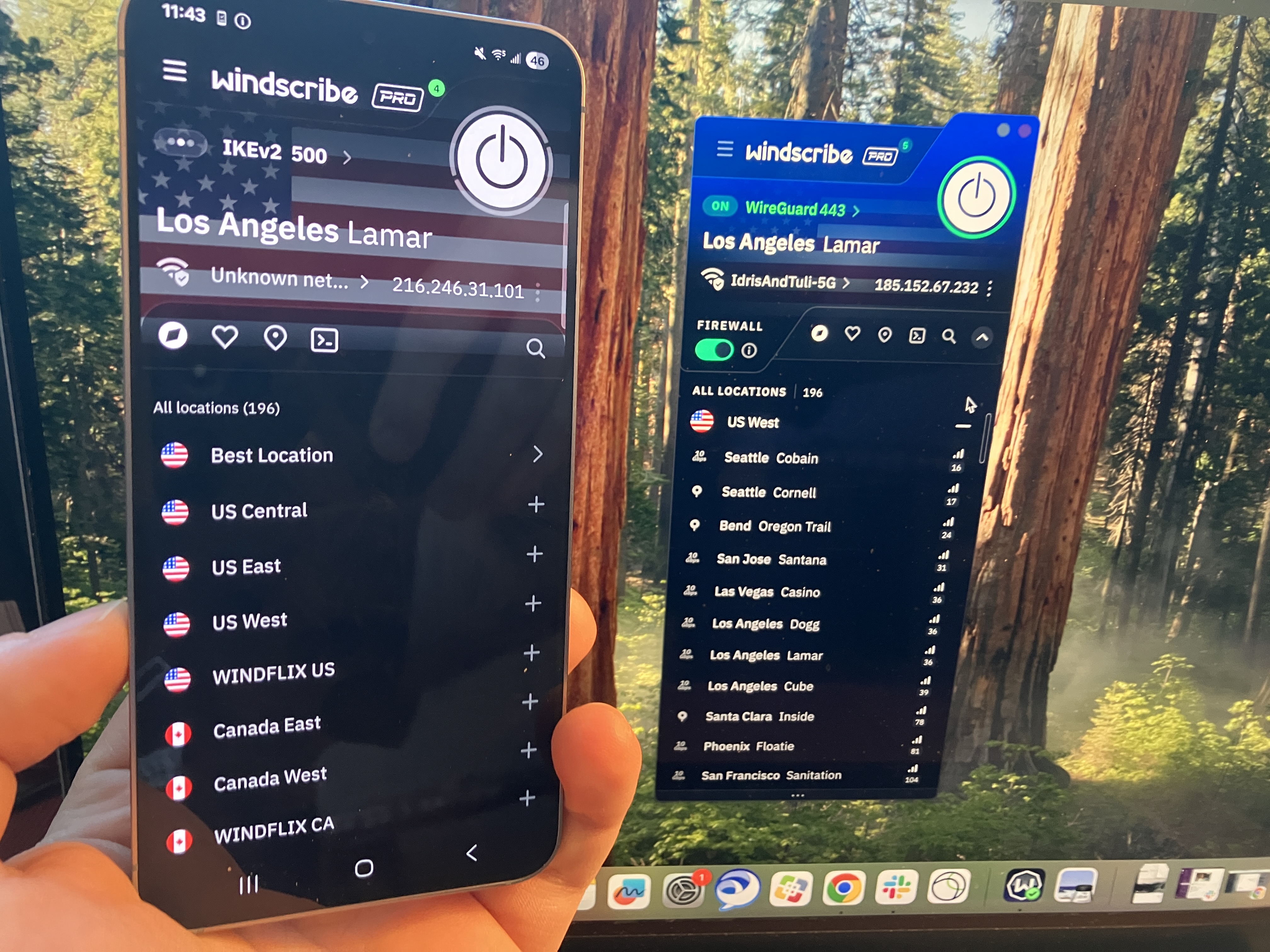
One thing I can't fault Windscribe for is a lack of consistency. The Android app looks a lot like the Windows and Mac apps, only lightly adapted for the mobile format. On these devices, the design decisions make more sense — the UI writing is still impenetrable for casual users, but the compact pages look a lot more normal on a phone screen.
iOS
There's not a lot to say about Windscribe on iOS that I haven't already said about the other three main platforms. Looking over all my screenshots, it seems fairly clear that Windscribe's problems — much like PIA's — come from starting on mobile and trying to make that same design work on desktop. It's still not great to look at, but I can at least see where they're coming from.
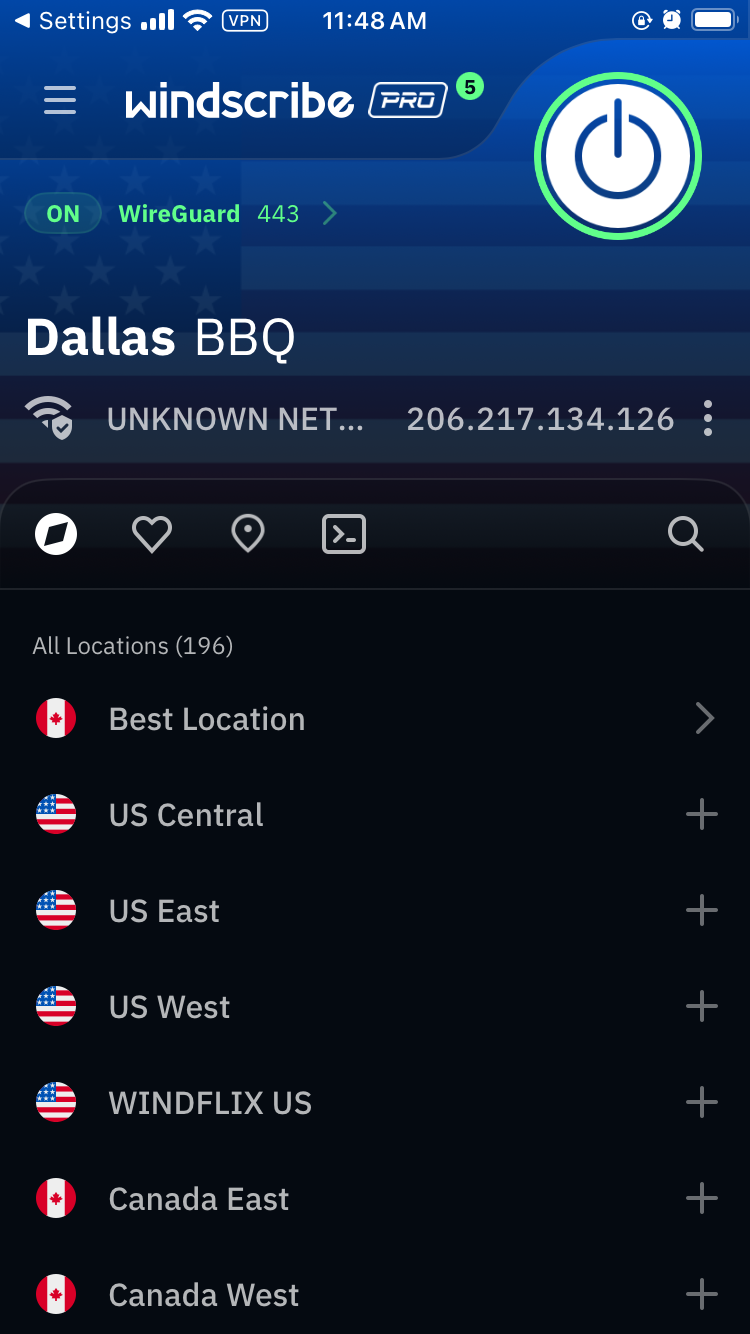
Browser extensions
Windscribe's extensions for Chrome and Firefox look a little like its desktop and mobile VPN apps, but they act a little differently. They serve the same basic purpose as the standalone apps — changing your IP address and location — but they're also customizable ad blockers for the web page you're currently on.

For example, in the image above, I can control what location Google perceives me to be in. But I can also control what gets blocked by choosing to let Google bypass certain features. Clicking the leftmost button makes the current website skip the VPN tunnel. The central button shuts off the ad blocker and the right-hand button shuts off the features on the Privacy section of the preferences menu. Like everything else about Windscribe, it's unintuitive but works great once you figure it out.
Windscribe speed test
I used speedtest.net to test Windscribe's speeds. In case you aren't familiar with the jargon, Ping measures a server's latency, which is how long it takes a single packet of data to reach it from your device. Download speed measures how much data can be downloaded at a time, while upload speed shows how quickly you can send data to the network. Think of ping as your car's speed in miles per hour and download and upload speed as the amount of traffic on the road.
As usual, I used the WireGuard protocol to run these tests, since it's almost always the fastest. Starting with my unprotected speeds at home in Portland, I moved gradually farther away until I was connecting to the other side of the world. Ideally, ping should increase linearly (not exponentially), while download and upload speeds don't dip much at all. I've recorded Windscribe's performance in the table below.
Windscribe gave me some of the shortest latencies I've ever seen — comparable to CyberGhost, whose ping lengths I was also very impressed by. Its download and upload speeds also look a lot like CyberGhost's, with both firmly in good-but-not-amazing territory.
However, Windscribe's speeds were a lot more consistent. Throughout the tests, I hardly ever saw major fluctuations in the same location, on any metric. The Nairobi server seemed to be under some strain, but that's not unusual for a VPN in Africa. Every location except for that one followed a smooth downward curve. I'm happy with that; speed is one of the areas where you want your VPN to be reliably boring, not flashy.
Practically, a speed test like this suggests that Windscribe is best for gaming, livestreaming and video chatting, and that it's perfectly serviceable for any other task you could do online. You may not get the best speeds you've ever seen, but unless your internet is bad to begin with, Windscribe should not slow it down enough to be noticeable.
Windscribe security test
I can say up top that Windscribe doesn't seem to have any dangerous security flaws, but I'll take this section to explain why I think that. To start with, it uses only the three VPN protocols currently known to be secure: WireGuard, OpenVPN and IKEv2, plus a few other options all based on OpenVPN. With those options, you can be sure you're getting encryption that's currently uncrackable.
It also passed two batteries of tests I ran on its security. The first set of tests looks for DNS leaks, WebRTC leaks and other slip-ups that might reveal your real IP address. The second checks whether data packets sent through the VPN tunnel are actually getting encrypted. Check each section below for details on how Windscribe did.
VPN protocols
A VPN protocol determines how exactly a VPN makes contact between its own servers, your device and your ISP. Certain protocols can make your VPN run faster, stabilize a shaky connection or get into websites other protocols fail to unlock. If you're having a problem with your VPN, changing the protocol is one of the first troubleshooting steps.
Windscribe makes a total of six protocols available, though it's really just three, since four of the six are variations on OpenVPN. WireGuard works on every platform, and is currently the fastest and most stable — its drawback used to be that it was new, but with the passage of time, it's no longer new enough to make it suspect.
IKEv2 is a connection protocol that uses the separate IPSec protocol for its security. This double team's main strength is reconnecting to the VPN when a device switches networks; it's also good at not draining phone batteries. Windscribe supports IKEv2 on Mac, iOS and Windows.
OpenVPN is the oldest open-source VPN protocol, refined by over a decade of repeated probing by volunteers. It's not only relatively fast and highly secure, but comes in two flavors: TCP, which makes connections more stable, and UDP, which is usually faster and should be your first resort with OpenVPN. Windscribe supports OpenVPN on all platforms.
Windscribe rounds out the selection with two unique protocols, both focused on hiding your VPN traffic from firewalls and censors. Stealth uses the same connection ports as HTTPS, so it can't be blocked by shutting certain ports down entirely. WStunnel obfuscates connections even further by using the extremely common WebSocket technology to establish VPN connections. Both these proprietary protocols are much slower than the other options, but can save you if you find yourself repeatedly blocked while using Windscribe.
Leak test
I started my leak tests by using ipleak.net to check several Windscribe servers for IP leaks of all sorts. Each time I connected and checked my location, I only saw the VPN server's IP address, never my real one. I tried to trip Windscribe up by switching servers while remaining connected, even changing continents, but my true location never once slipped out. This puts its security solidly above CyberGhost, Norton VPN and many others.
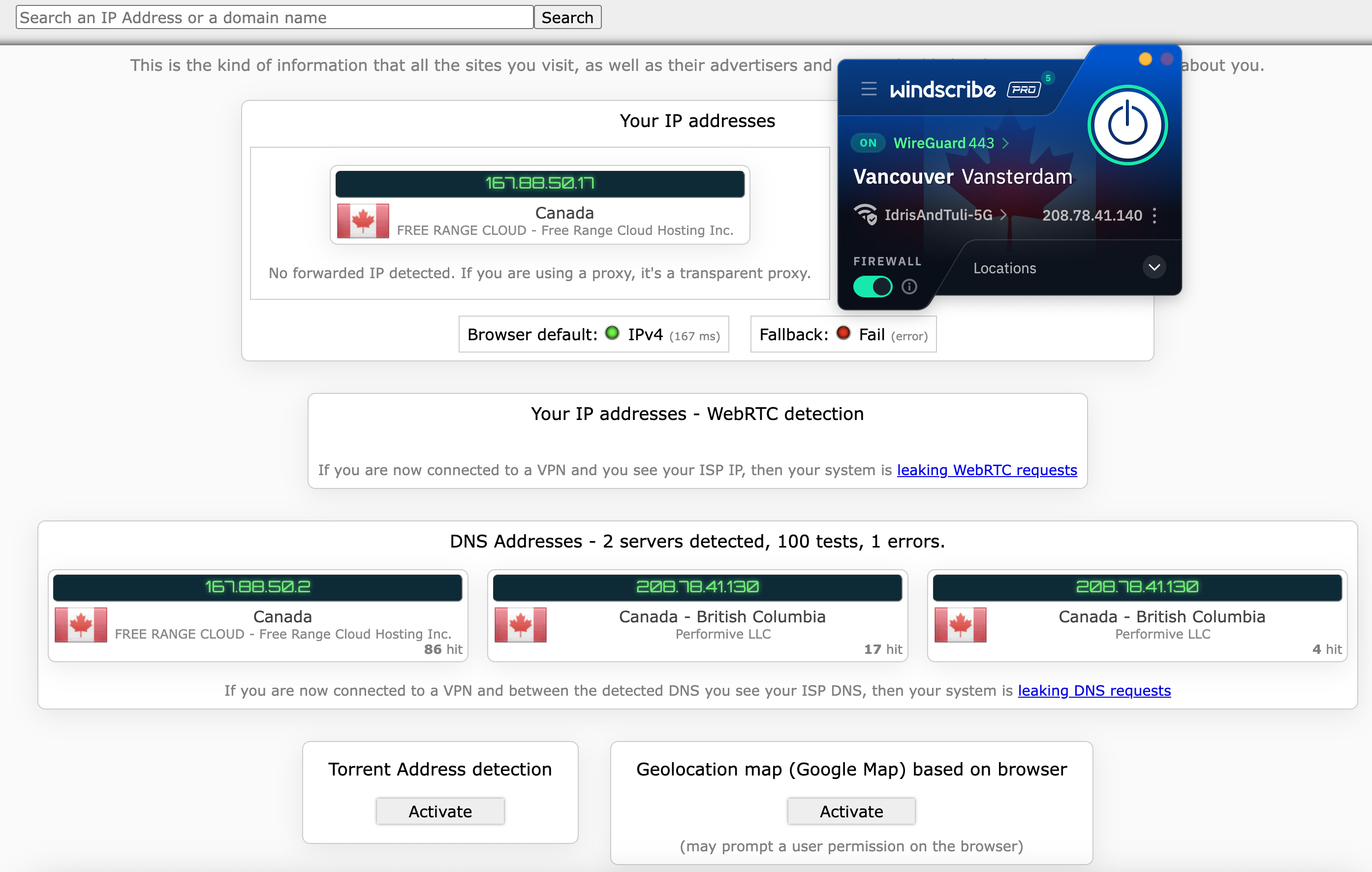
Windscribe automatically blocks IPv6 traffic while connected, so IPv6 leaks weren't going to be a thing. I finished the test by checking five servers using browserleaks.com/webrtc, finding no issues each time.
Encryption test
The final step is to make sure Windscribe is applying encryption properly through its VPN protocols. For this test, I used a free packet sniffer app called Wireshark to look directly at what my computer was sending out.
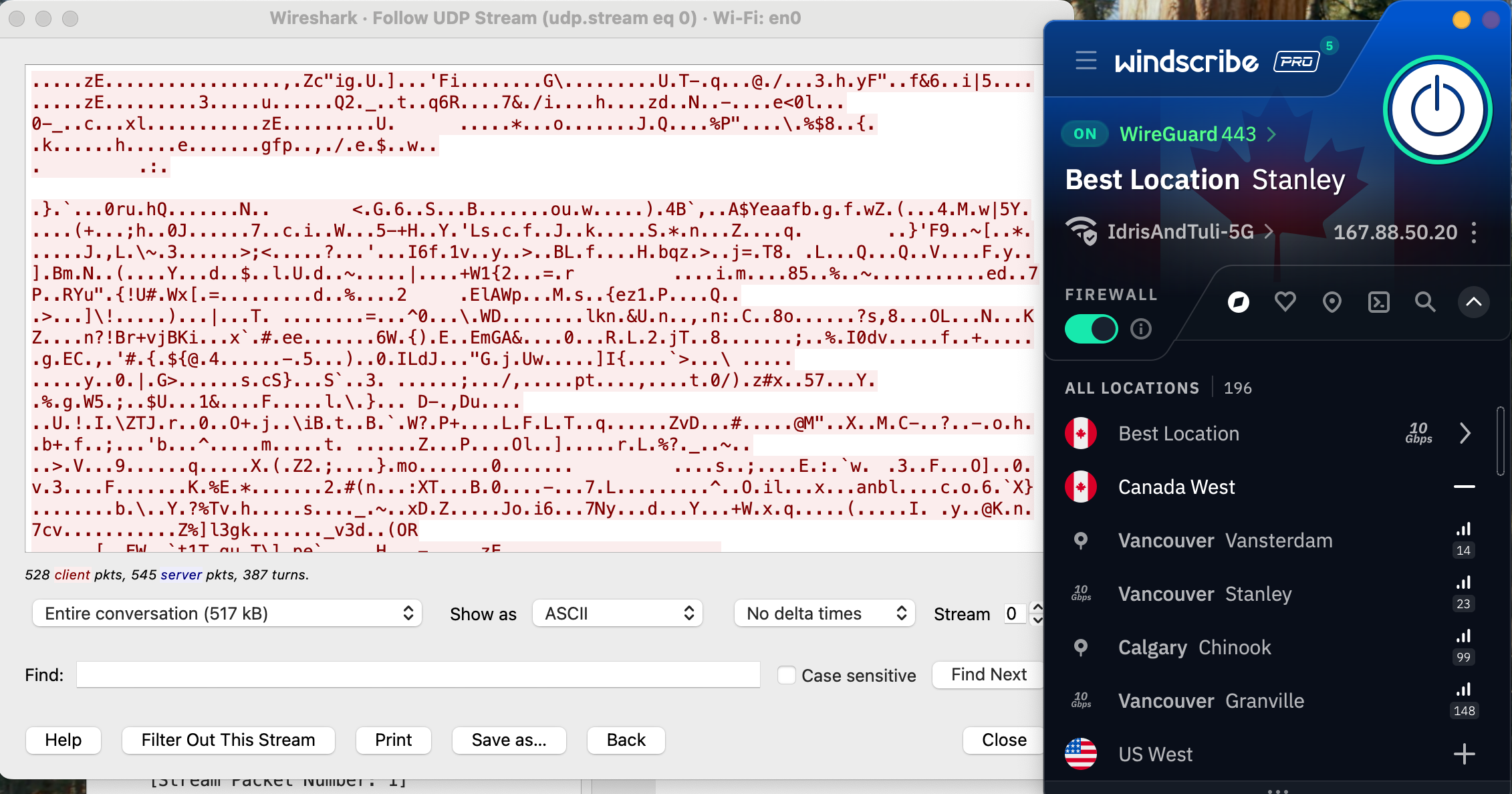
It's a bit hard to tell what's going on, but to summarize, I've loaded a website without HTTPS protection and checked whether Windscribe managed to apply that protection. The lack of readable information in the data stream proves that its encryption is indeed working as expected.
How much does Windscribe cost?
Windscribe has three subscription options (not counting its free plan, which I'll discuss in a moment). One month of Pro service costs $9.00 — after Mullvad, the second-cheapest monthly subscription to a top-tier VPN. You can also pay $69 for a 12-month Pro subscription, working out to $5.75 per month. Both of these tiers give you the exact same set of Pro features and can be used on unlimited simultaneous devices.
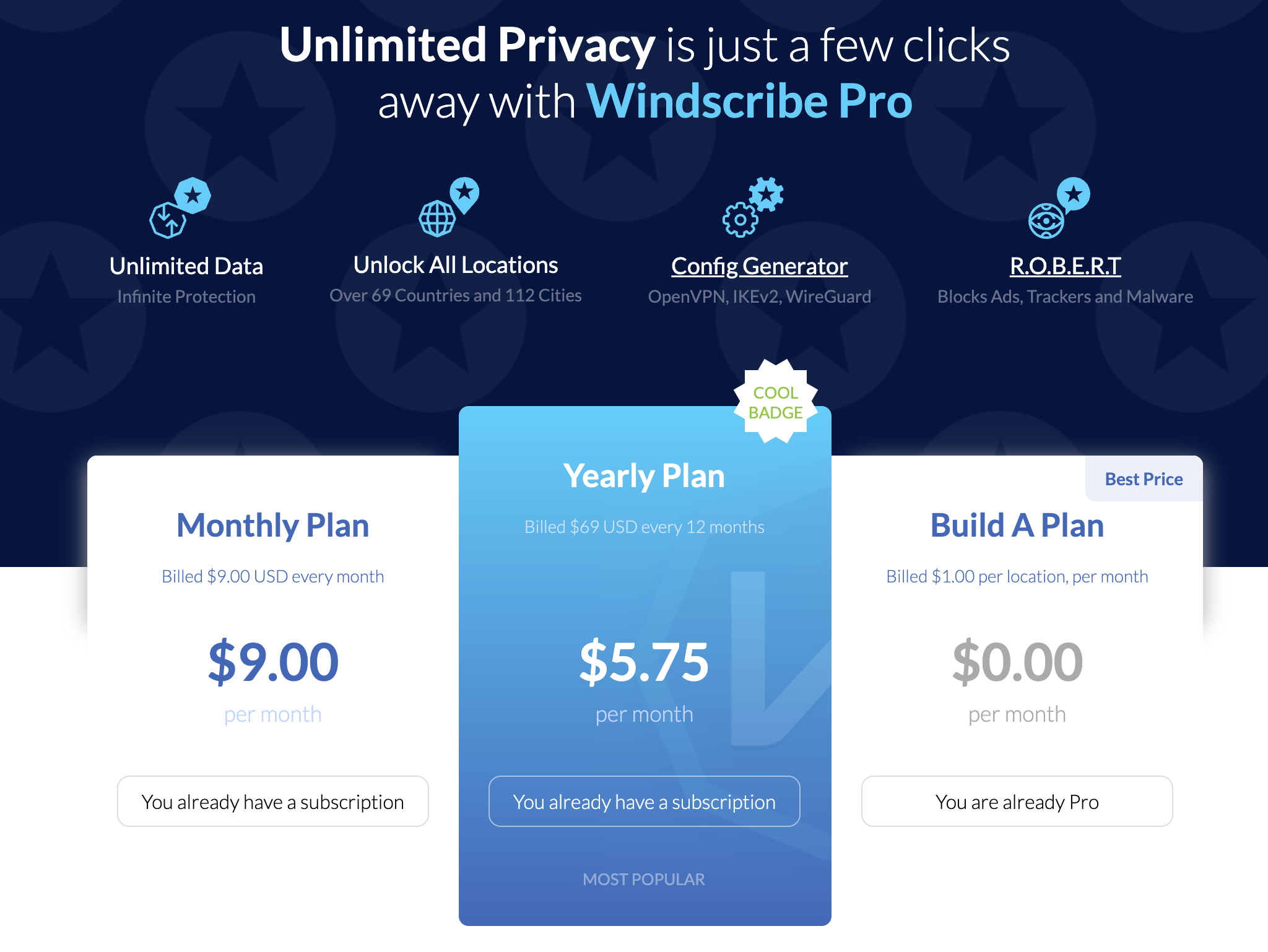
The third option is to build your own plan. Build-A-Plan is an interesting beast that's unique to Windscribe. When you choose a custom plan, you must spend at least $3 per month. Gaining access to all the Pro servers in a country costs $1. For each country you add, you get an additional 10GB of data per month on top of the 10GB already included for free.
If you'd rather not budget your data at all, you can pay another $1 for unlimited data, plus 10 custom rules for the R.O.B.E.R.T. content blocker (I'll untangle the tortured acronym soon). It's a little convoluted, but wonderfully flexible. You can even change your Build-A-Plan in the middle of the subscription period.
Windscribe also offers shared static IPs for an extra fee. You can add a datacenter IP to any plan for $2 per month or a residential IP (usually better at getting around restrictions) for $8 per month. Team billing is also available through ScribeForce at $3 per seat per month, including a centralized management panel.
The Windscribe free plan
Windscribe isn't the overall best free VPN — hide.me wins that honor with its more flexible data limit — but it's close. Free users get access to servers in 10 countries: the US, Canada, the UK, the Netherlands, Norway, France, Germany, Switzerland, Romania and Hong Kong. If you plot that on a map, you'll see that the Windscribe free plan is most useful in North America and Europe.
Free users start with a data allotment of 2GB per month. The monthly limit rises to 10GB if you sign up with a confirmed email address and 15GB if you post about Windscribe on Twitter/X. That's enough for casual browsing, but streaming in standard definition takes about 1GB per hour, so you won't be doing much binge-watching.
On the upside, a free plan gives you access to all Windscribe's features except for dynamic port forwarding. You can set three R.O.B.E.R.T. rules and use your free account on an infinite number of devices (subject to the usual restrictions about exploiting that for commercial purposes — as Windscribe itself states, no one person has 30 devices that need a VPN).
Windscribe side apps and bundles
Windscribe doesn't have any add-ons of its own except for static IP addresses. However, it does offer discount codes for a group of "partners in privacy" that share its business ethics. The coupon codes are available here and don't require a Windscribe subscription to use.
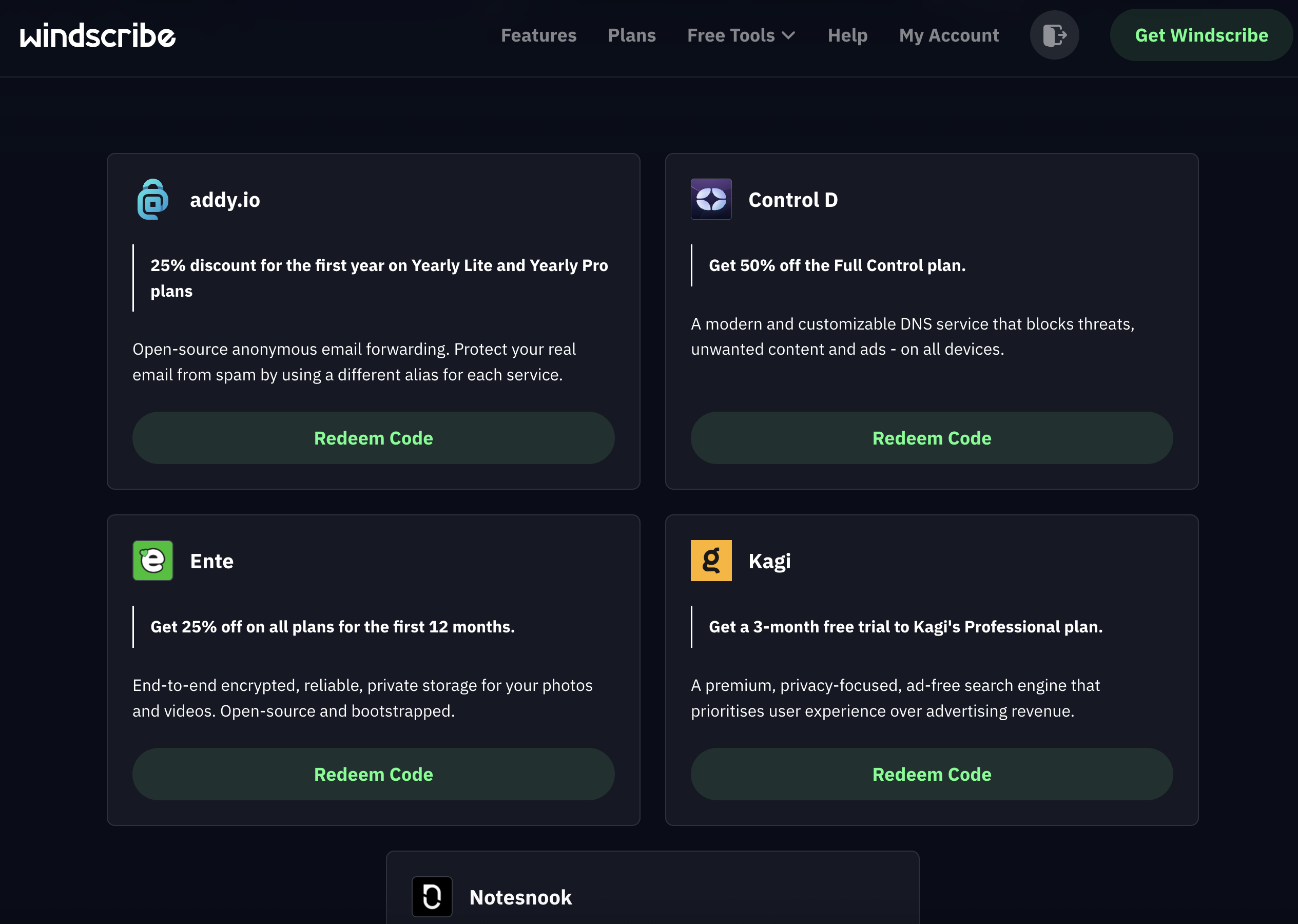
There are currently five allies in the gang. Control D offers DNS filtering for organizations to block unwanted websites; the Windscribe coupon gives you 50 percent off. You can get 25 percent off a one-year subscription to addy.io, an open-source email anonymizer, and Ente, an encrypted storage space for photos and videos.
Rounding out the team are Kagi, a private search engine which you can use for three months free with the Windscribe coupon, and Notesnook, an encrypted notes app. Windscribe's coupon gives you a 10% discount on Notesnook's yearly plans in perpetuity.
Close-reading Windscribe's privacy policy
Windscribe's marketing positions it as serious about user independence, so I came into this section hoping for a privacy policy that backs those words up. An early green flag is that the policy is short, succinct and obviously written to be read by the users themselves. It's also fantastic that you can sign up without an email address (though you will need one to get the full data allotment on the free plan).
Windscribe gathers information on its website using Piwik, an open-source analytics tool that it manages itself; no third parties are involved. The Windscribe app itself collects no information except for the amount of data used in a month, the time of your last connection and the number of devices you have online at once. When actively connected, it also gives you an anonymized username necessary for the OpenVPN and IKEv2 protocols.
My only quibble is that Windscribe is oddly reluctant to identify which third-party payment processors it uses. The information does exist elsewhere — an article in the knowledgebase states that payments are handled by "trusted third party processors such as PayPal and Stripe," and another page says that CoinPayments handles cryptocurrency transactions. It's a small thing, but the rest of the policy is so airtight that it stands out.
Independent privacy audits
Windscribe's apps are fully open-source (you can find them on Github here). In addition to this general exposure, it's also undergone three intensive audits from security firms. Leviathan Security looked into its desktop apps in 2021 and its mobile apps in 2022. The auditors made a total of five high-severity recommendations, all of which Windscribe claims to have addressed.
More recently, Windscribe had its entire codebase audited by PacketLabs. The auditors' June 2024 report found that some of Windscribe's code was storing more user information than it strictly needed to. Windscribe also claims to have handled this risk. More importantly, PacketLabs found no intentional subversions of Windscribe's no-logs policy, so its privacy statements can likely be trusted.
Further corroboration of the latter came from a 2025 court case in which Windscribe founder and CEO Yegor Sak was indicted in Greece and charged with a crime committed by a Windscribe user through an IP address in Finland. This case is obviously absurd — like charging the head of GM with a single instance of vehicular manslaughter committed by someone driving a Buick — but Sak was obliged to appear in court anyway.
As Sak writes in the linked post, he could have turned over the logs and shown who actually committed the crime, but he couldn't since Windscribe doesn't keep that information. Had there been an alternative to waging an expensive and inconvenient legal campaign in another country, Sak would surely have taken it. The fact that he didn't is strong proof of Windscribe's no-logging policy.
Can Windscribe change your virtual location?
Changing your IP address with a VPN can do more than just anonymize your internet activity. A service like Windscribe can give you an IP address associated with a certain country or region, letting you use the internet like you were there. This has applications ranging from the serious (break out of a nationwide firewall to document human rights issues) to the fun (get new titles on streaming platforms without paying for a new subscription).
Netflix is a great tool for testing whether a VPN can change your virtual location. Like most streamers, it tries to block all VPN access to protect the copyrights it holds. Consequently, if a VPN can crack Netflix, it must be serious about keeping its server network fresh to foil any potential blockers.
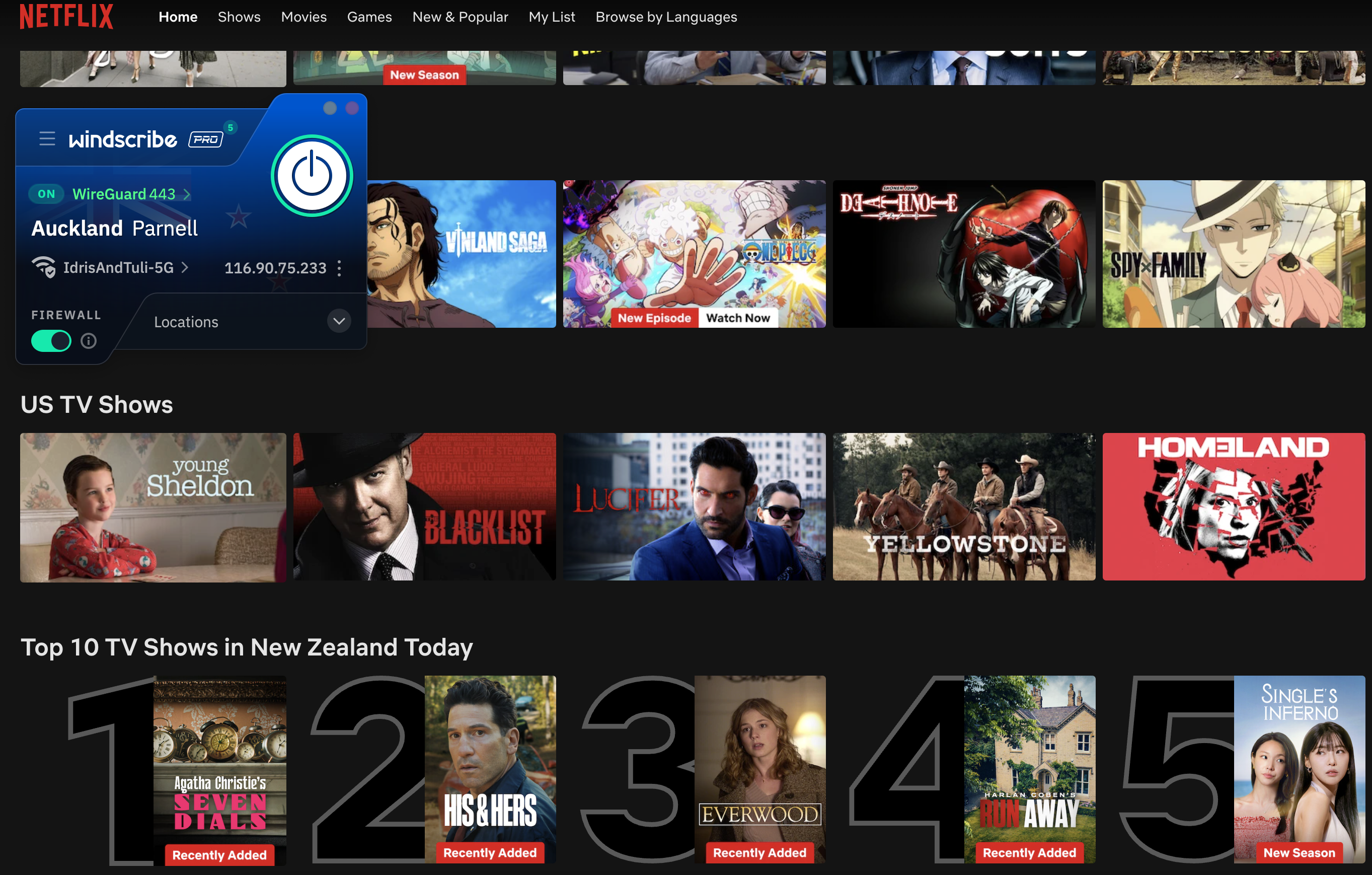
For this test, I tried to access Netflix three times each through five different Windscribe server locations, refreshing the connection to use different servers each time. I looked for successful Netflix access, plus different content to prove my location had actually changed.
Windscribe got a perfect score. Netflix loaded easily every time, and the content was always localized to the country I chose. With this performance combined with its fairly consistent speeds over long distances, Windscribe makes a nearly perfect streaming VPN. The only downside is that the data limits on the free plan mean you'll probably have to pay for serious streaming time.
Investigating Windscribe's server network
Windscribe has 193 server locations in 71 countries, which it insists on listing as "69+" (again, hilarious). Although 193 sounds like a lot, many of them are duplicate locations in the same city. This isn't necessarily a problem, but for accuracy's sake, the total number of cities with Windscribe servers is 122.
The bigger story here is Windscribe's spurning of virtual servers. A virtual server location is physically located in a different region than the one it outwardly displays. For example, a server with an Indian IP address might really be in Singapore. Throughout the entire Windscribe network, only two servers are virtual: one in India and one in Antarctica.
This is both good and bad. On the positive side, the near-total lack of virtual servers means you can be sure of how any server will perform. If it says it's in Buenos Aires, it'll run like it's in Buenos Aires — you won't be surprised with lagging speeds because it's really in Miami. This also makes it clear that Windscribe isn't interested in pumping up its network size for marketing purposes.
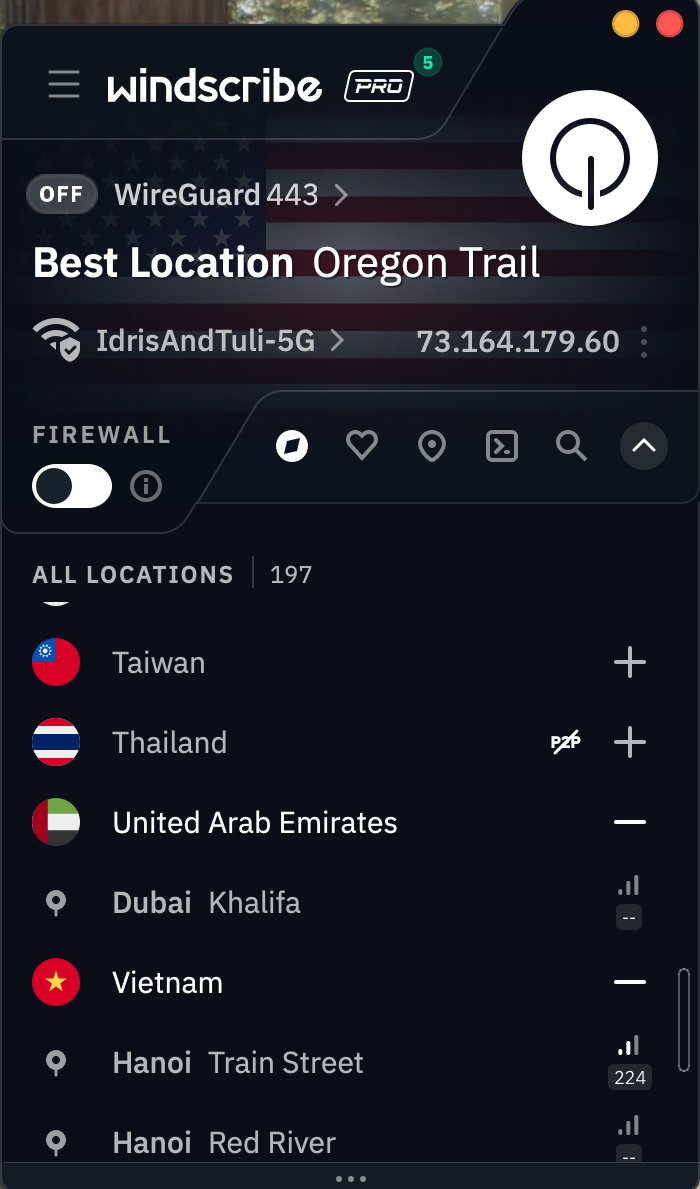
On the other hand, virtual locations aren't an inherently bad thing. Windscribe acts as though advertising hype is the only reason any VPN would employ them, but there are real use cases. Virtual servers can be used to place locations inside countries where real servers would risk confiscation by the government, like Russia, India and China. Windscribe chooses instead to place real servers in Russia and India, both of which have data retention laws that directly conflict with its own privacy policy.
Does this mean that using Windscribe's Russian servers will earn you a midnight visit from the FSB? Probably not. Assuming Windscribe is following its no-logs policy (which appears to be the case), there won't be any user data on those servers if the government seizes them. But it does mean they're effectively running illegal data centers which could be raided and shut down at any time. Be aware of this if you depend on Windscribe's locations in Russia or India.
Extra features of Windscribe
As covered in the UI section, Windscribe has a lot going on in its apps. The Connection tab alone has 13 different features, including two submenus with several options of their own. With this many options, and so many of them highly situational, I won't be able to cover every nook and cranny without this review getting seriously bloated. I've instead chosen some of the most important and illustrative features to give you a clear sense of the whole picture.
Network Options
You'll find this feature at the top of the Connection tab. When you click Network Options, you should see the name of your current Wi-Fi network and all the others your Windscribe account has discovered. This feature lets you control how the VPN reacts to each network it encounters, not unlike CyberGhost's Smart Rules.
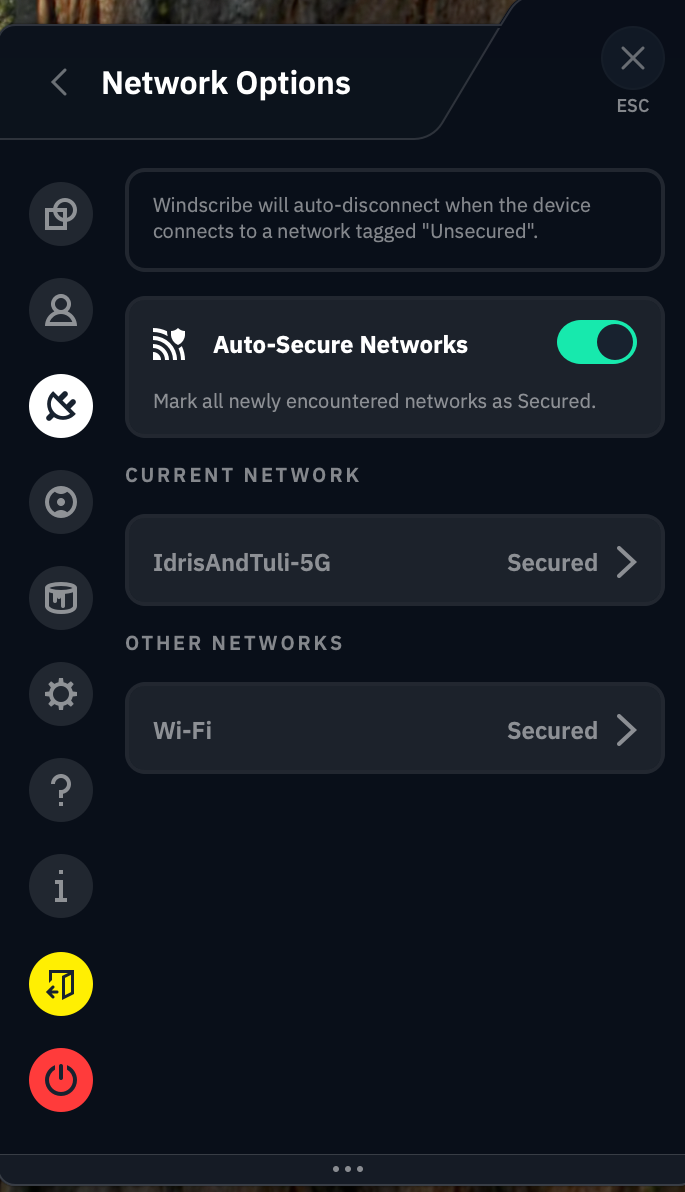
The app does a remarkably poor job of explaining how this works, so I'll break it down for you here. When the Auto-Secure Networks switch is turned on, Windscribe will automatically mark each new network as Secured — a word which here means "Windscribe turns on when it encounters the network."
So far, so good. But if you turn Auto-Secure Networks off, things get weird. Without it, Windscribe tags every network you encounter as Unsecured. Whenever you connect to an Unsecured network, Windscribe immediately disconnects itself. This means it secures all Secured networks and does not secure any Unsecured networks.
It feels backwards until you realize that Windscribe is referring entirely to itself here. "Secured" doesn't mean that the Wi-Fi network is password-protected or otherwise considered safe, and "Unsecured" doesn't mean that it's open to the public without a password. All that matters is whether or not you want Windscribe to activate or deactivate on that network. It's a useful feature that even lets you choose a VPN protocol for each network, but it would help to bring it more in line with mainstream terminology.
R.O.B.E.R.T.
This mouthful of a feature name allegedly stands for Remote Omnidirectional Badware Eliminating Robotic Tool. This is perhaps the apex of the VPN industry's unfortunate habit of saddling perfectly good features with word-salad names (yes, I'm aware it's supposed to be funny).
R.O.B.E.R.T. is perhaps the most customizable content blocker on any VPN right now. To start with, it includes eight lists of sites it blocks at the DNS level: Malware, Ad + Trackers, Social Networks, Porn, Gambling, Clickbait, Other VPNs and Crypto. These vary in usefulness, and you can't determine the contents of each list, but it's nice to have such a range of choices.
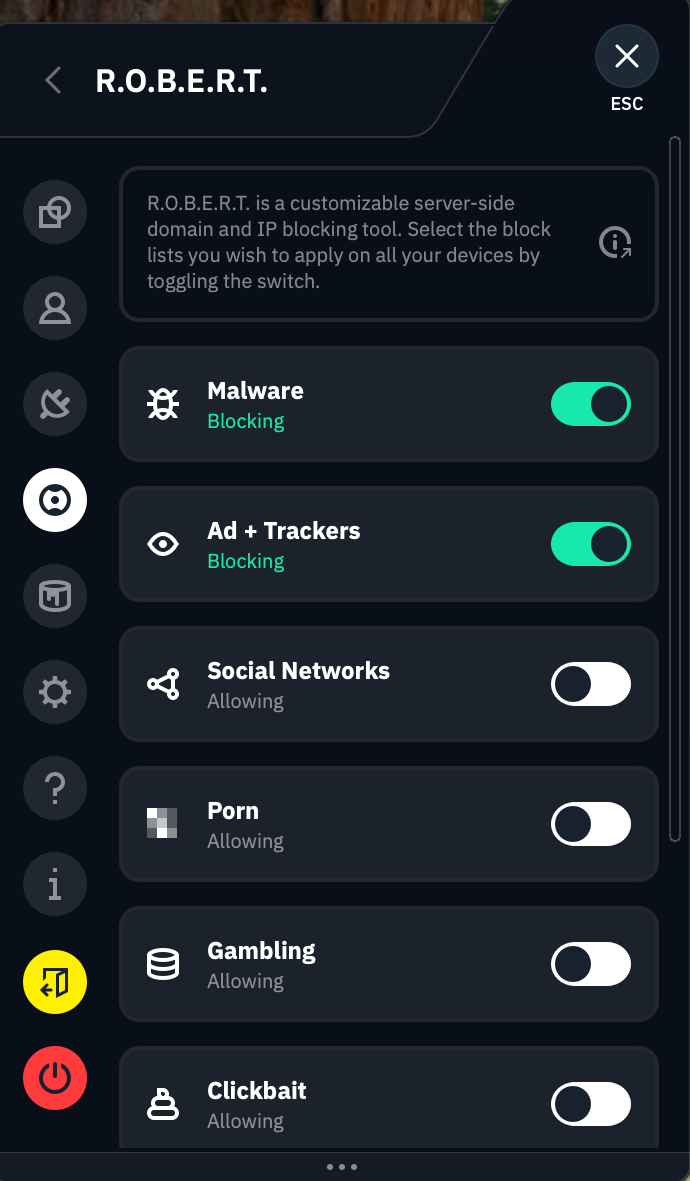
Where R.O.B.E.R.T really shines, though, is in its browser-based customization dashboard. Each Free user can make three custom rules, and Pro upgrades that to 10. Each custom rule can be used to block a specific website or network or allowlist it from one of the other general blocklists. You can also set it to spoof a domain, though there's no practical reason to do this (Windscribe's idea of a "useful" application is making your friends think your post made the front page of Reddit).
Split tunneling
Split tunneling sends some of your internet requests through the VPN tunnel while others go unencrypted as normal. This can be useful if you get worse-than-usual speeds and want to minimize the amount of traffic going through the VPN, or for certain websites that refuse to work with any VPN server.
You can split tunnel on Windscribe's apps for Windows, Mac and Android. Windows and Android users can split by app or website, while Mac users can only split by website. Windscribe lets you choose whether your split tunnel will be inclusive (only apps and IPs on the list will go through the VPN) or exclusive (the apps and IPs on the list will not go through the VPN). Note that R.O.B.E.R.T. rules apply to the entire system, even excluded apps and domains.
Firewall and Always On VPN
Instead of a kill switch, which it derides as an incomplete solution, Windscribe includes a Firewall feature on desktop and an Always On VPN feature on mobile. The Firewall can be considered a strong kill switch that prevents any internet traffic from going outside the VPN tunnel — something doesn't have to go wrong for the blocks to activate. Always On VPN on iOS and Android is functionally the same.
A more proactive defense has its advantages, but it would be nice if Windscribe included the weak kill switch option. Kill switches and firewalls can be overactive, and sometimes, you don't want the strongest level of security.
Circumvent Censorship
This feature is designed to let you access Windscribe on networks that don't want you to use a VPN, from school and work systems to entire censorious countries like China. Windscribe isn't forthcoming about how it works, but it's probably a deep-packet obfuscation that makes VPN traffic look like regular traffic. I didn't have time to pop over to China and test Circumvent Censorship, but I'm glad it exists.
Windscribe customer support options
Clicking the question mark tab on the Windscribe app shows you the full list of support options. You can peruse the knowledgebase, ask their chatbot Garry, talk directly to a human or check out their user communities on Reddit and Discord.
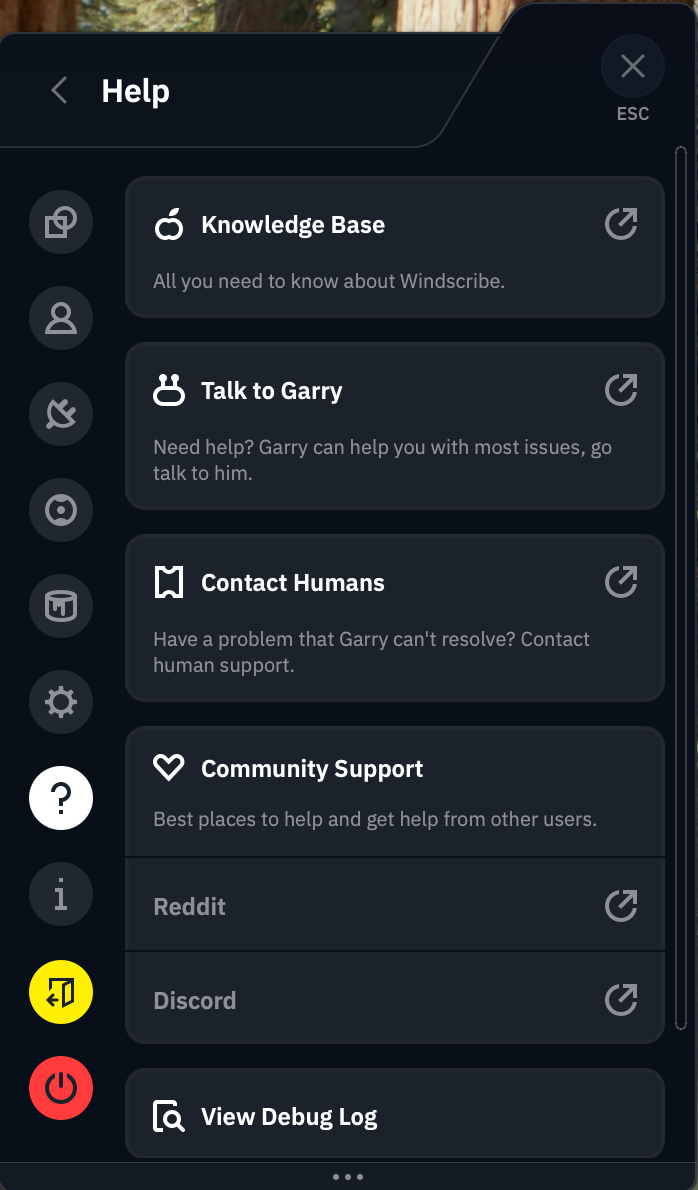
I started with the written FAQs. At the top of the knowledgebase, there's a row of buttons you can click to see only articles relating to a particular operating system. This is a good idea in theory, but it's not implemented very well — there's no visible tagging system, so we can't see how it's deciding which articles to filter.
The search bar is much more likely to get you where you need to go. It works instantaneously and always turns up relevant articles, though it's weirdly insistent on showing exactly 10 results. I have few complaints about articles themselves, which are written in a way any user should find useful (give or take yet more attempted humor).
I tested the chatbot, Garry, by asking it about the mysterious Advanced Parameters tab of the Windscribe app. It explained each feature on that tab (none of which should be touched except by users with technical knowledge) in a spiel that was clearly pre-written but nonetheless useful. Garry was launched in 2018, when IBM Watson was the biggest thing in AI, and recently revamped into "Garry 2.0" — whether this is based on OpenAI or another platform is anyone's guess at the moment.
Live support
Windscribe appears to handle all of its own support, without outsourcing to Zendesk or a similar third party. If you decide not to go through Garry, Windscribe does have the option of connecting directly to a human. However, the Contact Humans option on the app sends you directly back to Garry. It's eventually possible to get Garry to connect you to a real person, but that doesn't excuse Windscribe building an outright lie into its app.
The Contact Support button on the knowledgebase, which I expected to lead to a ticket submission, also sends you straight to Garry. Windscribe really, really wants you to use Garry, in case that wasn't clear. You might have a better time going straight to the Windscribe Discord server or the r/Windscribe subreddit, both of which are linked to in the app.
Windscribe background check
Windscribe eschews a lot of the things we've come to expect from a VPN provider. It doesn't pay for ads anywhere. It has no affiliate relationships with news sites. The only thing resembling a Windscribe ad campaign is the free-plan data reward for Xeeting about it. It doesn't even have any venture capital investors — it's completely self-funded and self-hosted.
As a jaded and cynical reviewer who was already annoyed by Windscribe's memelord attitude, I was prepared to sniff out any hypocrisy in its background, which makes it all the more impressive that I didn't find any. Since its founding in Canada in 2016, Windscribe has never once been involved in any public doings that contradict its statements of ethics. It's even given free unlimited VPN access to every journalist working in Ukraine.
The only thing I could find resembling a controversy was an incident in July 2021 when Ukrainian police confiscated two servers that weren't fully encrypted. Although this would only have posed a risk to users running a customized connection profile under very specific conditions, it was still a lapse. Windscribe responded appropriately in my view, ending the legacy OpenVPN implementation that caused the problem.
Canadian headquarters
Windscribe is based in Canada, which is one of the Five Eyes nations (along with the U.S., the U.K., Australia and New Zealand). This sounds scary, but it's not actually an issue, as Yegor Sak himself points out in a blog post I reference frequently.
Five Eyes is not an organization, but an agreement between five allied countries to share necessary intelligence with each other. This can absolutely be misused. If the U.S. government wants to spy on someone without running into the 4th Amendment, it can ask the Brits to spy on that person instead and tell them what they find, knowing the Constitution can't determine what other countries do to our citizens.
As bad as that is for our civil liberties, it doesn't actually change anything where VPNs are concerned. If a VPN isn't logging user data, there shouldn't be anything for any of the Five Eyes (or Nine Eyes or Fourteen Eyes) nations to find. And if it is keeping logs, you shouldn't be using it no matter where its headquarters are.
Final verdict
You might wonder, at this point, why my distaste for Windscribe's tryhard sense of humor has featured so prominently in this review. One reason is that I had to read a lot of it this week, and you must suffer as I have suffered. But it also makes Windscribe look very good by implication. Having no patience for the discount-4chan act that pervades Windscribe's brand, I was primed to dislike the VPN itself — and I simply couldn't.
This is not to say I had no problems at all with Windscribe. Its physical servers in Russia are difficult to trust. Its help options lean way too heavily on Garry the chatbot. Its app design and UI writing are significant faults. The free plan doesn't give you enough data for streaming.
Having said all that, though, Windscribe does everything else right. It changes virtual locations and unblocks Netflix without breaking a sweat. Its servers keep latencies low, and download speeds remain solid across the world. The apps may look bad, but they never break down. Some features, like R.O.B.E.R.T. and Auto-Secure, are both useful to everybody and deeply customizable for power users.
Windscribe may be best for privacy nerds who know how all its doohickeys work, but it's a VPN I recommend for everybody. In a world of predatory software, it's a relief to use an app that's unabashedly on the customer's side.
This article originally appeared on Engadget at https://www.engadget.com/cybersecurity/vpn/windscribe-review-despite-the-annoyances-it-has-the-right-idea-120000837.html?src=rss
Amazon's latest round of layoffs will affect 16,000 workers
28 Jan 2026, 12:00 pm by Mariella Moon
Amazon has confirmed that it’s letting go of 16,000 workers and employees across its organization. In an announcement by company SVP Beth Galetti, she explained that Amazon was going through organizational changes to reduce layers and remove bureaucracy. Affected employees in the US will be given 90 days to look for another internal role and will receive severance pay if they do not find any. Galetti also said that Amazon doesn’t have plans to announce “broad reductions every few months” but admitted that the company could “make adjustments as appropriate.”
News about the layoffs was leaked in an email mistakenly sent out early to workers, along with a calendar invitation for a meeting dubbed internally as “Project Dawn.” In the email seen by Bloomberg and the BBC, Amazon Web Services Senior Vice President Colleen Aubrey told workers that their “impacted colleagues” from the US, Canada and Costa Rica had already been notified. “Changes like this are hard on everyone. These decisions are difficult and made thoughtfully as we position our organization and AWS for future success,” Aubrey reportedly wrote in the email.
Amazon eliminated 14,000 roles back in October 2025 across its games, logistics, payment and cloud computing divisions, with the availability of AI technologies being one of the main reasons for the layoffs. “This generation of AI is the most transformative technology we’ve seen since the Internet, and it's enabling companies to innovate much faster than ever before,” Amazon said in its announcement back then. This new round of layoffs is just a continuation of the previous one, as Amazon was reportedly looking to let 30,000 people go from the start.
The announcement comes shortly after Amazon revealed that it was shutting down its remaining Amazon Go and Amazon Fresh physical stores and will focus on grocery deliveries instead. To note, Amazon’s year-over-year net sales grew by 13 percent in the third quarter of 2025 alone. Its net income increased to $21.2 billion compared to the $15.3 billion it posted in the third quarter of 2024.
This article originally appeared on Engadget at https://www.engadget.com/big-tech/amazons-latest-round-of-layoffs-will-affect-16000-workers-120000702.html?src=rss
The best robot vacuums on a budget for 2026
28 Jan 2026, 10:01 am by Valentina Palladino
If vacuuming is your least favorite chore, employing a robot vacuum can save you time and stress while also making sure your home stays clean. While once most robo-vacs landed on the higher end of the price spectrum, that’s not the case anymore. Sure, you could pick up a $1,000 cleaning behemoth with mopping features, but it would be incorrect to assume that you need to spend that much money to get a good machine.
Now, you can get an autonomous dirt-sucker with serious cleaning chops for $500 — sometimes even $300 or less. But you get what you pay for in this space; don’t expect affordable robot vacuum cleaners to have all of the bells and whistles that premium machines do, like self-emptying capabilities or advanced dirt detection. After testing dozens of robot vacuums at various price points, I’ve narrowed down our top picks for the best budget robot vacuums you can buy right now.
Best budget robot vacuums for 2026
Are robot vacuums worth it?
Since I've tested dozens of robot vacuums, I'm often asked if these gadgets are "worth it" and I'd say the answer is yes. The biggest thing they offer is convenience: just turn on a robot vacuum and walk away. The machine will take care of the rest. If vacuuming is one of your least favorite chores, or you just want to spend less time keeping your home tidy, semi-autonomous robotic vacuum is a great investment. Many models, albeit more expensive ones, even come with features like a self-empty station to further reduce maintenance.
There are plenty of other good things about them, but before we dive in let’s consider the biggest trade-offs: less power, less capacity and less flexibility. Those first two go hand in hand; robot vacuum cleaners are much smaller than upright vacuums, which leads to less powerful suction. They also hold less dirt because their built-in bins are a fraction of the size of a standard vacuum canister or bag. Fortunately, some models include features like an auto-empty station, which helps with dirt capacity, especially in homes with pet hair.
When it comes to flexibility, robot vacuums do things differently than standard ones. You can control some with your smartphone, set cleaning schedules and more, but robo-vacs are primarily tasked with cleaning floors. On the flip side, their upright counterparts can come with various attachments that let you clean couches, stairs, light fixtures and other hard-to-reach places.
What to look for in a budget robot vacuum
When looking for the best cheap robot vacuum, one of the first things you should consider is the types of floors you have in your home. Do you have mostly carpet, tile, laminate, hardwood? Carpets demand vacuums with strong suction power that can pick up debris pushed down into nooks and crannies. Unfortunately, there isn’t a universal metric by which suction is measured. Some companies provide Pascal (Pa) levels and generally the higher the Pa, the stronger. But other companies don’t rely on Pa levels and simply say their bots have X-times more suction power than other robot vacuums.
So how can you ensure you’re getting the best cheap robot vacuum to clean your floor type? Read the product description. Look for details about its ability to clean hard floors and carpets, and see if it has a “max” mode you can use to increase suction. If you are given a Pa measurement, look for around 2000Pa if you have mostly carpeted floors. Pay attention to the brush roll mechanism as well, especially if you're dealing with dog hair or other stubborn debris that can cause tangles. Many budget models use bristle brushes, while others offer tangle-free designs to minimize maintenance.
You may find some budget robot vacuums also offer vacuum/mop combo capabilities. These bots feature a water tank, which means they can offer mopping functionality, enhancing debris pickup, and resulting in shiny floors. However, these are less common when you’re shopping in the lower price range.
Size is also important for two reasons: clearance and dirt storage. Check the specs for the robot’s height to see if it can get underneath the furniture you have in your home. Most robo-vacs won’t be able to clean under a couch (unless it’s a very tall, very strange couch), but some can get under entryway tables, nightstands and the like. As for dirt storage, look out for the milliliter capacity of the robot’s dustbin — the bigger the capacity, the more dirt the vacuum cleaner can collect before you have to empty it.
You should also double check the Wi-Fi capabilities of the robo-vac you’re eyeing. While you may think that’s a given on all smart home devices, it’s not. Some of the most affordable models don’t have the option to connect to your home Wi-Fi network. If you choose a robot vac like this, you won’t be able to direct it with a smartphone app or with voice controls. Another feature that’s typically reserved for Wi-Fi-connected robots is scheduling because most of them use a mobile app to set cleaning schedules.
But Wi-Fi-incapable vacuums usually come with remote controls that have all the basic functions that companion mobile apps do, including start, stop and return to dock. And if you’re concerned about the possibility of hacking, a robot vac with no access to your Wi-Fi network is the best option.
Obstacle detection and cliff sensors are other key features to look out for. The former helps the robot vacuum navigate around furniture while it cleans, rather than mindlessly pushing its way into it. Many also offer no-go zones, letting you block off areas you don’t want the robot to enter. Meanwhile, cliff sensors prevent robot vacuums from tumbling down the stairs, making them the best vacuum for multi-level homes.
How we test robot vacuums
When we consider which robot vacuums to test, we look at each machine’s specs and feature list, as well as online reviews to get a general idea of its capabilities. With each robot vacuum we review, we set it up as per the instructions and use it for as long as possible — at minimum, we’ll use each for one week, running cleaning cycles daily. We make sure to try out any physical buttons the machine has on it, and any app-power features like scheduling, robot mapping and more.
Since we test robot vacuums in our own homes, there are obstacles already in the machine’s way like tables, chairs and other furniture — this helps us understand how capable the machine is at avoiding obstacles, and we’ll intentionally throw smaller items in their way like shoes, pet toys and more. With robot vacuums that include self-emptying bases, we assess how loud the machine is while emptying contents into the base and roughly how long it takes for us to fill up the bag (or bagless) base with debris.
Robot vacuum maintenance tips
First and foremost, always empty your robot vacuum’s dustbin after every cleaning job, or use a self-empty station if the model supports it. Simply detach and empty the dustbin as soon as the robot is done cleaning, and then reattach it so it's ready to go for the next time. It’s also a good idea to take a dry cloth to the inside of the dustbin every once in a while to remove any small dust and dirt particles clinging to its insides.
In addition, you’ll want to regularly examine the machine’s brushes to see if any human or pet hair has wrapped around them, or if any large debris is preventing them from working properly. Some brushes are better than others at not succumbing to tangled hair, but it’s a good idea to check your robot’s brushes regardless — both their main brush and any smaller, side brushes or corner brushes they have. These parts are often easy to pop off of the machine (because they do require replacements eventually) so we recommend removing each brush entirely, getting rid of any tangles or other debris attached to them and reinstalling them afterwards. If you have a robot vacuum with mopping capabilities, you’ll need to wash the bots’ mop pads too, to avoid any unpleasant smells or tracking mess around your home. Similarly, if your robot vacuum has a water tank, it’s worth washing this out regularly to keep it clean.
Robot vacuums also have filters that need replacing every couple of months. Check your machine’s user manual or the manufacturer’s website to see how long they recommend going in between filter replacements. Most of the time, these filters cannot be washed, so you will need to buy new ones either directly from the manufacturer or from other retailers like Amazon or Walmart.
Budget robot vacuum FAQs
Are budget robot vacuums good for pet hair?
Yes, budget robot vacuums can be good for pet hair. Just keep in mind they generally tend to have lower suction power and smaller dustbins than more expensive (and larger) robot vacuums. If pet hair is your biggest concern, we recommend getting as expensive of a robot vacuum as your budget allows, or consider investing in a cordless vacuum since those tend to be more powerful overall.
How long do budget robot vacuums last per charge?
Budget robot vacuums typically last 40-60 minutes per charge, and the best ones will automatically return to their charging dock when they need more power.
Do budget robot vacuums work on carpets and hardwood floors?
Yes, budget robot vacuums work on both carpets and hardwood floors.
Which budget robot vacuums have mapping features?
Home mapping features are typically exclusive to more expensive robot vacuums. Check the product description of any robot vacuum you're thinking of buying and look for "smart mapping" or "smart home mapping" in the feature list if you want a device that supports it.
Check out more from our spring cleaning guide.
This article originally appeared on Engadget at https://www.engadget.com/home/smart-home/best-budget-robot-vacuums-133030847.html?src=rss
The best E Ink tablets for 2026
28 Jan 2026, 8:00 am by Valentina Palladino
E Ink tablets have always been intriguing to me because I’m a longtime lover of pen and paper. I’ve had probably hundreds of notebooks over the years, serving as repositories for my story ideas, to-do lists, meeting notes and everything in between. However, I turned away from physical notebooks at a certain point because it was just easier to store everything digitally so I always had my most important information at my fingertips.
E Ink tablets seem to provide the best of both worlds: the tactile satisfaction of regular notebooks with many of the conveniences found in digital tools, plus easy-on-the-eyes E Ink screens. These devices have come a long way in the past few years, and we’re just starting to see more color E Ink tablets become more widely available. I tested out a number of different E Ink tablets to see how well they work, how convenient they really are and which are the best tablets using E Ink screens available today.
Best E Ink tablets for 2026
Are E Ink tablets worth it?
An E Ink tablet will be a worthwhile purchase to a very select group of people. If you prefer the look and feel of an e paper display to LCD panels found on traditional tablets, it makes a lot of sense. They’re also good options for those who want a more paper-like writing experience (although you can get that kind of functionality on a regular tablet with the right screen protector) or a more distraction-free device overall.
The final note is key here. Many E Ink tablets don’t run on the same operating systems as regular tablets, so you’re automatically going to be limited in what you can do. And even with those that do allow you to download traditional apps like Chrome, Instagram and Facebook, E Ink tablets are not designed to give you the best casual-browsing experience. This is mostly due to the nature of E Ink displays, which have noticeable refreshes, a lack of vibrant colors and lower picture quality than the panels you’ll find on even the cheapest iPad.
Arguably the biggest reason why you wouldn’t want to go with an iPad (all models of which support stylus input, a plethora of reading apps, etc) is because it’s much easier to get distracted by email, social media and other Internet-related temptations.
What to look for in an E Ink tablet
Writing and latency
Arguably the most important thing to consider when looking for an E Ink tablet is the writing experience. How good it is will depend a lot on the display’s refresh rate (does it refresh after every time you put pen to “paper,” or at a different regular interval) and the stylus’ latency. Most of the tablets I’ve tested have little to no latency, but some are certainly better than others. Finally, you should double check before buying that your preferred E Ink tablet comes with a stylus, or if you need to purchase one separately.
Reading
How much will you be reading books, documents and other things on this tablet? E Ink tablets come in many sizes, but most of them tend to be larger than your standard e-reader because it makes writing much easier. Having a larger display isn’t a bad thing, but it might make holding it for long periods slightly more uncomfortable. (Most e-readers are roughly the size of a paperback book, giving you a similar feeling to analog reading).
The supported file types for e-books can also make a big difference. It’s hard to make a blanket statement here because this varies so much among E Ink tablets. The TL;DR is that you’ll have a much better reading experience if you go with one made by a company that already has a history in e-book sales (i.e. Amazon or Kobo). All of the titles you bought via the Kindle or Kobo store should automatically be available to you on your Kindle or Kobo E Ink tablet.
Also with Kindle titles, specifically, since they are protected by DRM, it’s not necessarily the best idea to try to bring those titles over to a third-party device. Unless the tablet runs an operating system like Android that supports downloads for apps like Kindle and Kobo, you’ll be limited to supported file types, like ePUB, PDF, MOBI, JPEG, PNG and others.
Search functionality
Most E Ink tablets have some on-device search features, but they can vary widely between models. You’ll want to consider how important it is to you to be able to search through all your handwritten notes and markups. I noticed in my testing that Amazon’s and Kobo’s E Ink tablets made it easy to refer back to notes made in books and files because they automatically save to the specific pages on which you took notes, made highlights and more.
Searching is less standardized on E Ink tablets that have different supported file types, but their features can be quite powerful in their own right. For example, a few devices I tested supported text search in handwritten notes along with handwriting recognition, the latter of which allows you to translate your scribbles into typed text.
Sharing and connectivity
While we established that E Ink tablets can be great distraction-free devices, most manufacturers understand that your notes and doodles aren’t created in a vacuum. You may want to access them elsewhere, and that requires some form of connectivity. All of the E Ink tablets I tried have Wi-Fi support, and some support cloud syncing, companion mobile apps and the ability to export notes via email so you can access them elsewhere.
None of them, however, integrate directly with a digital note taking system like Evernote or OneNote, so these devices will always be somewhat supplementary if you use apps like that, too. I’d argue that, if you already lean heavily on apps like OneNote, a standard tablet with a stylus and screen protector might be the best way to go. Ultimately, you should think about what you will want to do with the documents you’ll interact with on your E Ink tablet after the tablet portion is done.
Price
E Ink tablets aren’t known for being cheap. They generally fall into the $300-$800 price range, which is what you can expect to pay for a solid regular tablet, too. A key factor in price is size: cheaper devices with E Ink displays are likely to have smaller screens, and stylus support isn’t as much of a given. Also, those types of devices are generally considered e-readers because of their size and may not be the best for note-taking, doodling and the like.
E Ink tablets have gone up in price recently. Supernote and Onyx Boox increased prices, as did reMarkable. The former said it was due to "increased costs,” and a reMarkable representative confirmed this to Engadget and provided the following statement: "We regularly review our pricing based on market conditions and operational costs. We've communicated an upcoming adjustment for the US market effective in May to provide transparency to our customers. Multiple factors influence our pricing decisions, including supply chain dynamics and overall operational costs in specific markets.”
As a result, the reMarkable Paper Pro jumped from $579 to $629 (that's for the bundle with the standard Marker and no Folio). This isn't great, considering the Paper Pro was already on the expensive side of the spectrum for E Ink tablets. It's also worth noting that Supernote and Onyx Boox have raised prices in the past few months as well.
Other E Ink tablets we've tested
Onyx Boox Tab X C
The Boox Tab X C is a color-screened version of the Tab X, the company’s all-purpose e-paper Android tablet. The Tab X C has a lovely 13.3-inch Kaleido 3 E Ink color display, an octa-core processor, 6GB of RAM and it runs on Android 13, making it one of the most powerful tablets in Boox’s lineup. I’ve used the Tab X in the past and this color version runs similarly, if not better, and at 5.3mm thick, it’s impressively svelte even when you pair it with its folio keyboard case. As someone who loves legal-pad sized things to write on, I also like how the Tab X C is most akin to A4-size paper. But at $820 for the bundle with the standard case (or a whopping $970 for the tablet and its keyboard case), it’s really only best for those who are ready to go all-in on a premium E Ink tablet.
Lenovo Smart Paper
Lenovo made a solid E Ink tablet in the Smart Paper, but it's too pricey and too married to the company's companion cloud service to warrant a spot on our top picks list. The hardware is great, but the software isn't as flexible as those of competitors like the reMarkable 2. It has good Google Drive integration, but you must pair it with Lenovo's cloud service to really get the most use out of it — and in the UK, the service costs £9 per month for three months, which is quite expensive.
Onyx Boox Tab Ultra
The Boox Tab Ultra has a lot of the same features we like in the Note Air 2 Plus, but it’s designed to be a true, all-purpose tablet with an E Ink screen. Running Android 11 and compatible with a magnetic keyboard case, you can use it like a standard 2-in-1 laptop, albeit a low-powered one. You can browse the web, check email and even watch YouTube videos on this thing — but that doesn’t mean you should. A standard 2-in-1 laptop with a more responsive screen and better overall performance would be a better fit for most people who even have the slightest desire to have an all-in-one device. Like the rest of Onyx’s devices, the Tab Ultra is specifically for those who put reading and eye comfort above all else.
This article originally appeared on Engadget at https://www.engadget.com/mobile/tablets/best-e-ink-tablet-130037939.html?src=rss
End of today’s Engadget roundup.