Is the new government mandate a masterstroke against cybercrime or a potential privacy nightmare? Here is everything you need to know about the Sanchar Saathi app, its features, and the controversy surrounding its pre-installation on smartphones.
In a decisive move to curb the rampant rise of digital fraud and mobile theft, the Government of India, through the Department of Telecommunications (DoT), has issued a landmark directive: effective March 2026, all new smartphones sold in India must come with the Sanchar Saathi app pre-installed.
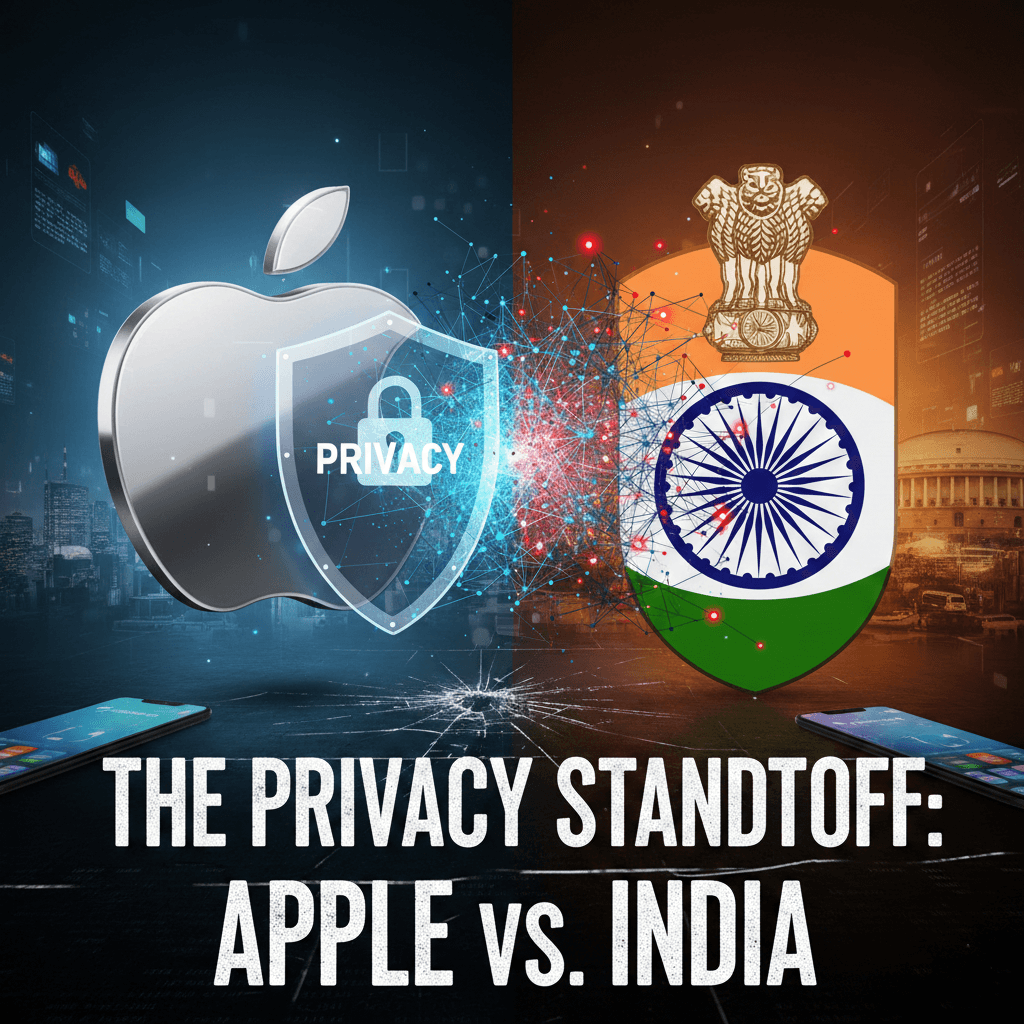
This mandate has sparked a nationwide debate. On one side stands the government, citing alarming cybercrime statistics and the need for a robust, citizen-centric security framework. On the other side are privacy advocates, opposition leaders, and tech giants like Apple, raising concerns about state surveillance and user autonomy.
Whether you are a tech enthusiast, a privacy advocate, or just an average user worried about your data, this guide breaks down every aspect of the Sanchar Saathi ecosystem. We explore what the app actually does, why it is being “forced” (or not) onto your device, and how it aims to redefine mobile security in India.
1. The Mandate: What is Happening in March 2026?
The Ministry of Communications has laid down a clear roadmap. Manufacturers and importers of mobile handsets—including giants like Samsung, Xiaomi, Vivo, and Apple—are required to ensure that the Sanchar Saathi application is pre-installed on every device manufactured or imported for use in India.
The Core Directive
- Effective Date: The strict implementation targets new phones sold after March 2026.
- Visibility: The app must be “readily visible and accessible” to users during the initial device setup.
- Functionality: Manufacturers are prohibited from disabling or restricting the app’s core functionalities at the factory level.
The “Uninstall” Confusion
Initial reports suggested a draconian measure: users would be unable to remove the app. The directive’s phrasing—that functionalities must not be “disabled or restricted”—led many to believe the app would be a permanent system bloatware.
However, amidst growing backlash, Union Minister for Communications Jyotiraditya Scindia issued a crucial clarification. He stated that while manufacturers must install it, users are free to delete it.
“If you want to delete the app, you can. It is not mandatory… But for those who do not wish to keep it, getting started is quick and simple.” — Jyotiraditya Scindia.
This distinction is vital. The government wants to ensure every Indian citizen has access to these security tools out of the box, but they are stopping short of forcing citizens to use them against their will.
2. Why Sanchar Saathi? The Rising Tide of Cybercrime
To understand the mandate, we must look at the problem it tries to solve. India’s digital adoption is skyrocketing, with over 86% of households now connected to the internet. However, this growth has a dark underbelly.
The Statistics of Fraud
- Cybersecurity Incidents: Incidents have doubled from 1.02 million in 2022 to over 2.26 million in 2024.
- Financial Loss: As of February 2025, reported cyber frauds on the National Cyber Crime Reporting Portal (NCRP) amounted to over ₹36.45 lakh—a figure that likely represents only a fraction of the actual losses.
- The Methods: Criminals are evolving. From fake SIM registrations (where hundreds of numbers are issued against a single ID) to IMEI tampering (cloning stolen phones to resell them), the infrastructure of fraud is complex.
The DoT argues that a centralized, pre-installed app is the only way to achieve “herd immunity” against these threats. If every phone can verify its own integrity and report fraud, the network becomes safer for everyone.
3. Deep Dive: What Does Sanchar Saathi Actually Do?
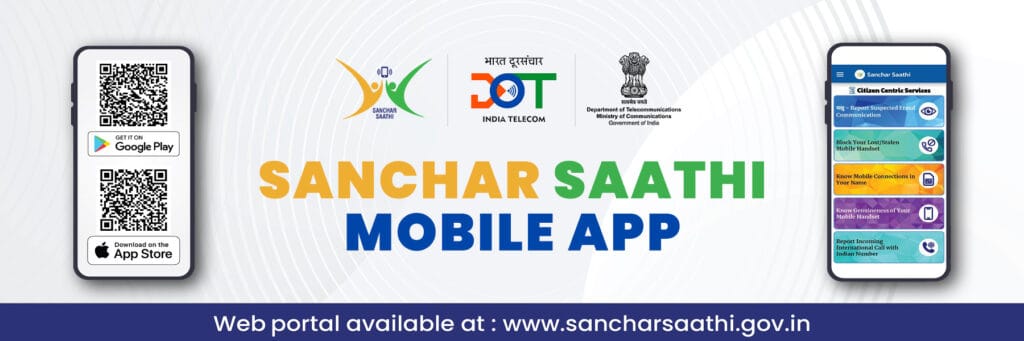
Sanchar Saathi is not just an app; it is a portal to a suite of citizen-centric services developed by C-DOT (Centre for Development of Telematics). It integrates several powerful modules that were previously scattered across different websites.
Here are the four pillars of the Sanchar Saathi ecosystem:
A. CEIR (Central Equipment Identity Register)
This is the most critical feature for theft protection.
- The Problem: When a phone is stolen, thieves often swap the SIM card and resell the device.
- The Solution: CEIR allows you to block the device itself. By entering your IMEI number (a unique 15-digit code) and a police report into the app, the phone is blacklisted across all Indian telecom networks.
- The Result: The stolen phone becomes a useless brick, unable to connect to any network (Jio, Airtel, Vi, or BSNL), destroying its resale value. If the phone is turned on, its location is traced and sent to the police.
B. TAFCOP (Telecom Analytics for Fraud Management)
Have you ever wondered if someone is using a SIM card in your name without your knowledge?
- The Feature: TAFCOP lets you enter your mobile number and OTP to view every single mobile connection linked to your Aadhaar or ID.
- Action: If you see a number you don’t recognize, you can flag it as “Not my number” directly within the app. The DoT then triggers a re-verification process, eventually blocking the fraudulent SIM.
- Impact: This helps dismantle “SIM farms” used by scammers to make phishing calls.
C. KYM (Know Your Mobile)
India has a massive second-hand smartphone market. Unfortunately, many of these devices are stolen or have tampered IMEIs.
- How it Works: Before buying a used phone, you can scan its IMEI using the Sanchar Saathi app.
- The Check: The app verifies the IMEI against the manufacturer’s database and the GSMA blacklist.
- The Verdict: It tells you if the phone is “Blacklisted” (stolen), “Duplicate” (cloned), or “Valid”. This prevents you from inadvertently buying a crime-linked device.
D. Chakshu (Report Suspected Fraud)
Meaning “Eye” in Hindi, Chakshu is the latest addition to the suite.
- Function: It allows citizens to report suspected fraud communications—whether they are calls, SMS, or WhatsApp messages.
- Categories: You can report sextortion, impersonation of government officials, lottery scams, or bank fraud.
- Intelligence: The data reported helps the DoT identify trends and block numbers proactively.
4. The Controversy: Privacy, Politics, and Big Tech
Despite the clear utility of these features, the mandate has faced stiff resistance. The debate centers on three main issues: Privacy, State Control, and Ecosystem Integrity.
The “Snooping” Allegations
Opposition leaders have been vocal in their criticism. The Congress party has labeled the app “Big Brother,” drawing parallels to Pegasus, the infamous spyware.
- The Fear: Critics argue that a government-mandated app, deeply integrated into the operating system, could potentially be used for mass surveillance.
- Permissions: The app requires extensive permissions to function, including access to Camera (for scanning), SMS/Call Logs (for reporting fraud), and Files (for uploading evidence).
- The Defense: The government maintains that the app is “citizen-centric” and does not send data to the cloud without user initiation. They argue that private apps like Truecaller or WhatsApp ask for similar permissions, yet users grant them without hesitation.
Apple vs. The Government
Tech giant Apple has emerged as a key player in this standoff.
- The Stance: Apple rarely allows third-party apps—especially government ones—to be pre-installed as system apps on the iPhone. They argue this breaks their “walled garden” security model.
- The Impact: Reports suggest Apple is refusing to comply, citing that it does not follow such mandates in any other country. This could lead to a significant regulatory clash as the March 2026 deadline approaches.
- The Compromise? It remains to be seen if Apple will be granted an exemption or if they will simply offer a “setup prompt” to download the app rather than a hard pre-installation.
The “Bloatware” Debate
Indian users are already tired of “bloatware”—unwanted apps that come pre-installed on budget Android phones.
- User Control: Even with the promise of uninstallability, there is skepticism. Will the uninstall process be straightforward, or will it be buried in settings?
- System Resources: Users of lower-end devices worry about the app consuming background data and battery life, especially if it is constantly syncing with the CEIR database.
5. Privacy Analysis: Should You Be Worried?
Let’s look at the technical reality of the privacy concerns.
What the App Accesses:
- Location: Necessary to trace lost devices.
- Phone State: Required to read IMEI and SIM details.
- SMS/Call Logs: Needed for the “Chakshu” reporting feature to identify the spammer’s number and timestamp.
The Risk Factor: The primary risk is not necessarily that the app is spyware, but that it could become a vector for it. If a pre-installed app has a security vulnerability, hackers could exploit it to gain system-level access. Furthermore, privacy advocates argue that while the current government may use it for fraud prevention, the infrastructure (a government app on every phone) creates a potential tool for future surveillance if laws change.
The Verdict: For the average user, the utility of blocking a stolen phone likely outweighs the theoretical privacy risk, especially since the government already has access to call data records via telecom operators. However, for activists, journalists, and high-profile targets, the presence of government software on a personal device remains a red line.
6. How to Use Sanchar Saathi (Installation & Guide)
If you bought a phone before the mandate or if you want to install it voluntarily, here is a step-by-step guide.
Step 1: Download & Install
- Android: Go to the Google Play Store. Search for “Sanchar Saathi” (ensure the developer is listed as Department of Telecommunications or C-DOT). Tap Install.
- iOS: Visit the Apple App Store, search for “Sanchar Saathi,” and download.
- Web: You can also access all services directly at sancharsaathi.gov.in without installing the app.
Step 2: Registration
- Open the app.
- Enter your Mobile Number.
- You will receive an OTP. Enter it to verify.
- Note: The app does not require you to create a complex profile; it links primarily to your mobile number.
Step 3: Blocking a Stolen Phone
- Go to the CEIR module.
- Select “Block Stolen/Lost Mobile”.
- Enter the Mobile Number of the stolen device.
- Enter the IMEI 1 and IMEI 2 (you can find these on the phone’s box or invoice).
- Upload the Police Complaint (FIR) copy.
- Submit. You will get a Request ID to track the status.
Step 4: Checking Your Connections (TAFCOP)
- Select the TAFCOP module.
- Enter your mobile number and OTP.
- Review the list of numbers displayed.
- If you see a suspicious number, tick the box next to it and select “This is not my number”.
- Click Report.
7. The Road Ahead: Impact on the Indian Mobile Market
The March 2026 mandate will reshape the Indian smartphone landscape in several ways.
1. The End of the “Burner” Phone? With TAFCOP and strict IMEI tracking, it will become incredibly difficult for criminals to use “burner” phones (disposable phones with fake identities). This could significantly reduce organized crime syndicates operating out of locations like Jamtara.
2. Clean-Up of the Second-Hand Market India’s refurbished phone market is worth billions. Currently, it is flooded with stolen devices. The widespread use of the KYM (Know Your Mobile) feature will likely force sellers to be more transparent, as buyers will habitually scan the IMEI before handing over cash.
3. Software Updates for Older Phones The DoT has also directed manufacturers to push the Sanchar Saathi app via software updates to phones already in circulation. This means even if you don’t buy a new phone in 2026, you might wake up one day to find the app installed after a system update. This specific aspect of the “push” update is likely to be the most contentious point for existing users.
4. A Precedent for Digital Governance If successful, Sanchar Saathi could become a model for other digital public infrastructure projects. Just as UPI revolutionized payments, Sanchar Saathi aims to revolutionize telecom security. However, its success depends entirely on public trust. If the government can maintain transparency and prove that the app is not a surveillance tool, adoption will be high.
Conclusion
The Sanchar Saathi mandate is a double-edged sword. On one hand, it offers a robust shield against the terrifyingly common threats of phone theft and digital fraud. For a victim of cybercrime, the ability to instantly block a device or identify fake SIMs is a godsend.
On the other hand, the mandatory nature of the installation—even with the option to uninstall—signals a shift in the relationship between the state and personal devices. It raises valid questions about where the line is drawn between protection and intrusion.
As we approach March 2026, the debate will only intensify. For now, the message from the government is clear: Your mobile identity is your digital existence, and we are stepping in to protect it. Whether users welcome this protection or view it as an overreach will depend on how transparently the DoT handles the privacy concerns in the coming months.
Final Verdict:
- Pros: Powerful anti-theft tools, easy fraud reporting, transparency in SIM ownership.
- Cons: Privacy concerns, potential for system bloat, friction with tech giants like Apple.
- Advice: Install the app (or keep it) if you want peace of mind regarding theft and fraud. If you are a privacy purist, exercise your right to uninstall it—but remember, the protections it offers vanish with it.
sources:
- https://sancharsaathi.gov.in/
- https://www.thehindu.com/videos/watch-why-india-is-forcing-sanchar-saathi-app-on-new-phones-the-hindu-explains/article70350759.ece
Frequently Asked Questions (FAQs)
Is Sanchar Saathi mandatory for users?
Can Sanchar Saathi track my location?
Will the app work on iPhones?
Does the app read my private messages?
What happens if I buy a phone after March 2026 and delete the app?
Share via: