This digest compiles the latest from NVIDIA.
Today’s NVIDIA Roundup
New Adobe Premiere Color Grading Mode Accelerated on NVIDIA GPUs
15 Apr 2026, 1:00 pm by Joel Pennington
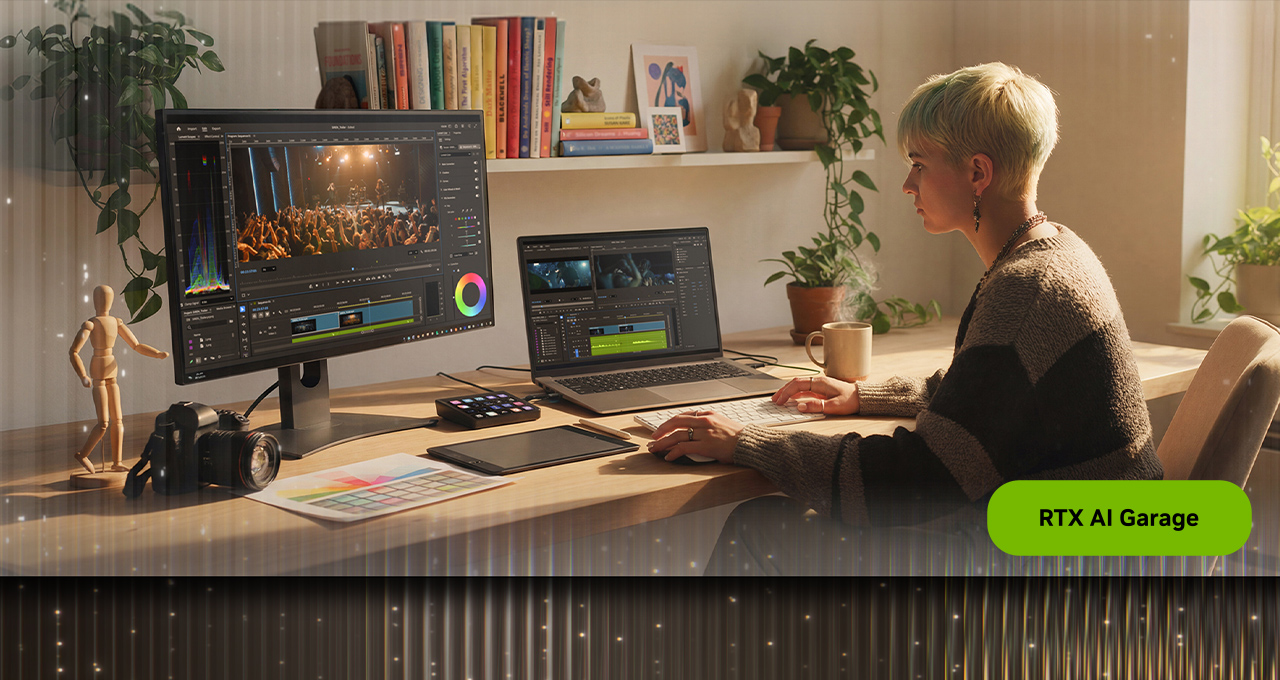
The NAB Show 2026 trade show, running April 18-22 in Las Vegas, is set to showcase a wave of new features and optimizations for top video editing applications. Bringing together over 60,000 content professionals from across the broadcast and media and entertainment industries, the event highlights how video editors, livestreamers and professional creators are exploring new tools, accelerated by NVIDIA RTX technology, to enhance and streamline their creative workflows.
At the show, Adobe is announcing a new Adobe Premiere Color Mode in beta.
Designed to function as a dedicated grading environment nested directly within Premiere, it offers a clean, responsive interface that lets editors stay in their creative flow rather than relying on external tools for color correction. Tapping into GPU acceleration on NVIDIA GeForce RTX- and NVIDIA RTX PRO-equipped systems, this streamlined workflow, operating in 32-bit color depth for the first time, delivers significantly faster performance and quality.
NVIDIA also launched a new update to NVIDIA Project G-Assist — an experimental AI assistant that helps tune, control and optimize GeForce RTX systems.
Color Meets Compute
Premiere’s Color Mode is a new clean, responsive interface within Adobe Premiere that enables editors to do color grading on native videos. Every element is designed to guide editors through the grading process without distractions. A large program monitor anchors the experience, providing immediate visual feedback as adjustments are made to enable faster decision-making and more precise control.
A clip grid view allows editors to visualize progression across shots in a sequence. This makes it easier to maintain consistency across scenes and ensure a cohesive look throughout a project.
Controls are organized into focused modules, each tailored to a specific aspect of color grading. Multiple modules can be active simultaneously, giving editors flexibility while maintaining clarity. Each control features a unique heads-up display (HUD), providing contextual guidance without cluttering the interface.
Color grading is one of the most computationally intensive tasks in post-production. Every adjustment — bidirectional controls, multi-zone tonal shaping and stacked color operations — runs on NVIDIA GPUs, accelerating playback, iteration and visual feedback.
Editors can work with up to six luminance adjustment zones, moving beyond traditional highlights, midtones and shadows models. This allows for more nuanced tonal control and finer adjustments across the image.
Visual scopes are context-aware, dynamically adapting based on the selected tool. HUD overlays provide visual cues directly within the scopes, helping editors understand how their adjustments affect the image without needing to interpret complex visual scopes and graphs.
The entire system now operates in 32-bit color depth precision, delivering maximum color fidelity and preventing unwanted clipping. Editors retain full control, with the ability to clip colors intentionally when needed for creative effect. Color styles can also be applied flexibly, at the sequence, clip, reel or custom group level, making it easier to manage looks across complex projects.
Download the Adobe Premiere (beta) to get started with Color Mode.
Project G-Assist: Enhanced Recommendations and Controls
The NVIDIA Project G-Assist on-device AI assistant helps users get the most out of their hardware. Today’s update adds an advanced detection system for gaming settings, as well as an enhanced knowledge system, enabling G-Assist to deliver higher accuracy when providing advice or adjusting settings for esports and AAA gaming.
The assistant can also now control more settings across systems. It can configure advanced RTX features from the NVIDIA App, including NVIDIA DLSS Overrides, Smooth Motion, RTX HDR, Digital Vibrance and encoder settings.
Download Project G-Assist v0.2.1 from the NVIDIA App and the Stream Deck plug-in from mod.io.
#ICYMI: The Latest Updates for RTX AI PCs


Plug in to NVIDIA AI PC on Facebook, Instagram, TikTok and X — and stay informed by subscribing to the RTX AI PC newsletter.
End of today’s NVIDIA roundup.